Shapelab is a unique VR 3D modeling application offering an intuitive interface and a variety of powerful polygon mesh-based sculpting tools to create high-quality 3D assets. Add VR to your 3D modeling workflow and experience a new dimension of creativity with Shapelab!
Modeled estimate, not a reported figure. How we estimate →
Media

About
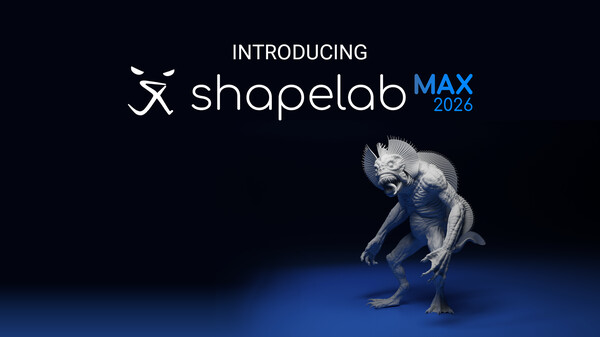
Shapelab Max 2026 is the direct successor to Shapelab 2025. Rebranded with "Max" to signify the ultimate, full-featured creative suite for PCVR, it delivers all the well-known tools plus major new additions. Whether you are a professional or a beginner, Shapelab Max 2026 offers the cutting-edge toolset you need for a smoother, more enjoyable 3D modeling experience.
Shapelab is a highly efficient 3D sculpting application optimized for virtual reality devices. Shapelab takes advantage of VR technology to provide an immersive and intuitive interface that allows you to sculpt in 3D space, giving you a new level of control and creative freedom over your designs. With Shapelab, you can easily create organic shapes, from simple forms to complex designs. Visualize your creative ideas and print them in 3D or sculpt high-quality props, characters, and concepts for applications, games, and virtual worlds, as well as digital concept art and storyboards.
Using virtual reality for 3D modeling offers numerous advantages. It allows you to work with your creations in a more natural way as if they were physical objects right in front of you. This provides a level of immersion and depth that is simply not possible with traditional 2D modeling tools. Additionally, virtual reality modeling can increase productivity, as it allows you to work faster and more efficiently, even with greater precision in certain cases.
Shapelab’s usage of polygons instead of voxels makes it stand out in the creative VR tools market. Polygonal mesh modeling gives you the ability to sculpt stunning, well-detailed, and realistic 3D assets and allows users to import and edit large and complex 3D scans. With Shapelab's dynamic topology mode and support for industry-standard features, you can create detailed models with ease.
Join our community of artists and unleash your creativity with Shapelab today!
WHAT’S NEW IN SHAPELAB MAX 2026?
Redesigned, Rebuilt, and More Powerful Gizmo to deliver a more professional, flexible, and immersive interaction experience. It now offers greater accessibility, precision, and customization across both VR and Desktop workflows.
Transform System & Non-Uniform Scaling to scale objects along individual axes using the Gizmo or Transform Tab. It offers better control over object proportions, blockouting, and is essential for hard-surface like modeling as well.
Elastic move tool that brings Pixar’s real-time elastic deformation methodology to Shapelab, giving artists an intuitive, physically responsive way to reshape models. Especially useful for organic forms and posing.
Brush Rotation Upgrade
An improved Brush rotation along the drag movement
A new "Topology Align" slider to align the generated topology with the direction of your brush strokes:
Voxel Remesh Upgrade that includes new "Fix Pole" and “Reproject” settings for more accurate geometry, alongside other significant improvements
A single, consistent Symmetry Reference Space used across the entire toolset, that ensures all symmetrical operations behave predictably across different contexts
Quick Access Wheel Expansions (VR) with more useful controls
Adjustable Viewport Momentum (VR Only) to customize the momentum of scene root (viewport) rotation in VR. This affects how quickly or smoothly the scene continues moving after you rotate it using controllers.
VR controller haptics for UI interactions such as hovering, button presses, slider movements, and gizmo grabs
These are the initial new features for Shapelab Max 2026; expect more features and major improvements to be released throughout the 2026 calendar year. Stay tuned for future updates!
OTHER CORE FEATURES IN SHAPELAB MAX 2026:
Dual Engine Modeling
Combine the power of polygon sculpting with the speed of voxel-based sketching. Shapelab’s hybrid engine lets you block out ideas in voxels, then refine them with production-ready polygon tools—all in one workflow.
Dual VR and Desktop Modes
Run Shapelab on your PC in desktop mode or use a VR headset tethered to your PC for an immersive VR experience. Switch seamlessly between modes while working on your projects.
Digital Pen and Tablet Support
Leverage the power of your digital pen and tablet with tilt, twist, and pressure sensitivity. Compatible with both Wintab and Windows Ink for precision sculpting.
Advanced Sculpting Tools
Access industry-standard sculpting tools with extensive configuration options. Brushes include Clay, Standard, Mask, Crease, Smooth, Pinch, Inflate, Snakehook, Flatten, Trim, Regularize, and 3D Stamp.
Dynamic Topology Sculpting (Optional)
Enable real-time tessellation to dynamically adjust mesh detail based on your needs. Alternatively, lock your brush resolution to a specific value by sampling directly from your model for precise sculpting control.
Customizable Work Environments
Personalize your workspace:
Import custom HDRI skyboxes or use solid colors and gradients.
Configure ambient lighting, reflections, and directional light settings.
Toggle the workspace floor on or off as needed.
Kitbashing with Custom Shapes and Primitives
Build efficiently using a built-in library of fixed shapes and parametric primitives.
Or use your custom models added to your shape library for quick scene population.
Precision Tools: Snapping and Constraints
Grid and angle snapping for organized creations and constraints for more precise alignments.
Tools for you to quickly align and reset the scene to cycle through perspectives.
Multiresolution and Subdivision Levels
Subdivide your mesh to create multiple levels of detail. Easily switch between them to optimize your workflow.
PBR Vertex Painting and Texture Export
Paint Color, Roughness, Metalness, and Emission properties directly onto your models.
Export texture maps, including normals, PBR properties, and vertex colors, during the export process.
Remeshing and Mesh Transformations
Voxel remesh, subdivide, decimate, and regularize meshes.
Perform operations like mirroring, welding, flipping, and filling holes.
Merge vertices and quad remesh for cleaner topology.
Detail Transfer (Projection): Transfer intricate details from high-resolution, unorganized meshes to cleaner, quad-based models.
Scene Management
Object hierarchy organization through parenting.
Clone, mirror, merge, subtract, intersect, and join objects.
Multiselect and group objects for batch operations.
Gizmo and freehand transformations for objects and scenes.
Materials and Shading
Use PBR materials, MatCaps, and procedural textures.
Import custom MatCaps or utilize built-in ones.
Flat shading support for stylistic effects.
File Support and Import/Export
Easily import and export models in FBX, OBJ, STL, and GLB formats.
Please note that Passthrough Mode is not natively available in Shapelab Max 2026.
Please note that although you can register a Shapelab account after downloading Shapelab, an account is not needed to access the application. To create an account you only need to provide an email address and a password, or you can choose to sign in with your existing Google or Facebook account. Tick the 'Remember me' checkbox to stay logged in. You can provide additional information and manage your email preferences in your account settings.
Genres
Stats
All-time low is the lowest price we've recorded for this game since we started tracking it.
Languages: English, Simplified Chinese, French, German, Spanish - Spain, Japanese
Engagement
Hours played at review time, across 41 reviews with recorded playtime.
Reviews
Themes across 40 recent reviews and how positive each mention is. A keyword signal, not full sentiment analysis.
positive critical· bar length = how often the theme comes up
Reviews
love it when i lose access to what i bought and payed for...
上手快,希望弄个DOC的文档教程,官网延迟太高上不去。永久升级版直接出个DCL吧,购买方便些。
Had shapelab on a perpetual licence since 2024 - the non steam version hence the low usage hours used on this version. It's been a great all around tool. Used only in desktop mode and have had no problems at all. I've found it easy to use and the tooling is comprehensive. I especially like the remeshing tools and mesh options - very helpful when creating game assets which is my primary use. I am an indie game dev and shapelab is more than enough for my use. It's a good price also. I've seen some negative reviews about licensing changes am not sure about what happened there so you'll need to clarify what happened with their experiences, but my experience has been good. After windows 10 end of life I took this machine offline and need my apps to work without calling home every so many days. I contacted the shapelab support and they offered me a free steam key for my version so I updated to 2026 and they passed me a steam activation. I can now use it without going online and can avoid windows 11. This may also account for low hours used as it's always offline. I've had to come online to do this review. Overall very happy with this software and support. Recommend all round
Excellent sculpting software. I'm a professional 3D Artist specializing in characters who has used this for various sculpting projects every once in a while. Not necessarily "production ready" for the heaviest of heaviest sculpts that require advanced workflows but absolutely amazing for concept work, refining ideas or creating sculpts for 3D Printing. I absolutely hate subscription models and pay stupidly expensive licenses for industry software - Shapelab's yearly price tag is more than reasonable. I understand that changing from a one time purchase to paid upgrades is scummy, but at least compared to a lot of other software the price I would consider fair for developing this type of software. If that were to change I'll be sure to re-evaluate my review but for now I'm more than happy. It pains me to say but in this industry every software company and their dogs have already done it but with triple or quadruple the price tag. If a reasonably priced yearly upgrade keeps the lights on and development going I'm all for it. Just please don't drop the ball and enshitify this like the rest have done. It's not a competitor to Zbrush or similar tools, but it's own thing that fills a particular purpose and can truly speed things up in a workflow. The latest version did not add anything super meaningful in terms of new brushes or tools, but the rest of the additions when in comes to usability, UI, workflow etc. are fantastic - could not be happier with the half price upgrade. With the latest version I finally felt like I was using a proper production tool as it conformed much better to my previous workflows. Currently also running this on Linux through proton with Valve Index without any issues and if this keeps being the case I will sink thousands of hours here, just like the other sculpting and modeling tools I use. Amazing piece of kit. Works extremely well in VR on Linux (at the time of writing) and together with Blender offers a very solid pipeline for 3D asset creation.
Great program, I wish all sculpture lovers to try it!
Absolute ♥♥♥♥♥♥♥. cant even import models without freezing and crashing. Ill just stick to free blender, thank for nothing. refunded needed for this garbage.
blablabla
За такую сумму вы получаете максимально неудобную программу для 3д моделирования. Блендер легче освоить. Еще и предлагают допупить MAX. мда.. Единственный плюс это совместимость с вр, но опять же, чисто развлечение, ибо в вр 8 часов попробуй руками помохать. Для работы не подходит уж точно. Мне не понравилось. Жаль уже не вернуть.
I have used a few VR sculpting tools like Medium and Kodon, and the biggest issue has always been getting usable geometry out of voxel-based workflows (and in some cases stability). Shapelab is the first one that it close to a serious and stable production tool instead of a fun but limited sandbox.. This is the closest you'll get to ZBrush or Nomad in VR without any headache. Well optimized and fairly easy to use
Llevo disfrutando de Shapelab desde 2023 y dar el salto a la versión nativa en mis Meta Quest 3 ha sido sencillamente espectacular. Como usuario que la utiliza con pasión, puedo decir que no hay nada igual en el mercado: la potencia del esculpido basado en polígonos combinada con la libertad de las Quest 3 ofrece una fluidez y una precisión asombrosas. Es una herramienta intuitiva y potente que te permite crear sin límites. Además, quiero agradecer enormemente a Daniel, del equipo de soporte, por su increíble paciencia y ayuda personalizada para configurar mi acceso; da gusto encontrar desarrolladores tan comprometidos con su comunidad. Si tienes unas Quest 3 y te interesa el diseño 3D, esta es, sin duda, la aplicación definitiva. ¡Totalmente recomendada!
Related
Related
Trends
Modeled estimate over time, reconstructed from Steam's monthly review histogram.
Momentum
Pace estimated from the game's recent review growth (our daily snapshots) at its own sales-per-review ratio — a momentum signal, not booked sales.
Audience
Estimated from the language of this game's reviews — a proxy for where players are, not official Steam demographics.
Related
| SILENT BREATH | $393.7K | 1.2K | 68% | $9.99 |
| Kopanito All-Stars Soccer | $393.7K | 2.8K | 85% | $5.99 |
| Capybara Spa | $393.9K | 1.7K | 95% | $7.99 |
| Alone in the Dark (2008) | $394K | 1.5K | 40% | $9.99 |
| NIMRODS | $394K | 1.8K | 85% | $9.99 |
| INCISION | $393.2K | 1.1K | 86% | $8.99 |