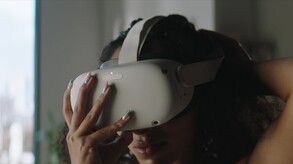
With Home Design 3D VR, designing and remodeling your house in VR has never been so quick and intuitive! Accessible to everyone, Home Design 3D VR is the reference interior design application for a professional result at your fingertips!
Modeled estimate, not a reported figure. How we estimate →
Media

About
Genres
Stats
All-time low is the lowest price we've recorded for this game since we started tracking it.
Languages: English, French, Italian, German, Spanish - Spain
Reviews
It's extremely basic. There is no mirror function, meaning U shaped staircases etc. is forced to have the lower entrance on the left side. THAT said, it's super simple, intuitive and quick to use. It has an acceptable amount of assets for the price. I used it to recreate a couple of childhood homes for nostalgia and did so in record time compared to other solutions I've tried that supports VR and was very happy with the result. However, it is 100% unusable for anything professional. But for a quick little tool to just cobble something together real quick, it's totally fine. Amount of objects and textures are acceptable for the price. ALSO, be aware that designs to not get saved to cloud, you have to manually back up your designs to avoid them being deleted.
I'm using Quest 2 via Steam VR. In my Quest 2 I start Steam Link, and from there start Home Design 3D VR. I get a message saying "Home Design 3D VR does not appear to support your current headset. Press OK to launch to watch it anyway". According to the app's Steam store page the Quest 2 is supported! I press OK. The app comes up in VR, and I see the environment, but there is a screen in front of me that says "Hand Preference. Please select left handed or right handed mode." There are two buttons to choose. But I cannot click on either button! When I move the controllers I see white hands moving around, but pulling either trigger does nothing. Attempting to touch these buttons with the white hands does nothing - they go right through the buttons. The only button the controllers that does anything is the left joystick, which I can use to teleport around the HD3D environment. But I cannot make the Hand Preference screen go away, and cannot login on the screen behind it. I fiddled with various settings in Steam Link, but couldn't get it to work. In another game I tried using Steam Link the controllers worked fine. I finally bought the Quest version from the Meta store. It runs natively on the Quest 2 and ... it works! It's Christmas miracle! And I was able to open a project that I had saved on my PC! I was pretty happy about that ... too bad it took hours of fiddling around. I'll be asking for a refund for the Steam version. That's too bad ... I'd rather be using the graphics card in my computer rather than relying on the Quest 2 hardware.
where is the quality assurance team? nobody tested it before putting it for sale? missing textures and controls, unfinished product for sale? is it even allowed? makes no sense?
game looked great to let the spouse play so i added it to my wishlist. after buying the game would not work so i googles the issue. first google result. "Since the original Home Design 3D was not built for virtual reality, developers stated that adding PC VR support would require a complete rebuild of the application. Some users attempting to run the Meta version via SteamVR report receiving a warning message that their headset is not supported, even though the app's store page claims compatibility." worse part is META is charging $27 CAD for the game through their services. now the spouse has to play escape simulator with me...
Не получилось даже зарегистрироваться. Не поддерживает виделити Oculus 3. Джойстики не видит, только ходьбу и все. Висит настройка рук перед глазами и не что нельзя сделать. Класс. Итог игра конец 23 года, сейчас конец 24 и всего пишет 5 обзоров. Видимо полный провал.
No support for PS VR2. Nowhere does it mention that in the description.
Wonderful potential if they were putting time into it. I've been looking for seamless vr design software (start to finish) and this at first looked like it checked all of the boxes...The idea is great, create a house/room in vr, great for remodel projects, real estate, builders, there's a lot of industries that could benefit. Off the bat, this game does not recognize the quest 3 as a supported headset. Starting up with steamlink, I could get in, but none of the controls worked, was able to get in with Virtual Desktop, so not a deal breaker. It's fairly intuitive once you get in, you have an pad on the left hand you can select various menus from, you can hold down a button to bring up a few tools, building is really easy to get into, but once you're in there some of the shortcomings (possibly dealbreakers) crop up. I'll list them, and maybe we'll get a response, but the other problem is it doesn't appear the developers are actively supporting this, as far as I can tell. Pros: 1 Easy to get started 2 Quite a few assets e.g. furniture, lights etc that can be placed 3 Almost anything can be resized dynamically 4 Assets including walls, furniture etc all include dimensions as you're placing them 5 Able to swap views from sky view, to interior view (think looking down at the house, vs being in it) 6 You can add lights and they will visibly adjust the light in the room 7 You can cycle the day and watch the impact on the lighting as the sun moves across the sky and shines in the windows 8 You can paint walls, you can apply floor textures e.g. hardwood, tiles, very easily 9 No problems with crashes Cons: 1 Walls, they come in a few sizes e.g. s/m/l/xl, but it goes from something like a 4ft wall to a 10ft wall, there's no inbetween, and seemingly no way to adjust them, same with rooms, different sizes = different heights (length and width are easily adjusted), but height for some reason was left out, really weird design decision to include s/m/l instead of allowing user to adjust height. 2 Lights, no canned lights, if there was a way to add assets maybe this wouldn't be a problem, but yeah that needs to be an option. 3 Measuring tool, you have a variety of tools you can use, but no ruler. When you're in sky view it shows a measurement inbetween your hands, but this doesn't change based on scale (bug), and it's not applicable when you're in room view. 4 Colors are not accurate for various textures, even in a well lit room I'm picking what looks like white floors and they're showing up quite dark, being able to manually adjust tint or something could be a nice solution. 5 Graphics, think ikea kitchen designer. Could be worse, could be better, I would love for this to be closer to realistic. 6 Not enough assets, I listed it a pro as well but there definitely could be more Overall, if you want something that gives you a general idea of what a living space will look like, for $10 it's not bad. If you're looking for something that looks professional, that's under active development, that is completely vetted, this may not be for you. This is honestly close to being _very_ good, and a good tool, but it needs improvements and I'm not sure if any are coming.

오큘러스 퀘스트 프로 사용중인데 스팀링크 리모트 플레이로 접속하면 이동 외엔 안 됨 가격 쌈 심즈에서 방 꾸미기만 빼온 거 같음 영어 몰라도 쉬움 레벨디자인 용도로도 쓸만함 근데 PC버전으로 뷰어로 보는 기능같은 게 있었으면 좋겠다 스시 테이블은 도대체??? 뭘까 싶음
Controller settings are not compatible with usual Steam VR way. The app description says it's compatible with Quest3, I have PICO4 but I could not get any button remapped and click "Left handed" question.
Die Masse passen vorne und hinten nicht. 1 Meter in VR sind in wirklich kein nur 0,70meter. Und diese Fehler summiert sich mit jedem Meter. Zudem können nur in ganzen Metern geplant werden, ein Raum mit z.b. 3,5m *2,5m geht einfach nicht. Kauft es lieber nicht wenn Ihr Plänehabt und die in VR sehen möchtet.
Related
Related
Trends
Concurrent players on Steam, sampled daily since tracking started.
Momentum
Pace estimated from the game's recent review growth (our daily snapshots) at its own sales-per-review ratio — a momentum signal, not booked sales.
Related
| Tale of Ninja: Fall of the Miyoshi | $5.6K | 57 | 54% | $4.99 |
| Furry Futa 💘 | $5.6K | 136 | 60% | $1.49 |
| Care | $5.6K | 72 | 96% | $4.99 |
| Midnight Ultra | $5.6K | 83 | 65% | $3.33 |
| World Fighting Soccer 22 | $5.6K | 60 | 68% | $4.99 |
| Shoot Trip Die | $5.6K | 60 | 87% | $4.99 |