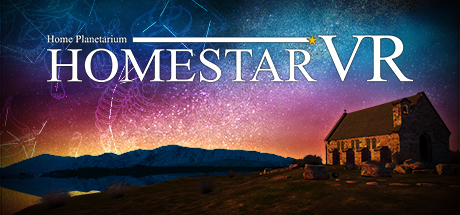
This application simulates a starry sky in realism. Please enjoy the full sky starry sky. There are three modes that enjoy starry sky in this application. ①World Sky Time Travel ②Full Celestial Planetarium ③Starry Sky Selection
Modeled estimate, not a reported figure. How we estimate →
Media

About
Genres
Stats
All-time low is the lowest price we've recorded for this game since we started tracking it.
Languages: English*, Japanese**languages with full audio support
Reviews
最初に、これはゲームと言うよりもプラネタリウムそのものです。 アクションも無ければ、難しいことを考える必要もありません。プレイモードを片手で選んで、夜空の星々を見上げるだけでいいのです。 なので他のVRゲームとは違い、リクライニングチェア又はクッション等で寝っ転がる姿勢でプレイすることを強く推奨します。 プレイモードは、科学館などでよくある解説付きで季節毎の星座を巡るモード、世界の名所で星空を見上げるモード、現時刻の世界中の星空を見れるモードの3つがあります。 私のオススメは1つ目のモードで、心地よいBGMをバックに季節ごとの有名な星座と、それにまつわる神話を女性の優しい声で解説してくれます。(特に秋の夜空のパートが好きでした) VIVEの視野の問題で実際の施設にあるプラネタリウムのように視界一杯の星空とまではいきませんが、星々の輝きの綺麗さは遜色ないほどです。 あと上を見上げるので鼻あて辺りからの光ががちょっと気になります。部屋を真っ暗にするか柔らかい素材で蓋をすることで改善できますので、気になった方は試してみてください。 色々書きましたが、このクオリティで1000円以下というのは本当に驚きます。夜空や星を眺めたりするのが好きな方や星座にまつわる神話が好きな方には、特にオススメです。
This is one of my favourite VR experiences. Due to the heavy light pollution in my city, I never get to see the night sky so I was excited to give this a try. I was not disappointed!! Its relaxing, and beautiful. I love how I have the option of changing the music and how fast the night sky moves. The bonus is seeing some Aurora in the night sky. This is better than a planetarium that I've been to in my city, I highly recommend this to anyone who is into night skies and planetariums!
HomestarVR is much better than I thought. It is really a planetarium in VR: It simulates stars, planets and moon, like a basic version of stellarium. You can set the date and time for a location. The Planetarium mode has audio tours for the season skies. The locations in Starry sky are beautiful and come with background sound fx and relaxing music. Constellation lines and names, and almost everything else, are optional and can be turned on or off in the settings in all three modes. The software can be controlled while resting in bed with head movement+trigger.
一応おすすめですが、まだまだコンテンツが少ない プラネタリウムでは春夏秋冬の星座を観光地のアナウンスのようなお姉さんの声で解説してくれますが、ボリュームが少ない せっかくVRなのだから、昔見られなかったハレー彗星や、しし座流星群、超新星爆発などその時代に生きていないと体験できない天体観測をしてみたい あとBGMに虫の声や水のせせらぎ、風のざわめき等あれば 一応Oculusでも非常に操作しづらいですが動作可能です まあボーっと星を眺めているだけでもそれなりに癒されます 追記 どうやら、Oculusではヘッドセットの中央の点を合わせ、どちらかのコントローラを軽く振ると選択やチェックボックスのオンオフができるようです
企画事態は良いのに、耳元で聞こえるナレーションと単調すぎるBGMのせいで、ミュージアム施設内に居る雰囲気がまるでない。 聞こえやすさと言う意味ではこちらの方が正解なのだろうが、空間を演出するVRの良さを引き出せてない気がする。
I saw someone mention this product as being a good VR Planetarium Program. It ALMOST would qualify as good if not for a few glaring details, mostly headset specific (likely). I'll tell you my experiences and you can decide if this matters to you or not. First off, I have only tried this on one headset though I have a few options. I used the Valve Index for this and later I'll try the Reverb G2. I don't expect EVERYTHING will change but at least a few issues may be resolved with a different headset/controller. So first off, the headset itself is not a real problem, other than the fact that it seems like this product was made for headsets without controllers. The interface is primarily gaze based instead of using a controller to select menu options. HOWEVER, the controllers still made an impact on the way it runs. As I said, when you first start it up, you see a red circle reticle in the center of your view. Apparently gazing at any menu option long enough will select it. If your headset HAS no controllers then this is probably a good thing. You can also apparently select menu items by squeezing the grip buttons. On controllers that have a discrete grip button, this is also probably not a problem and may even be a good thing. However, for Valve index controllers, this results in every movement of your hand pausing the app to bring up a menu. Really the only option that makes sense for an index user is to not use the controllers at all... or to hold one while making menu choices and then put it down after those choices are made or until you want to make another choice. I tried to edit the grip sensitivity hoping that I could fix it so that the grip wouldn't interfere but I wasn't able to make it work to my satisfaction and I'll probably need a lot more work on it to get it working properly. The visuals themselves are nothing special. After you make your menu choice you are put inside a planetarium environment (without any options to recenter the view so however your setup is oriented is how you're stuck). Then you are treated to a brief explanation of the night sky during Spring, Summer, Fall and Winter... From the perspective of someone living in Tokyo Japan. While this isn't a deal breaker for me, it doesn't really suit ME personally. There's another menu option to change your viewing position to one of a number of predetermined places on the Earth so you'll probably be able to find something reasonably close to where you live, but it won't coincide with the alignment of the stars when they give the full presentations. If you've ever been to an actual planetarium, this is probably pretty cool to you as it will sorta match your memory of what it's like, minus the really cushy chairs and music. The detailed explanations of the origins of the constellations and their position in the sky relative to each other is accurate enough that it's still educational. I'm just somewhat annoyed by the fact that I had to rotate my actual body around (and lie on the ground facing up for parts of it) so I could see everything properly. There's also the option to ditch the fake planetarium background and to be able to look at stars in every direction (including straight down). This is pretty neat too...also with the "Time travel" option you could presumably change the date and looked at the sky from an earlier (or later) point in time. I didn't review this portion of the program and I'll change it later. I'll also edit it from the Reverb G2 point of view in case that makes it better. I kinda doubt the program was made to take advantage of high resolution headsets though. When I looked, the desktop window was really really small (like 800x600 levels of small) and nothing I saw in the headset really seemed like it needed to be too sharp. Other than the drawings of the lines and art over the constellations, there really was nothing more to look at than points of light. Maybe more details will jump out at me when I try the Reverb G2? For the most part though I felt like this could have been a polished educational experience if not for the controller bindings causing me grief. It's possible I could use a steam controller to make menu selections and maybe that will make it more usable for me. The thumbs down right now is primarily for the gaze based interface, poor controller bindings for Index, and lack of features that would make me want to launch this program instead of some others to see what the night sky would look like.
PC键盘不支持,进入游戏只有日本语和英语,进入游戏界面就一只卡在语言选项栏,啥都选不了,按按键,鼠标都没用,只能说Steam 我没法喜欢你
After started, it stopped at the language selection window and didn't go on.
cant get to do anything
いつでも橘純一になれる
Related
Related
Trends
Modeled estimate over time, reconstructed from Steam's monthly review histogram.
Momentum
Pace estimated from the game's recent review growth (our daily snapshots) at its own sales-per-review ratio — a momentum signal, not booked sales.
Related
| NeverEnd | $4K | 130 | 50% | $1.99 |
| Adventures Of Pipi | $4K | 269 | 69% | $0.99 |
| Glory Wall! | $4K | 79 | 52% | $2.99 |
| Fear of Clowns | $4K | 202 | 64% | $0.99 |
| Wordlase | $4K | 89 | 51% | $2.99 |
| 21 Days | $4K | 67 | 81% | $1.99 |
Related
| House Flipper | $65.8M | 110.8K | 94% | $24.99 |
| Universe Sandbox | $31.8M | 31.8K | 96% | $29.99 |
| City Car Driving | $29.8M | 35.7K | 83% | $24.99 |
| PC Building Simulator | $26.3M | 52.7K | 94% | $19.99 |
| Gas Station Simulator | $13.5M | 27.3K | 88% | $19.99 |
| SpaceEngine | $13.1M | 16.1K | 96% | $29.99 |