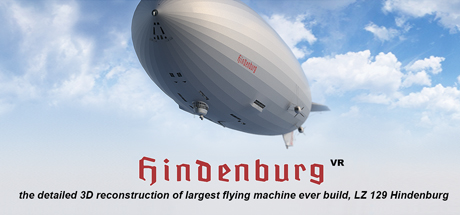
3DA opens virtual windows to the past. Is there anybody out there who would be interested to look 80 years back when the largest flying machine ever built cruised the sky? Slightly colorized by imagination but still the detailed and genuine 3D reconstruction of largest flying machine ever built - LZ 129 Hindenburg.
Modeled estimate, not a reported figure. How we estimate →
Media
About
Genres
Stats
All-time low is the lowest price we've recorded for this game since we started tracking it.
Languages: English**languages with full audio support
Engagement
Hours played at review time, across 34 reviews with recorded playtime.
Reviews
(Vive) У меня не было звука. Да и выглядит это не очень. Из всех подобных, во что я играла, эта понравилась меньше всего.
- A+ Learning - Can use the zeppelin as donkey ♥♥♥♥ - Having the interior modeled is really cool but this sim freaks me out like crazy for some reason once I teleport inside.
Experienced on Windows Mixed Reality using a Samsung Odyssey Plus VR Headset. Though WMR not officially supported, works fine. Found the resolution keeps defaulting to Medium Resolution as soon as returning to the main menu, also that the Main Menu is orientated to the side rather than in front, and the sound not always working - this may or may not be unique to WMR. This is more a VR model of the Hindenburg rather than a game, but if you have an interest in this historic airship is an insightful experience. On the plus side the ability to look around all the compartments (albeit using teleport, rather than free movement), the disaster complete with the original radio broadcast recording by Herbert Morrison, a Remote Control Model, and the ability to strip down layers of the airship. Graphics could be better (even at High Res), and ultimately a relatively short experience. Feel it a little pricey at the normal price of £9.99, but one to watch for on Steam Sales, On balance would recommend (just).
HINDENBURG VR on OCULUS and OCULUS QUEST 2 Download Steam app. and install Purchase Hindenburg VR on Steam Download Steam VR app. and install Connect headset to computer via USB C cable Enable Oculus Link on headset Select Steam VR app. on headset Select Hindenburg VR in Steam VR app. Hindenburg VR loads and works perfectly. Note: to select an icon in the game, use your right controller, pull the select trigger, reach forward with the pointing finger and touch the icon representing what you want to play. It will turn green and actuate. A number of controls are actuated using the joystick controls, moving them in a direction, and clicking them to select. Enjoy!
Related
Related
Trends
Modeled estimate over time, reconstructed from Steam's monthly review histogram.
Momentum
Pace estimated from the game's recent review growth (our daily snapshots) at its own sales-per-review ratio — a momentum signal, not booked sales.
Audience
Estimated from the language of this game's reviews — a proxy for where players are, not official Steam demographics.
Related
| GameGuru Classic | $1.5M | 2.1K | 72% | $19.99 |
| Movavi Video Editor 2023 | $503.1K | 352 | 72% | $79.99 |
| Leadwerks Game Engine 5 | $427.8K | 393 | 73% | $49.99 |
| YoloMouse - Cursor Changer | $387.6K | 2.9K | 92% | $4.99 |
| GameGuru MAX | $338.5K | 379 | 69% | $49.99 |
| SRPG Studio | $308.9K | 266 | 84% | $59.99 |
Related
| Odium to the Core | $6.4K | 63 | 78% | $4.99 |
| In Vitra - JRPG Adventure | $6.4K | 63 | 65% | $4.99 |
| Spoko and Poko | $6.4K | 56 | 64% | $4.99 |
| SOK MAX | $6.4K | 84 | 86% | $4.99 |
| Tick Tock Bang Bang | $6.4K | 56 | 77% | $4.99 |
| Achievement Lurker: We Give Up! | $6.4K | 158 | 82% | $1.99 |