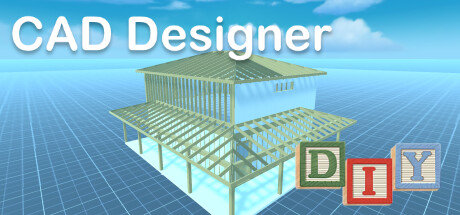
DIY CAD Designer is an innovative CAD software to create 3D drawings quickly and easily.Plan your project in just a few steps with DIY CAD Designer.Create photorealistic 3D drawings and share them with your friends and colleagues!
Modeled estimate, not a reported figure. How we estimate →
Media

About
Genres
Stats
All-time low is the lowest price we've recorded for this game since we started tracking it.
Languages: English, French, Italian, German, Spanish - Spain, Arabic, Czech, Dutch, Greek, Hungarian, Japanese, Korean +10 more
Reviews
From the manual it says : The following formats are supported: FBX, OBJ, GLTF2, STL, PLY, 3MF. but it only saves and exports to .json file rendering it useless for me. I don't have any game engines that can use .json file objects I sure wish they would make their app description more clear on what files are supported with it. Requesting refund also sent a message via their contact us link on their website but never heard anything from them yet
i cant say id recommend until it seems more finished. my biggest complaint right now is i lay boards down and when i click to rotate (o) and input that i want a 90 degree change it just makes the board disappear. cant find a work around and it makes it so i have to manually spin, and then everything is off.
Must not be understanding the program right possibly. Would be nice to be able to type numbers in for measurements instead of dragging the mouse to the size. If it wasn't for that, this would save me some money from buying pencils and paper to do drafting.
solidworksやonshapeのようにスケッチして押し出す形式ではなく出来合えの3Dモデルを組み合わせていくソフト。 複雑な形状の物は作れなそうだが、もしかしたら単純形状の物はこっちの方が作りやすいのかもしれない・・・ ただ合致なども見当たらず、使い方は最後までよくわかんなかったです(小学生並みの感想)
It will not let me scale things precisely. As in I can't type in a length. I can only drag click. It screws the whole thing up if I try to type in the length, height or depth I want.
An sich finde ich als angehender Hobbyhandwerker solche Tools ja echt spannend. Aber dieses Tool hat leider einpaar Kleinigkeiten, die für mich einfach garnicht gehen. Vor alles bezogen auf die Benutzeroberfläche. DIe Menüs sind extrem ausladend. Alles ist völlig überdimensioniert. Der 3D Arbeitsbereich ist wirklich schmal. Zudem überlappen einige Elememte übereinander. Wenn ich die Sprache wechseln will, geht fast über den kompletten Bestätigungsbutton der transparente Button mit den Datenschutzhinweisen. Beim Thema skalieren von Objekten finde ich es in einer "CAD" befremdlich, mit Faktoren statt mit Maßen arbeiten zu müssen. Skalieren geht damit nur über drücken und ziehen. Die manuelle Eingabe oben Rechts ist völlig witzlos. In einer CAD ist es essentiell, das man die Maße direkt eingeben kann. Mir stehen da nur Faktoren zur Verfügung. In der Bibliothek würde ich Balken, Bretter und Rundstäbe generell weglassen. Diese setzt man in seinen DIY Projekten grundsätzlich mit den Basicshapes nach den Maßen ein, die man will oder die im Handel zur Verfügung stehen. So kann ich das leider nicht empfehlen und ist für mich auch ziemlich doof zu bedienen. Daher leider Refund.
避雷!
Nice , detailed ,easy to learn . The only thing that is missing is the "Bend" lol.
Na endlich mal ein Programm um recht Simpel eigene kleine Projekte planen zu können, ohne gleich Sinnlos Material zu verschwenden. Im Ergebnis sieht man was entstehen könnte, kann es ver.- "Teilen" oder ausdrucken (via Grafikprogramm). Den Daumen Hoch ist es allemal Wert! MfG
有中文 没成就
Related
Related
Trends
Modeled estimate over time, reconstructed from Steam's monthly review histogram.
Related
| Webventure | $6.5K | 78 | 36% | $2.99 |
| Lost Frontier | $6.5K | 59 | 98% | $4.99 |
| ORCS | $6.5K | 416 | 82% | $0.69 |
| Fairy Massage | $6.5K | 140 | 80% | $3.19 |
| The Grand Canyon VR Experience | $6.5K | 72 | 68% | $2.99 |
| Story Of the Survivor | $6.5K | 64 | 61% | $2.99 |