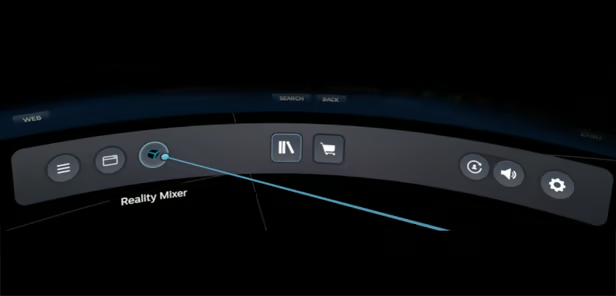
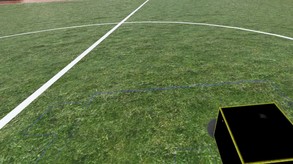
Reality Mixer lets you bring real objects into VR. It uses the camera on the headset to show the real object and its surroundings in the current VR environment (game). You can use: keyboard & mouse, a racing wheel, HOTAS, a drink on your desk, a phone, tablet, chair, couch, etc.
Modeled estimate, not a reported figure. How we estimate →
Discounts
Every price cut of more than 20% we have observed, in each market that quoted one, with this game's chart position on either side of it. These are episodes, not a model: a sale is one event, and one event cannot tell you what the next one will do.
For scale, across Steam · Top Sellers · Brazil over the last 30 days: the 26 chart moves that followed a price cut of more than 20% went a median of 7 places towards #1, and the 2,400 moves with no price cut behind them went 2 away. One store, one chart, one country — it is the only place we have enough observations to say even that.
Prices outside the United States have been collected since 6 August 2026 and chart positions since 19 July 2026, so a cut older than that has no market to compare and a market that joined later has no history yet. Nothing here is converted between currencies.
About

Stats
All-time low is the lowest price we've recorded for this game since we started tracking it.
Languages: English
Engagement
Reviews
Themes across 41 recent reviews and how positive each mention is. A keyword signal, not full sentiment analysis.
Reviews
It doesn't work with Steam link. I bought it completely for free.
I use an Index, and this gave me a terrific headache to get set up, as its menus seem to simply not play well with being sent to Theater mode or being projected outside the SteamVR menu system. This means you need to navigate all Reality Mixer's menus from about a foot in front of you, as otherwise the boxes don't seem to move or resize via keyboard input. However, it's invaluable once you get it going. Its little window into the real world gave me the ability to reorient myself immediately, and interact with peripherals in driving and flight sims naturally, without ever touching the headset after putting it on. I can't stress how handy that one feature is. Just buckle in for a possibly challenging set-up, which fortunately you won't really need to touch after you get it configured.
Media

Related
Related
Price dynamics, follower growth, revenue and sales trajectories with interactive tooltips
This and every other Pro feature is free until October 20, 2026. A free account is all it takes.
Hours played at review time, across 41 reviews with recorded playtime.
positive critical· bar length = how often the theme comes up
dunno how this will hold up if I get a different headset (steam frame, bigscreen beyond, psvr2, etc.) but currently it works and it works really well
很好用的軟體
设置简单游戏体验绝佳,适合模拟游戏玩家
I have a Pico 4 and unfortunately I tried for several hours to use this application but was unsuccessful.
Harder than it should be to get it going with a Quest 3. Turns out you have to have the same color on it as you do on virtual desktop. I found this out on Reddit. Once past that crazy hurdle, it works perfectly. Just make sure you don't have lights around your desk with the same color or they will cause little mini pass throughs.
As a Quest user, this one literally requires me to BUY the Virtual Desktop app to work. Otherwise, it's just a background process that doesn't really do anything. Was hoping to use this for Elite Dangerous... but I'll be getting my refund instead... what's the point of selling/buying this if it's only half the product?
Firstly, Steam needs a mid-point rating, because giving this software a thumbs down feels a mite bit unfair due to how useful the feature of this program, itself, is, but the issue I have encountered is a deal breaker when it comes to suggesting this software to others, as most people I know would not wish to put in the extra time for play space set-up every time they wish to go into VR due to an error. I also have a suggestion for dealing with this error which I will explain after I have explained the issue I—and apparently others from what my online searches have yielded—am encountering. I will start with the good; Reality Mixer is very useful for seeing or otherwise marking the environment surrounding your boundary zone—even if you can't get your passthrough to work for the program (that is an issue between my headset and SteamVR, not the fault of Reality Mixer, itself)—so you at least know the location and general shapes of the solid objects in your area that you wish to avoid hitting are. It is also useful for things like marking out sofas and such for if you need a quick seat. I imagine it is even nicer when you can actually get the passthrough to work, but I sort of like the basic boxes to mark out objects as it avoids real world textures interfering with the surface textures in VR. Honestly, the ability to colour those boxes to better mark things would expand this program's functionality greatly to where it would have more value to even more who do not have passthrough or cannot get passthrough to work right with their device like my current struggle—again, the passthrough issue is on my end, *not* Reality Mixer's. However, I do realize that using the camera boxes as basic shape markers is not the scope of this software, I am simply using it that way. Now for the problem I have encountered and my suggestion on a solution. The camera boxes will shift out of place between play sessions. I have seen many people mention this issue online without any fixes that I have found to work. This leads to about 15 minutes of additional set-up at the start of every play session as I have to move all of my boxes back into place. Yes, I have a lot of boxes, but the program handles a somewhat decent number of boxes (10+) very well, and the issue persists even when using only a single box. Whilst I will begrudgingly put up with the task of fixing my boxes before a play session if I must—since the benefits of having those boxes is worth it to me due to my play area being set up as it is—I do not imagine the vast majority of people would be so keen on doing the same. That said, I've noticed that the boxes all seem to shift their positions as a single unit with this error. The boxes' locations relative to each other do not seem to have changed from what I can tell, they've just all shifted their locations by what seems to be exactly the same distance on the same axes within the play space. If the shifting issue itself cannot be resolved, may I suggest adding the option for us to link our boxes together so we can move multiple boxes at once as a single unit? This way, if the boxes shift between play sessions, you only have to really get one box lined up right and the rest should follow. Then it would just be a case of double checking to make sure everything lined back up right instead of having to actually re-do the whole of your camera box set up one by one every time. The lack of a solution to this camera box drifting issue is quite literally the only thing keeping me from loving this utility, as well as the only reason I wouldn't suggest this program to most people—as I know I would have thought twice about purchasing it had I known of the issue, beforehand. I've just found the feature too useful to refund after actually using it, even with the headache it's causing me before each session. I will *gladly* revamp my review if the issue of the camera boxes shifting places between sessions is fixed or compensated for by some reasonable method of fixing our box locations after the fact, because Reality Mixer would be a near-perfect solution if that bloody box location shift issue could be addressed or otherwise compensated for!
TAKES SOME PRACTICE AND A LITTLE BUGGY BUT VERY USEFUL
Selling now
See how fast this game is selling right now — estimated copies and revenue per day from recent review growth.
Players by region
Where this game's players are, estimated from review languages.
Related
| Game | Estimated lifetime revenue | Reviews | Review score | Price |
|---|---|---|---|---|
| $5.9M | 104.5K | 96% | $4.99 | |
| $1M | 2.1K | 69% | $24.99 | |
| $901.7K | 1K | 88% | $29.99 | |
| $830.2K | 2.1K | 72% | $19.99 | |
| $741.9K | 5.2K | 92% | $7.99 | |
| $696K | 685 | 92% | $18.74 |
Related
| Game | Estimated lifetime revenue | Reviews | Review score | Price |
|---|---|---|---|---|
| $21.7K | 72 | 54% | $19.99 | |
| $21.7K | 131 | 60% | $4.99 | |
| $21.7K | 129 | 84% | $9.99 | |
| $21.7K | 95 | 97% | $14.99 | |
| $21.7K | 75 | 96% | $14.99 | |
| $21.7K | 187 | 84% | $7.99 |