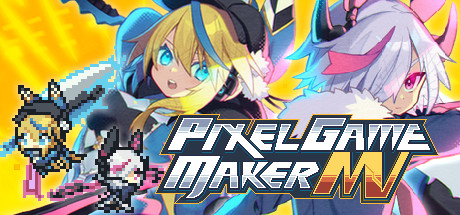
Use Pixel Game Maker MV to make your own 2D action games! The latest Maker title provides a simple, fun way to make games with zero coding! PGMMV: Powerful enough for pro developers, simple enough for beginners.
Modeled estimate, not a reported figure. How we estimate →
Media

About
Have a great idea for a game, but don’t have anyone to pitch it to, or any programming experience? Now with Pixel Game Maker MV, you can turn that idea into an actual, playable game with nothing but a PC and this software! Make the games you want to play, the way you want to play them: side-scrolling action platformers, top-down adventure/RPGs, multiplayer VS. battles, racing, puzzles, pinball, shoot-‘em-ups, horror, Metroidvania... You name it, you can make it in the style and genre of your choice!
We have received reports that the application may not launch properly on some Windows 11 environments.
Before purchasing, please confirm that it launches correctly by trying the free trial version. Thank you for your understanding.
The basic controls and functions are extremely simple and easy to pick up. Create pixel-based animations, and set up your game map. Create objects, decide how you want them to move, and then simply add them to the scene in which you want to use them. Just follow these simple steps, and you can create an entire game just like that! Feel free to try rearranging and adjusting the various steps and processes to see what sort of unique games and mechanics you can create!
PGMMV is packaged together with all sorts of materials and samples that you can freely use, combine, and tweak to make whatever sort of game you can like. You can even mix and match the preloaded materials with your own creations; for example, using them as simple guides to create the pixel animations yourself from scratch and then combining them with included sample maps and music. This makes it even easier to create and expand upon games of virtually any genre!
Includes hit games like La-Mulana 2 and Kero Blaster as sample projects!
For more advanced users, try using JavaScript plug-ins to create even more complex and detailed actions, animations, and full games! While no programming or scripting ability is necessary to create games and the various elements required, user-created plug-ins and scripts will allow you to take your creations to the next level – and far beyond.
Genres
Stats
All-time low is the lowest price we've recorded for this game since we started tracking it.
Languages: English, Japanese, Simplified Chinese
Engagement
Hours played at review time, across 41 reviews with recorded playtime.
Reviews
Themes across 41 recent reviews and how positive each mention is. A keyword signal, not full sentiment analysis.
positive critical· bar length = how often the theme comes up
Reviews
At 144 hours, it's just not for me. You CAN make stuff with it, but every time I turn around, the functionality I would expect just isn't there. I'm probably just not wrapping my head around the intended flow, but the the menus never seem to have what I'm looking for, or have some crazy convoluted way of getting there that would have been way simpler in another engine. The flow chart is kinda cool, but if I can't find the actions I need, it doesn't really matter. On the plus side, this is pretty much the last no-code (but not really) game engine that doesn't require a subscription fee, so if you really, REALLY don't wanna commit to a monthly investment, this is probably your only option. Get it on sale, it's definitely not worth the $80 ($80!?) they normally ask for it.
I put the castlevania-ified version of reimu hakurei onto an airship from super mario all stars
if you know/learn how to work with object oriented stuff this app is p good and easy to use. i feel like its retail price is kinda high but they do an annual sale and you can get it really cheap then. -has some built in tutorials that are okay, has good tutorials from on youtube (@BazSupport) Notes on the assets: you dont have to use pixel graphic assets despite the name you can just import and use drawn/ripped image files for assets if you wish, some of the example games showcase this with non pixel 2D graphics. the 1 thing i would caution people of is it only has a handful of stock assets to work with depending on what setup options you choose when you make a project compared to something like their rpgmaker for example. so you really have to be willing to populate the assets yourself or buy/download some DLC for them.
Pixel Game Maker MV, developed by Gotcha Gotcha Games in collaboration with KADOKAWA and published by Gotcha Gotcha Games, is a dedicated 2D game development engine designed to make action game creation accessible without requiring traditional programming knowledge. Unlike full-scale professional engines that demand familiarity with coding languages and complex workflows, Pixel Game Maker MV focuses on a visual, object-based system that allows creators to build side-scrolling and top-down action games through structured tools and logic editors. It occupies a unique space in the development ecosystem, bridging the gap between beginner-friendly software and more advanced development platforms. At its core, Pixel Game Maker MV is built around the concept of visual logic construction. Instead of writing code, users assemble behaviors and interactions through an event-based system. Objects—such as player characters, enemies, platforms, and interactive elements—can be assigned properties and actions using parameter settings and conditional logic blocks. This allows creators to define movement patterns, collision responses, damage systems, and other gameplay mechanics in a structured but accessible way. While the interface may initially appear technical, it gradually reveals itself as a modular toolkit that emphasizes experimentation and iteration over syntax memorization. One of the engine’s strongest features is its specialization in 2D action gameplay. It includes built-in support for gravity, collision detection, physics-based movement, and real-time object interaction. This makes it particularly well-suited for platformers, run-and-gun shooters, top-down adventure games, and arcade-style experiences. Rather than adapting a general-purpose engine to fit 2D mechanics, Pixel Game Maker MV is purpose-built for this style of game design. The result is a workflow that aligns closely with classic retro-inspired development, where tight movement and responsive controls are central. The engine supports both side-scrolling and top-down perspectives, giving developers flexibility in how they structure their projects. Level creation is handled through tile-based mapping systems, where users can import custom sprites or utilize included assets to design environments. Animation editors allow frame-by-frame sprite animation, and scene management tools help connect levels into a cohesive experience. These systems collectively enable a full development pipeline—from concept to playable build—within a contained environment. Accessibility is one of Pixel Game Maker MV’s primary appeals. Beginners can construct functional prototypes without prior programming experience, making it a valuable educational tool. Tutorials and sample projects help illustrate how mechanics are structured, and the engine encourages learning through hands-on experimentation. At the same time, it does not entirely limit advanced users. For those seeking greater control, JavaScript scripting can be integrated to extend functionality beyond the visual editor’s default capabilities. This layered approach ensures that the engine can grow with its user rather than becoming restrictive after initial experimentation. However, the software is not without its challenges. The interface prioritizes functionality over visual polish, and new users may require time to fully understand how object relationships and event chains operate. Compared to larger engines like Unity or Unreal, the community and ecosystem surrounding Pixel Game Maker MV are more modest. This means fewer third-party plugins, tutorials, and marketplace assets are available. Documentation, while present, may not match the depth or breadth of more established platforms. For developers accustomed to highly streamlined workflows or expansive asset stores, this can feel limiting. Despite these constraints, Pixel Game Maker MV excels within its intended scope. It is not designed to compete directly with professional cross-platform engines that support 3D development, console publishing pipelines, or complex networking systems. Instead, it serves as a focused environment for crafting polished 2D pixel-based action games. For indie creators interested in retro aesthetics and mechanical design rather than large-scale production, this focus can be a strength rather than a weakness. The pixel-centric identity of the engine reflects a broader indie trend celebrating classic visual styles. The included assets provide a starting point, but developers are encouraged to import custom artwork to establish their own visual identity. Animation tools and particle systems further enhance expressive potential, allowing creators to fine-tune how their games feel moment to moment. In this way, the engine supports both artistic experimentation and mechanical precision. Ultimately, Pixel Game Maker MV stands as a specialized and approachable development tool that lowers the barrier to entry for 2D action game creation. It offers a structured yet flexible system for designing mechanics, building levels, and experimenting with gameplay logic without requiring coding expertise. While it may not offer the expansive ecosystem or high-end capabilities of industry-leading engines, it succeeds in its mission to empower aspiring developers to turn ideas into playable experiences. For hobbyists, students, and indie creators drawn to pixel-based action design, it provides a capable and thoughtfully constructed platform for bringing creative visions to life. Rating: 6/10
Good for artist or someone who don't know how to coding
興味本位で買い、チュートリアルの「テキストを表示する」まで進めたのですがフォントを選んで文字を表示する段階でテキストが正しく表示されず、そのまま進めるとメニュー画面のフォントまで文字化けする始末。 何とか解決できないかと10時間ほど色んなNoteやコミュニティの情報を漁ったのですが、はっきりとした解決策が掴めず諦めるに至りました。 1万円のフルプライスで買ったのにチュートリアルすら進められず、さらに返金申請もできないのでガッカリです。 「レビューを見て買いましょう」という高い勉強代となりました。
win10のサポートが切れるとのことでギリギリ無料期間だったwin11にアプデ。 逆にこのゲームがwin11にサポートされてなく起動しなくて草。 このゲーム使いたい人はとりあえずはwin11にするな。以上! とりあえずやり方教えてくれた方のやり方で起動できました。
use youtube tutorials. this is the real deal.
不推荐购买,现在有个比较严重的bug:在按下某个按键后,游玩时实际操作起来却变成另一个按键了。我个人仅仅使用了不到两小时就已经遇到过好几次了,不知道后面实操起来会遇到多少bug。如果真的有做像素游戏需求的推荐学一下编程用Godot之类的游戏引擎进行制作,这个做起来太折磨人了。 欢迎关注[url=https://store.steampowered.com/curator/45830803-Naiwenel/ ]小涵Naiwenel [/url]
nvm i figured it out
Related
Related
Trends
Modeled estimate over time, reconstructed from Steam's monthly review histogram.
Momentum
Pace estimated from the game's recent review growth (our daily snapshots) at its own sales-per-review ratio — a momentum signal, not booked sales.
Audience
Estimated from the language of this game's reviews — a proxy for where players are, not official Steam demographics.
Related
| Garage: Bad Dream Adventure | $147K | 379 | 98% | $19.90 |
| BEAST: False Prophet | $146.9K | 243 | 72% | $24.99 |
| Mondealy | $147.2K | 629 | 94% | $11.99 |
| Coffin of Ashes | $146.8K | 831 | 91% | $6.99 |
| Steel Storm: Burning Retribution | $146.8K | 371 | 60% | $14.99 |
| Jet Racing Extreme: The First Encounter | $146.8K | 1.2K | 67% | $3.99 |
Related
| CAT SUDOKU🐱 | $75.3 | 6 | 83% | $0.99 |
| Wallpaper Engine | $42.3M | 1M | 98% | $4.99 |
| GameGuru Classic | $1.5M | 2.1K | 72% | $19.99 |
| Homebrew - Patent Unknown | $518.7K | 971 | 72% | $14.99 |
| YoloMouse - Cursor Changer | $387.6K | 2.9K | 92% | $4.99 |
| MovieMator Video Editor Pro - Movie Maker, Video Editing Software | $220K | 834 | 56% | $7.49 |