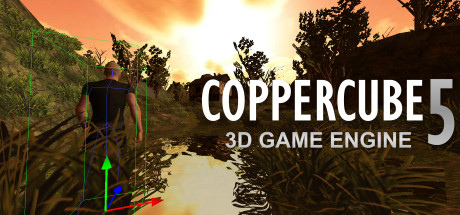
CopperCube is a full-featured 3D game engine. No programming needed! Create 3D games, apps and even 3D websites quickly. Includes terrain editor, low poly modelling tools, 3D models, precreated game AI, effects and more.
Modeled estimate, not a reported figure. How we estimate →
Media
About
Genres
Stats
All-time low is the lowest price we've recorded for this game since we started tracking it.
Languages: English, German, French, Arabic, Portuguese - Brazil, Russian, Turkish, Spanish - Spain, Simplified Chinese, Polish, Czech
Engagement
Hours played at review time, across 44 reviews with recorded playtime.
Reviews
Themes across 44 recent reviews and how positive each mention is. A keyword signal, not full sentiment analysis.
positive critical· bar length = how often the theme comes up
Reviews
Lets be clear, Coppercube is intended to be simple and easy to use. This is a software for non programers, or those like me who prefer to focus on art and design, rather than typing tons of code. For this Coppercube is the best out there. Porting between PC, MacOS, WebGl, Android, and flash is near seamless. Most of the time its as simple as clicking the publish to option. There are tons of behaviors and actions to mix and match to do most things you will need, and their is a Javascript API if you want even more control. I've used quite a few game engines over the years (Multimedia Fusion, Gamemaker, 3DRad, Jamagic, Gamesalad) and none were as easy and fast to develop 3D applications than Coppercube. BUT if you looking for a engine that supports cutting edge technologies, endless libraries of game resources, portability to every device on the market, and constant frequent updates, this may not be the engine for you. Coppercube is actively developed by one dev but he also has a handful of other tools he manages so updates are usually months apart. While small there is a community that shares custom actions, behaviors, and plugins for Coppercube. Keep in mind their are graphical limitations with this engine, so don't expect the same level of GFX as you would expect from Unreal, Cryengine, or Unity. As with Standard vs Professional, the only real difference is that Standard limits you to 10 scenes, and there is no limit on Professional (professional also allows you to edit the source, but if you are able to do that you probably wouldn't need coppercube anyways). To be honest you really don't need more than 10, its not too hard out a system where you can reuse nodes to make larger scenes to reasonably stay within that limit. You can always upgrade later if you need it. With that said I'm still happy with my decision with Coppercube. (I have the professional version) I have been developing a game on it since December 2016. Hopefully you find this review is useful.
There is no good tutorials for this game engine, and when you find one they start using Blender in their tutorial and not the game engine. When you do finish making your game and want to find a way to create a save state and load state for the player to save his/her work. You'll need to script it with javascript when it states that this game engine allows you to create a whole game without coding, programming and scripting. Try to ask around their forums and read what they have to say, even ask the dev to teach you or make a simple plugin for saving and loading save files because he won't. If you have Unity 5 you don't need this game engine. Learning to program in C# in Unity 5 is much easier than using this game engine with no tutorials out there. Save Game State and Load Game State is very important for the user playing your game. Unless you want them to start all over again from level 1. Note: This review will change if they add that save game state and load game state. This is for everyone that wants it for this game engine.
[h1] RECOMMENDATION:[/h1] *Yes, if you want easily create rooms, easily apply 3D models, learn the basic, buy it *No, if you're looking for customize enemy behavior, complex design, don't buy it [h1] REVIEWER PREVIOUS EXPERIENCE?[/h1] *Construct 2, RPG Maker MV, Scratch 2, Adobe Flash, GTK Radiant 1.4.0, qED II [h1] LIKES:[/h1] +Game editor for beginner +Few Video Tutorial +Sample game included [h1] DISLIKES:[/h1] -Outdated graphic -Limited enemy behavior -Cannot find word & replace word -cannot copy paste individual behavior -A closed folder(nodes) always display opened in behavior option -Not enough resources [h1] WORTH BUYING?[/h1] ( _ ) Yes, normal price worth it! ( ✔ ) Yes, but overpriced ( _ ) No, no more patch or update to improve ( ✔ ) No, because it's lack of feature [h1] DISCOUNT RATE HISTORY:[/h1] ( ✔ ) 80-90% discounted ( ✔ ) 40%-75% discounted ( _ ) Often ( _ ) Sales Period ( ✔ ) Rare [h1] MORE INFORMATION:[/h1] *Random video tutorial: https://www.youtube.com/watch?v=UCaPVrTebPY&t=211s *Lowest Discounted Price: $1.99 https://store.steampowered.com/app/364970/ *Game File Size: 198 MB *[u][url=http://store.steampowered.com/curator/31940448-Expectation-Checklist/]Subscribe More Review in my Curator Page [/url] [/u]
Пользуюсь этим движком с 2013 года, хочу сказать, что за все это время у него появилось много интересных и полезных функций, также улучшилась поддержка мультиплатформености. Это пожалуй самый шустрый движок, обладающий очень маленьким размером (Около 50 мб). Быстрый запуск, еще более быстрое сохранение на различные платформы (Windows .exe , Mac Osx, Android, Ios, Flash, WebGL ). Одно из преимуществ это поддержка большого количества форматов моделей ( Для меня главным форматов является .ms3d ), также с официального сайта доступно большое количество полезных плагинов и вы всегда можете написать свой плагин на JS. Еще за все это время порадовало довольно отзывчивое комьюнити, например когда я только начал пользоваться движком в далеком 2013 году, зайдя на официальный форум я получил достаточное количество информации, чтобы быстро изучить основные функции. Ах да, чуть не забыл, 1 августа 2016 года я опубликовал свой платформер созданный на этом движке - Painted Legend. Это не первая созданная мною игра на этом движке, зато первая моя игра прошедшая в Steam. Надеюсь мой обзор был полезен вам, удачи при использовании движка!
I really enjoy this software! Coppercube may be more graphically limited than other engines out there; but if you only have integrated graphics like me you cannot run other engines, making Coppercube a great choice. If you want to get serious with this program you will have import your own 3d models, however. All in all, this programs compatibility with many 3d models, Javascript support (I mistakenly said Java support before I edited this), and many options for exportability makes it a top choice.
Wait for CopperCube 6 to be released and see if it is worth your money. Coppercube 5 has not been updated for quite some time (It is last updated 6 months ago). I dont think the developer will update this software anymore since he is focusing on Coppercube 6. Try Godot, Armory3d. They are modern engines, free and open source, and actively developed and updated.
作者你好,这软件很喜欢,基础不高也可以弄,但是我遇到一些问题,软件还有一部分的英语不是中文的,我希望作者能做一个完全中文简体版出来.
专业版能便宜点吗?两三百块的话,可以考虑升个级。
I had high hopes for this game maker. I patiently waited for fixes, updates and eventually an extensive manual. All of which... was never released. Work on a new version was pretty much kept secret by the developer (at least here on Steam) and explains MONTHS without updates, patches, fixes or requested features. I feel so ripped off, it's just unbelieveable. I'm far from being against overhauls of software after a previous version has been rendered fully functionnal. But in this case, Coppercube 5 seems to only have been released to create income for the developer while he was putting version 6 together which is now free (the basic version at least which of course has no version 5 equivalent that we've all paid for) and will most likely end up in the same development cul-de-sac as the previous version. I hope that NO ONE will support Ambiera anymore.
Though I only have 2 hours 'playtime', I have used this software outside of Steam. This Engine is [b]awesome[/b] for beginning developers, The interface and workflow is enjoyably [b]easy to understand[/b] and it has to, since there is [b]not much information[/b] available on the interweb. (yet) The Engine itself gives you [b]very basic props and textures[/b] to start with, however it's possible to [b]import your own models, textures,...[/b] to make things look smoother. [b]Exporting[/b] to eg. Android [b]goes with ease[/b] (although you need the Java and Android sdk installed) and this is the main purpose I use Coppercube. Do not be deceived by the 'not so cool' looking video above, the power is within the commands you don't need to program yourself. Coppercube is a real good tool for beginners aswel for intermediate developers. If you would like to make Android games or Apps, be sure to have Coppercube Basic on your rack, if you want to add Ads to your apps you will have to upgrade to the Pro edition to get into the Android Source code. Do not hestitate to contact me if you would like to have more information! Have fun!
Related
Related
Trends
Modeled estimate over time, reconstructed from Steam's monthly review histogram.
Momentum
Pace estimated from the game's recent review growth (our daily snapshots) at its own sales-per-review ratio — a momentum signal, not booked sales.
Audience
Estimated from the language of this game's reviews — a proxy for where players are, not official Steam demographics.
Related
| DERE EVIL EXE | $23.2K | 383 | 86% | $2.99 |
| Gods Wars : infinity Epic | $23.2K | 107 | 79% | $9.99 |
| Coconut Simulator | $23.2K | 800 | 96% | $0.99 |
| World Boxing Manager | $23.2K | 136 | 59% | $4.99 |
| Backspace Bouken | $23.2K | 75 | 93% | $14.99 |
| Midnight Scenes: A Safe Place | $23.2K | 239 | 95% | $5.99 |