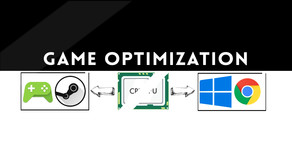
Maximize your FPS :: Use CPUCores to isolate and constrain OS + non-game processes and dedicate CPU resources to be used exclusively for your games! CPUCores fully integrates with all Steam games!
Modeled estimate, not a reported figure. How we estimate →
Prices
Each in the currency that store quoted — not converted: the gap between two rows is the publisher's pricing, not an exchange rate.
Every market we collect.
About
CPUCores ADVANCED is a cutting-edge Windows-based software built--by gamers, for gamers--with one thing in mind: MAXIMIZE YOUR FPS! CPUCores ADVANCED does this better than ever before by micromanaging your Windows OS and non-essential applications to deliver maximum CPU to your game!

1) DIRECT STEAM INTEGRATION
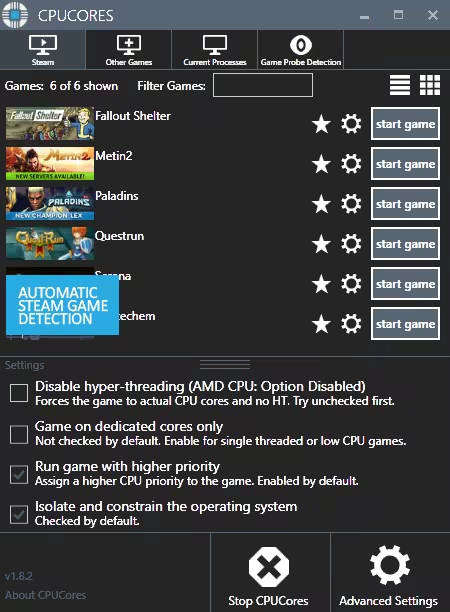
CPUCores automatically detect all of your Steam games.
2) OS OPTIMIZATION
To start, CPUCores will isolate your entire OS to your first core.
Secondly, CPUCores examines and constrains key Windows services that are not essential and known to hog CPU resources.
Third, CPUCores examines and isolate key Windows processes to ensure a perfect balance of CPU savings without starving key Windows processes.
3) GAME OPTIMIZATION
CPUCores will isolate and dedicate processing cores to be exclusively used by your game.
CPUCores will allow game-specific hyper-thread disabling/enabling.
4) BACKGROUND / NON-GAME OPTIMIZATIONS
CPUCores examines what non-OS and non-game operations your PC is running. It will do things such as constrain non-game programs to your first processing core.
5) EXTRAS
Ability to "START RANDOM GAME" with 1 button click!
Fully supporting VR games!
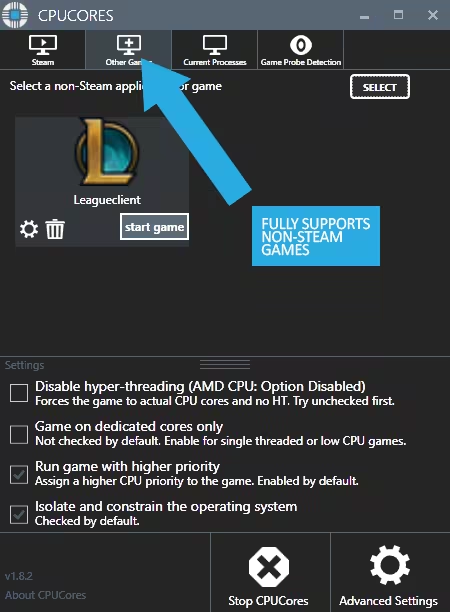
Support for non-Steam games
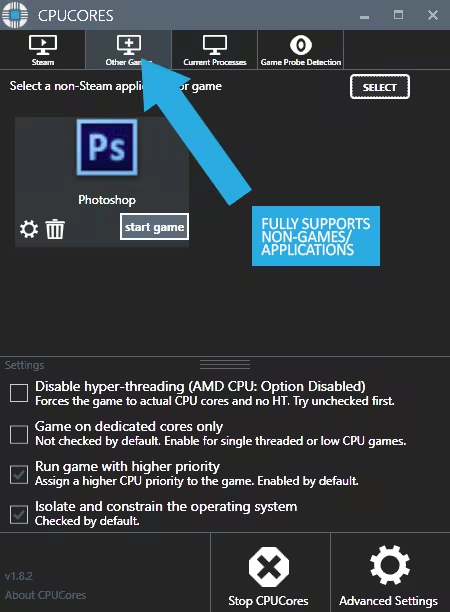
Support for general, non-game applications like video editing, graphic design and more!
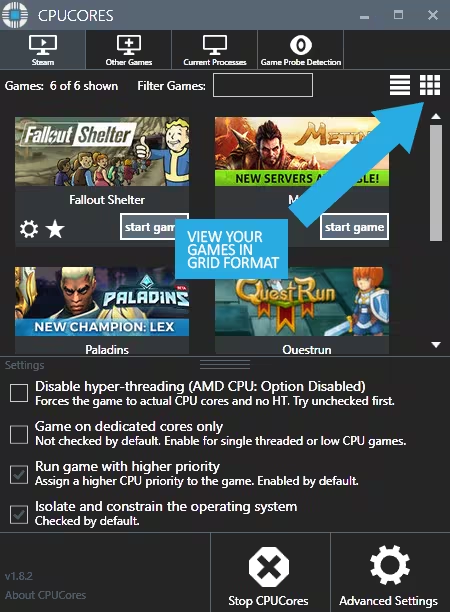
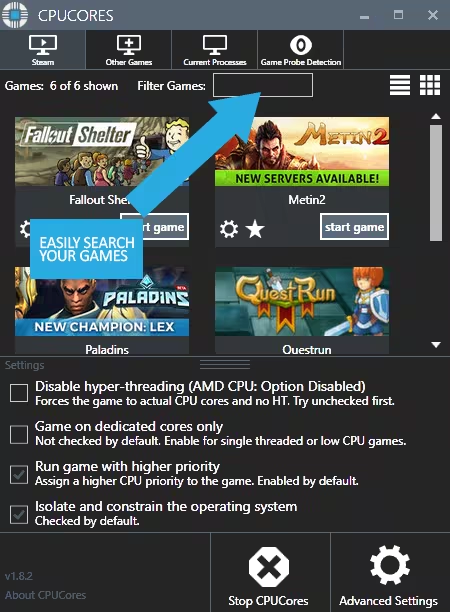
Convenient game sorting options makes large Steam libraries manageable
Incredible community surrounding the software!
Direct contact with the developer for suggestions on feature updates!

The impact of how CPUCores will help with FPS depends on essentially 2 things:
#1 Your PC Hardware
#2 The game itself
Here are some benchmarks we've recently seen from our test system:
ARMA III - 17.5% FPS Increase!
Team Fortress 2 - 58% FPS Increase!
TombRaider - 6.3% FPS Increase
Left4Dead2 - 14% FPS Increase

The CPUCores application identifies dozens of Windows programs, background processes, and non-gaming applications, and immediately controls and isolates them to a subsection of your total CPU resources.
CPUCores will then free up a block of CPU resources and dedicated it specifically for a game. You can then launch a Steam game, or any game/program, directly via the CPUCores application. This enables CPUCores to control the processor usage for that game/program and ensure it has dedicated usage to processing cores. Your game no longer has to share resources with the OS / other applications.
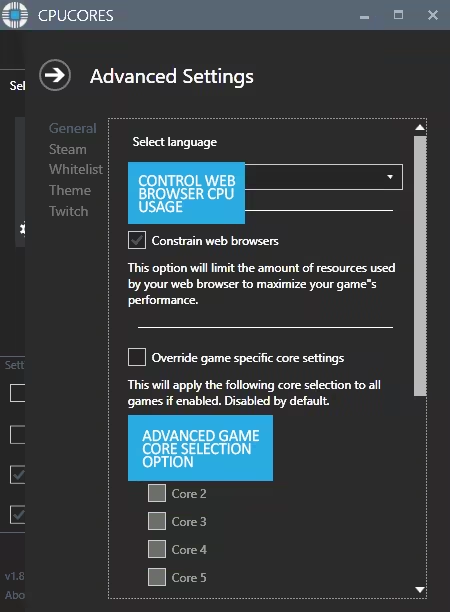
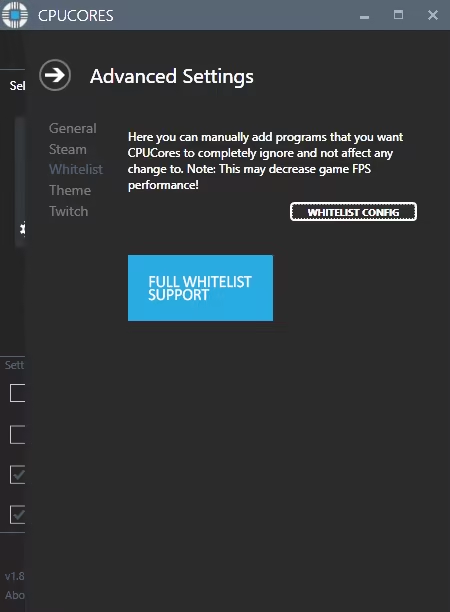
SCREENSHOTS
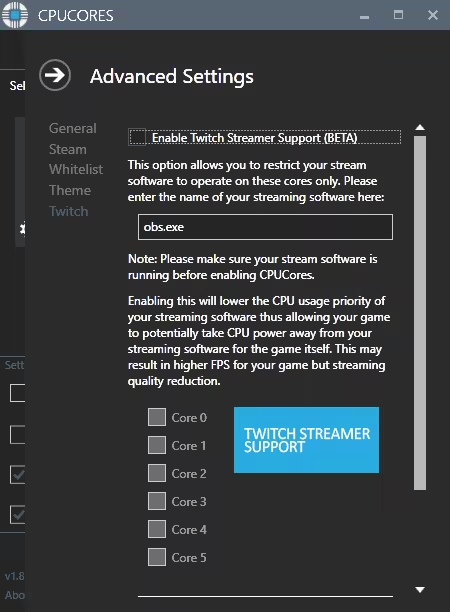
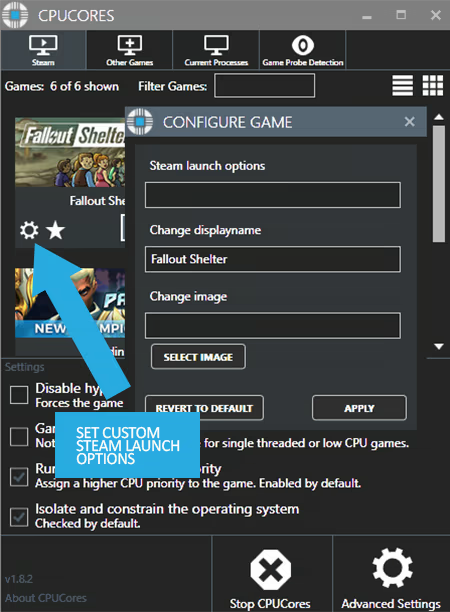
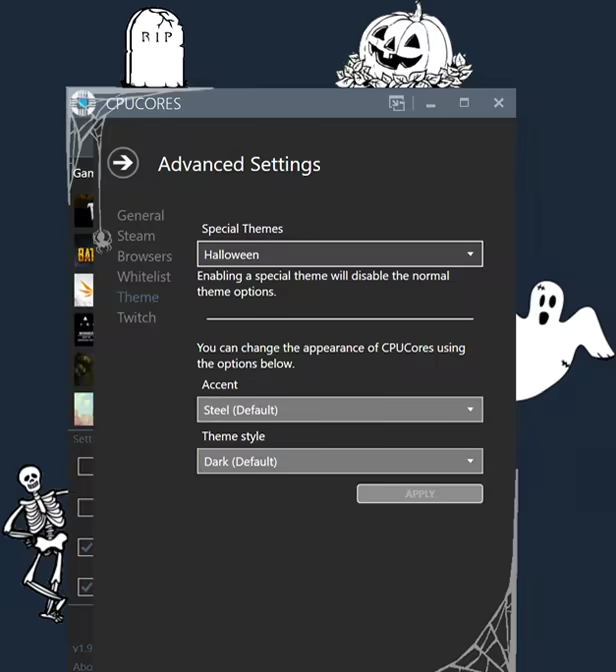

Updates
Build ids and update times come straight from Steam's PICS — the same source SteamDB reads. Patch history grows as we record new builds.
Engagement
Reviews
Themes across 806 recent reviews and how positive each mention is. A keyword signal, not full sentiment analysis.
Reviews
[h1]Great for Low-End/Retail PC's[/h1] This is a great piece of software for lower-end computers, often times many retail computers might have locks that prevent the user from accessing the full range of capabilities through the BIOS (overclocking). If you aren't a very technical person, or lack the knowledge/capability to adjust BIOS settings this gives you a very safe alternative to do the same things without the clutter or risking a "blue screen of death". If you are gaming on a low-end PC this can help you a lot in terms of allocating your processing power for games that you are playing. [u]Of course, your graphics and visual display are NOT going to improve[/u], that's not the purpose of this software. This is a CPU-based software, so games that rely more on CPU will have a significant [b]PERFORMANCE[/b] improvement compared to others especially on lower-end PCs. You will be receiving [u]consistent frames[/u] while playing, and sometimes that does result in a higher FPS but this also means it draws more power from the PC itself since you are basically overclocking. Be mindful of your PC, keep vents open on a laptop, clear your memory, close background applications, ect.... There are also limitations and people who shouldn't use this software, but this can get very technical. Generally speaking unless you are on a low-end/retail PC and need to boost to play games without much of the screen tearing or performance drops you may be experiencing. This is the software for you, I have used it a lot and would say it works great.
Media

Related
Related
Price dynamics, follower growth, revenue and sales trajectories with interactive tooltips
This and every other Pro feature is free until October 20, 2026. A free account is all it takes.
Genres
Stats
All-time low is the lowest price we've recorded for this game since we started tracking it.
Languages: English, French, German, Polish, Russian, Simplified Chinese, Traditional Chinese, Korean, Italian, Spanish - Spain, Arabic, Bulgarian +15 more
Hours played at review time, across 808 reviews with recorded playtime.
positive critical· bar length = how often the theme comes up
Update it. Quitting the steam client ends the process, can't you optimize it like other apps to quit steam without ending the program, you yourself are something that optimizes system resources should allow users to run the app even after ending the steam terminal. Also: 1.can't select more than one in the other game options; 2.can't show all processes in the current process. 退出steam客户端会结束这个进程,就不能像别的应用一样优化一下退出steam不结束程序吗,你本身就是一个优化系统资源的东西应该允许用户关闭steam客户端后仍能运行这个应用。 还有:其他游戏选项中不能选择多个;当前进程中不能显示所有进程。
Snowrunner: from 40-60fps to 70-100fps, limiting stuff to 1 core does make chrome a bit sluggish but while gaming that's perfectly fine for me Warframe: i only got a 10 fps increase in open world, from 123 fps to around 133 but it no longer dips under 90, while without the program i used to get even 70ish fps (anything else than open world is irrelevant cuz i get vsync 144fps) i even threw it at cinebench and it got my cpu score from 6229 to 6335 This program will work best on any game that uses more than 1 cpu core which makes it amazing for AMD cpus (sadly i currently have an intel i7-6700k but i can't wait to abuse this program once i get a new amd processor) However! if your GPU is the bottleneck in your pc then you might not see any improvements. Process Lasso is more customization but i prefer CPUCores since it's a 1 click and play Edit: tested the new update for a while now and it's amazing, even has all sensors detection
垃圾软件,没啥感觉
Pra mim, cumpre o que promete... Nunca mais meu pc sofreu crashs em jogos.
优化的很好,CSGO帧率大涨
Solo funciona en juegos que dependen del procesador, la usaba hace años para una laptop para Overwatch y minimo los fps eran estables. Solo recomiendo a personas que no saben optimizar su pc
还不错~
This software makes my games go good, & less laggy than w/o it. I appreciate this software, because of such.
Sirve
Selling now
See how fast this game is selling right now — estimated copies and revenue per day from recent review growth.
Active players
Estimated daily and monthly active players (DAU/MAU) modeled from peak concurrency.
Players by region
Where this game's players are, estimated from review languages.
Players also reviewed
The games this title's players most often review too — audience affinity.
Related
| Game | Estimated lifetime revenue | Reviews | Review score | Price |
|---|---|---|---|---|
| $3.8M | 8.8K | 56% | $14.99 | |
| $3.8M | 3.8K | 82% | $29.99 | |
| $3.8M | 14.3K | 97% | $11.99 | |
| $3.8M | 4.7K | 70% | $29.99 | |
| $3.9M | 6.6K | 92% | $27.99 | |
| $3.9M | 8.4K | 78% | $19.99 |
Related
| Game | Estimated lifetime revenue | Reviews | Review score | Price |
|---|---|---|---|---|
| $45.9K | 261 | 78% | $9.99 | |
| $32.2M | 1M | 98% | $4.99 | |
| $830.6K | 2.1K | 72% | $19.99 | |
| $303.7K | 2.3K | 93% | $5.59 | |
| $256.6K | 3K | 93% | $4.99 | |
| $27.8K | 907 | 91% | $1.99 |