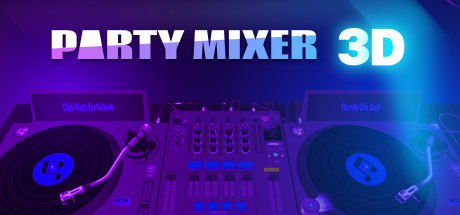
Don't miss your chance to become the best DJ without any efforts using the Party Mixer 3D app. Mind-blowing ready-made tracks with awesome sound banks are waiting for you.
Modeled estimate, not a reported figure. How we estimate →
Media

About


Genres
Stats
All-time low is the lowest price we've recorded for this game since we started tracking it.
Languages: English
Reviews
Most of the buttons and toggles on the virtual controllers are dead. The do nothing and are only there to make it look more sophisticated.
Jetzt bin ich kein Profi in dem Thema, aber den Unterschied zu gängiger Software kenn ich, da ich die selbst schon installiert und getestet hatte. Die Möglichkeiten des Party Mixer 3D sind bescheiden: Vorgefertigte Tracks und Samples (also keine Eigenen), Sync, Geschwindigkeitsänderung (ohne BPM-Anzeige), ungenaue Tonhöhenanpassung. Das war es so ziemlich. Kauft Euch was Richtiges!
Out of a cursory curiosity of the DJ profession i bought this in order to learn the following: what does a DJ do what can a DJ deck do This allows me to satisfy my curiosity without having to spend hundreds of dollars on the real equipment nor even enter any clubs scene to see a real DJ at work. Not that i want to be one; i'm only interested in the fun factor and the creativity aspects of it. So what do we have here? Basically we have 5 tracks on each deck, all different and short; probably less than a minute long of only a few bars. There is a loop function which i often us to prolong the play. I have one favourite on the left and one or 2 on the right. They are all at the same BPM but you can vary it faster or slower with a slider knob. There's also a sync button which is very useful to sync both tracks and then you can blend both tracks together with a left right balance slider control. There 7 one shot sampler sound pads with different kinds of interesting sounds for you to add in real-time to the tracks playing in the background. You can't assign different sounds to it so it's limited to 7. All the 10 tracks on both decks sound quite similar due being of the same genre. I guess it's necessary for them to be alike so that they can be blended smoothly together like various parts of a single song. There are hot keys so you don't have to use the mouse all the time to click the various buttons There are 3 sound effects; reverb, delay and pitch which you can vary by moving the mouse pointer across a cellphone like screen. There's also a tutorial to show how to do all these mentioned features. [b]Not all the buttons and controls work, especially on the more sophisticated skins.[/b] There are probably there to pique your interest on more advanced DJ equipment so that maybe you'll find out more about them. There are 4 arpeggio buttons for you to add in real-time to the playing tracks in order to add some melody and complexity since most of them are heavy on rhythm and bass but lacking in melody except a few tracks which incidentally are my favourites but the melody on those tracks are only bare bones. In theory you can create your own mix of 10 tracks by adding the sounds from the pads (4 arpeggios 7 samples), varying the tempo, adding 3 effects and equalizing the sound, all in real-time of course. Or you can create even more by morphing the tracks together. You have to do all that in real-time of course and record it. Real-time also means you could make mistakes in timing your pads. In music mistakes can actually be more interesting so they are called accidentals. I haven't tried the EQ functions nor the load your own tracks function. I foresee a problem with using your own tracks because even if the beat detection can detect accurately your loaded tracks, your tracks could be playing a different key. Therefore the arpeggios may not sound right with your tracks. So ok you want to know if this is worth your time or money? I'd say yes if you're interested in the DJ profession and want to know if you have what it takes to be one. If you just wanna create tracks and have more flexibility in the creative process then a mix pad is a better choice or if you wanna get more serious in constructing music then a DAW like Music Maker or more advanced ones is what you need. For educational purposes or an introduction to the DJ line of work, it's ok i guess. I haven't tried other similar software so i dunno if this is the best way. However for the price i paid for it: SGD 2.25 it's fine. There is one bug: The hot key for record "R" and right deck "Alt-R" is the same so you can't switch control over to the right deck, it activates record function instead. 6/10 I give a mark above mid score because i'm still unclear of all the possibilities of DJ work. Maybe there's something free and better out there i dunno but it's good enough for me; i had fun with it and i can see more fun times ahead.
Related
Related
Trends
Modeled estimate over time.
So limited.. The app refuses to import my own music and most of the controls are unuseable.
玩具,用着不舒服,不如直接用VDJ之类的软件
fajne
Momentum
Pace estimated from the game's recent review growth (our daily snapshots) at its own sales-per-review ratio — a momentum signal, not booked sales.