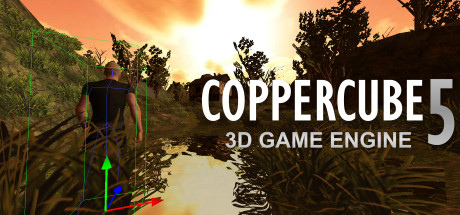
CopperCube is a full-featured 3D game engine. No programming needed! Create 3D games, apps and even 3D websites quickly. Includes terrain editor, low poly modelling tools, 3D models, precreated game AI, effects and more.
Modeled estimate, not a reported figure. How we estimate →
Media

About
Genres
Stats
All-time low is the lowest price we've recorded for this game since we started tracking it.
Languages: English, German, French, Arabic, Portuguese - Brazil, Russian, Turkish, Spanish - Spain, Simplified Chinese, Polish, Czech
Engagement
Hours played at review time, across 44 reviews with recorded playtime.
Reviews
Themes across 44 recent reviews and how positive each mention is. A keyword signal, not full sentiment analysis.
positive critical· bar length = how often the theme comes up
Reviews
Brilliant light weight engine...join us here to discuss https://marshtownmadness.com , website recommended by Ambiera, the creators of coppercube
otimo bom dms eu recomendo
Muy dificil de controlar
цйвойвщйфлцовйщвойщьцйщвцоьйщвйоьщвоьйщцывьйщцшвьововововщйцвойщцвшоьйвшовщшойвьщшцвощцвощйовщов
Very nice engine for anyone new to 3D game design and editing.I will no doubt purchase the *Pro* version once the price dropsdown a bit, as it stands now it's a little steep for my wallet. Purchased the *Basic* version during a steam sale and am happywith the product although 'S2 HD Engine' is still my goto engine but i have to say this one shares a lot in common with 'S2 HD' as far as easy to use and fun to work with. - Very easy to get into: very easy to script. - My online *steam usage* does not reflect my total time spent using this product offline.
Les + -Quand l'on ne sais pas coder comme un pro et que l'on veut tester la création de jeu vidéo en commençant facilement c'est un logiciel acceptable (malgré les fautes de français partout) Les - -Il y a malheureusement trop peu d'optimisation concernant le stockage d'image et tout le reste d'ailleurs... -Faites attentions au corruptions de sauvegardes, si vous avez un truc louche sur votre - Pour tester des choses facilement et comprendre certains mécanismes c'est bien mais pour du pro fuyez...sauvegarde, abandonner là et reprenez une ancienne..... Je me suis rendue compte d'un bug de corruption de sauvegarde de projet trop tard (60 sauvegardes après), impossible de revenir en arrière ou de corriger le bug), j'ai préféré passer a un autre logiciel pro pour mes projets grandissants J'aurais aimé mettre un pouce neutre mais il n'y avait pas...
Классная программа для новичков
CopperCube 5 is a lightweight yet surprisingly capable 3D game engine and interactive content creation tool designed with accessibility as its core philosophy. Developed and published by Ambiera e.U., it positions itself as an alternative to larger, more complex engines by prioritizing ease of use, rapid iteration, and a visual, editor-driven workflow. Rather than expecting users to immediately grapple with scripting languages or engine architecture, CopperCube emphasizes hands-on creation, allowing users to build playable scenes, simulations, and interactive worlds with minimal technical overhead. The first thing that stands out about CopperCube 5 is how approachable it feels from the moment it launches. Installation is quick, the editor runs smoothly even on modest systems, and the interface is laid out in a way that makes sense to newcomers. Terrain editing, object placement, lighting, and camera setup are all handled through straightforward menus and visual tools. This makes it easy to start experimenting almost immediately, whether the goal is to create a small 3D game, a virtual walkthrough, or an interactive prototype. For users who are intimidated by the scale and complexity of engines like Unity or Unreal, CopperCube offers a far gentler entry point into 3D development. A major pillar of CopperCube’s design is its behavior-based system, which allows creators to add interactivity without writing traditional code. Movement, collision, basic AI behaviors, triggers, physics interactions, and camera controls can all be applied through prebuilt components. This system encourages experimentation, letting users tweak parameters and instantly see the results in the editor or during playtests. For beginners and hobbyists, this is one of the engine’s strongest features, as it removes a significant barrier to making something functional and interactive in a very short amount of time. At the same time, CopperCube 5 does not completely lock users out of deeper control. For those with programming experience or a desire to push beyond the built-in behaviors, the engine supports JavaScript scripting and custom shader work. This hybrid approach allows projects to start simple and gradually grow in complexity as skills improve. While scripting support is not as extensive or flexible as what is available in larger engines, it is sufficient for adding custom logic, extending gameplay systems, or refining interactions beyond the visual editor’s default offerings. One of CopperCube’s most practical strengths is its cross-platform export capability. Projects can be deployed as Windows executables, macOS applications, Android builds, or WebGL content for browsers with relatively little friction. The WebGL export in particular is notable for its efficiency, producing small, fast-loading builds that are well suited for online demos, educational content, or embedded interactive experiences. This versatility makes CopperCube appealing to users who want to publish their work across multiple platforms without maintaining separate toolchains. Visually, CopperCube 5 provides a solid range of features for its size and scope. Real-time shadows, static lightmapping, terrain painting, particle effects, water shaders, vegetation with wind effects, and basic physics simulation are all included out of the box. These tools allow creators to add atmosphere and polish without relying on external plugins. While the rendering capabilities are not cutting-edge and lack many modern advanced lighting or material systems, they are more than adequate for stylized projects, indie games, and educational or experimental work. Where CopperCube begins to show its limitations is in scalability and long-term project complexity. As projects grow larger or more system-heavy, the engine’s constraints become more apparent. Advanced AI systems, highly dynamic worlds, and complex data-driven gameplay structures can be difficult to implement without significant workarounds. Additionally, the ecosystem around CopperCube is relatively small. Compared to mainstream engines, there are fewer tutorials, third-party assets, and community-made tools, which can make self-learning slower once users move beyond the basics. Documentation and onboarding also reflect this smaller ecosystem. While the engine is intuitive enough to get started without much reading, deeper features sometimes require digging through forums or scattered resources. The upside is that the developer is active and responsive, often engaging directly with users and addressing questions or issues, which gives the engine a more personal and community-driven feel than many larger platforms. Overall, CopperCube 5 occupies a clear and valuable niche in the game development landscape. It is not trying to compete with industry-standard engines for large-scale commercial projects, but instead focuses on empowering beginners, educators, hobbyists, and indie creators who want to bring 3D ideas to life quickly and with minimal friction. Its strengths lie in accessibility, fast results, and flexible deployment, while its weaknesses stem from limited scalability and a smaller support ecosystem. For users who value simplicity, rapid prototyping, and visual workflows over raw power and complexity, CopperCube 5 remains a practical and appealing tool that lowers the barrier to 3D creation in a meaningful way. Rating: 6/10
banaletto...
Berbat Bir Uygulama Boşuna Zahmet Edip Almanızı Tavsiye Etmem
Related
Related
Trends
Modeled estimate over time, reconstructed from Steam's monthly review histogram.
Momentum
Pace estimated from the game's recent review growth (our daily snapshots) at its own sales-per-review ratio — a momentum signal, not booked sales.
Audience
Estimated from the language of this game's reviews — a proxy for where players are, not official Steam demographics.
Related
| GameGuru Classic | $1.5M | 2.1K | 72% | $19.99 |
| Leadwerks Game Engine 5 | $427.8K | 393 | 73% | $49.99 |
| YoloMouse - Cursor Changer | $387.6K | 2.9K | 92% | $4.99 |
| GameGuru MAX | $338.5K | 379 | 69% | $49.99 |
| AppGameKit Studio | $152.8K | 123 | 76% | $99.99 |
| 001 Game Creator: 2025 Edition | $118.3K | 299 | 77% | $19.99 |
Related
| DERE EVIL EXE | $23.2K | 383 | 86% | $2.99 |
| Goldenheart | $23.2K | 107 | 90% | $9.99 |
| Coconut Simulator | $23.2K | 801 | 96% | $0.99 |
| World Boxing Manager | $23.2K | 136 | 59% | $4.99 |
| Backspace Bouken | $23.2K | 75 | 93% | $14.99 |
| Devil's Drizzle | $23.2K | 122 | 97% | $14.99 |