Alive Cursor
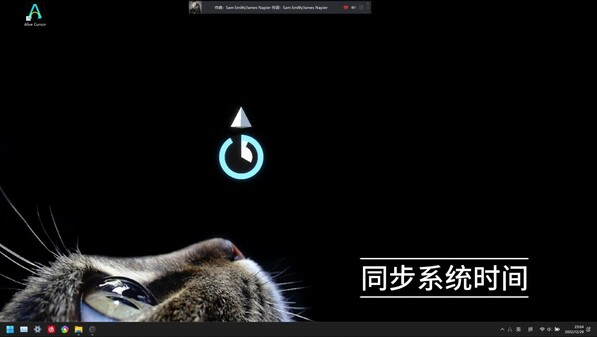
Replace your cursor with Mods! Keep it busy (display time, respond to audio, play games)!
Estimated lifetime revenueLow confidence
$1.8Kgross
$551low → high range$5.5K
Net to developer$1.2K
Modeled estimate, not a reported figure. How we estimate →
Est. copies sold
622
mid estimate
About
About the game
I always want to make the cursor funny and useful like the good old Microsoft Agent, so here it comes! Replace your cursor with mods!
Feature
- Scale or Rotate cursor to any value!
- Invisible when you don't need it! It's convenient when you are watching video or viewing the webpage!
- Wander when it's bored!
- Support Multi-Display!
- Response to Audio!
- There may be a surprise when you press the middle button!
- ...
Howto
- 《Complete User Guide》.
- Single-click the AliveCursor icon on Taskbar to open the main window, then goto 'Downloaded' tab to change skin (Offline access is supported), and goto 'Workshop' tab to view and download online workshop items.
- Press Tab key to temporarily hide the browser window when it's activated.
- Double click right Ctrl key to Highlight Cursor.
Contact
If you have some questions or suggestions for this program, feel free to contact me first, I will response ASAP, thanks!- EMail:beafraid2@163.com
- QQ Group: 673880395 (You can discuss or share ideas here).
- Bilibili: Threeyes
- Steam Group Chat: Alive Cursor
- Steam Community Trouble Shooting (You can find answers for common problems here).
Trouble Shooting [Very very important!]
- Some anti-virus software may popup with an intercept notification: Because the GlobalHook plug needs to listen for mouse events, press ‘Allow’ and you are good to go.
- This app crashes causing the system cursor to disappear: Select any cursor skin in the "Windows System Settings - Mouse - Change pointer size and color" section to reset.
- The in-game overlay function of Steam or GeForce Experience may cause the program to display abnormally (manifested as a small pop-up window that pops up when the program is opened). Please close this type of pop-up window. If you see an ‘In Game’ steam window popup on the right-bottom corner once you start it, just do so: before you run this app, open Steam Library, right click on the App, select ‘PropertQies-General’ and uncheck [Enable the Steam Overlay while in-game].
- If the whole window turn black when you open this app, please open the taskbar via the 'Windows' key, then quit this app using Tray Icon, then open ‘Nvidia Control Panel’, Turn off the ‘Antialiasing - FXAA’ setting for this app in ‘Program Settings’ Tab, or for all apps in ‘Global Settings’ Tab.
- Smear problems: Because the cursor is a high speed moving object, in normal monitor you may sense a bit of smear problems. In other words, this app work great on monitors with High Refresh Rate and Low Response Time.
- Input lag problems: In "Setting Window", Turn off ‘Vertical Sync’ and increase the ‘Target Frame Rate’. You can also open the directory of this app using Steam, locate and right-click ’AliveCursor.exe‘, go to ’Properties > Compatability‘ and select ’Disable fullscreen optimizations‘ then click ‘Save’.
- This app will hide system cursor on start, and restore it on quit, so please wait for it to exit when you trying to shut down or logoff. If the app unexpectedly shuts down and casue the missing system cursor, you can just reopen the app, and you are good to go.
- Settings not saved: Close the program, locate the installation directory of the program (normally is '[Disk]:\SteamLibrary\steamapps\common\AliveCursor'), delete the ’Data/Save/Setting‘ folder, then run the program again.
- Other apps/widgets which mark as "TopMost" (eg: TaskManager or Windows Start Menu) may overlay this app, run this app as Administrator may give it a higher authority, but it's inevitable and may cause you inconvenient. I am working on it, but any help would be greatly appreciated!