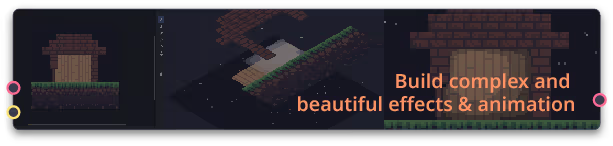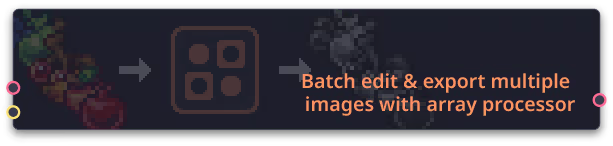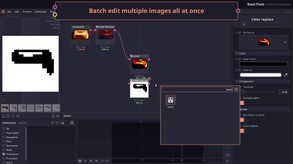
A Node-based pixel art generator, editor, and VFX compositor. Create beautiful and complex effects in a non-destructive manner. Pixel Composer comes with a powerful graph system that supports multiple image manipulation, feedback effects, loop, physics, and fluid simulation.
Modeled estimate, not a reported figure. How we estimate →
Media

About


Genres
Stats
All-time low is the lowest price we've recorded for this game since we started tracking it.
Languages: English
Engagement
Hours played at review time, across 41 reviews with recorded playtime.
Reviews
Themes across 40 recent reviews and how positive each mention is. A keyword signal, not full sentiment analysis.
positive critical· bar length = how often the theme comes up
Reviews
Great program, but the lack of Youtube tutorials, unfinished documentation with missing parts and overall lack of direction makes using this program a chore. What's the point of having an in-program tutorial, where 90% of the functionality is missing, while documentation is impossible to find relevant information in? You almost never know what nodes you need to do something more complex than changing color or moving the image around. YT tutorials are made by like one guy, so the amount of information is quite limited, especially on specifics. Examples provided with the program are great, but not universally applicable. Would be much better to have a bit more generalized examples alongside the popular complex ones, like fire, lightning, explosion, sword slashes, etc. Lastly, the program itself feels quite fragile. It crashed multiple times and I don't remember why. Most of the time it was some sort of math error or an array issue. Sometimes it feels like this program has no exception catchers whatsoever. Regardless - it's pretty powerful if you want to make flipbook particles, or automate some pixel art work, such as adding outlines to all of your pixel art, or combining a bunch of them into one array. It's just extremely hard to get into and you'll spend majority of time just trying to figure out how ts works.
Pixel Composer is the software that other pixel art software had me dreaming of. A node-based software for working with pixel art that can be used for use cases as wide-ranging as creating your own procedural sprite generators and audio waveform visualizers? Forcing sprites to conform to specific palettes that can be ripped from images? Going nuts with particle systems? Even just those use cases would more than justify the cost since there are programs out there that can do just one or two of those things and cost twice as much, and that's still hardly scratching the surface of what this software can do. Yes, it can be a bit unstable at times like several of the negative reviews mention. Most of the time, I've found that those errors come from doing specific things on specific nodes and don't cause the software itself to crash, though, so I've been able to work around the parts that caused issues thus far. Might just be luck that the only full crashes I've experienced have been while experimenting with nodes, trying to figure things out. The number of nodes can be overwhelming at first, and I'd be lying if I said that I've figured out even half of what Pixel Composer is capable of, but there seems to be a lot of overlap if you're familiar with other node-based workflows (like the Fusion tab in Resolve or something like Material Maker). If you have experience with any of those, it'll be much easier to settle in. And while the Youtube videos about it won't teach you how to use every node, they're still a fantastic resource for starting out and cover the basic ones that you'll be using the most. Pixel Composer also ships with example projects that you can analyze to learn how to use several additional nodes to their full potential. If I had to criticize anything, it'd be a tiny (but nevertheless irritating) workflow issue; as far as I can tell, you can't click the icon at the bottom of the screen to minimize it like you can with most software, which messes with my muscle memory. That's a minor gripe, but it gets a bit annoying when you're trying to minimize the program to switch to a window and drag in some art. To sum up, I'm blown away by the versatility of this software and expect to use it a lot in the future for all sorts of use cases.
While I adore the things you can do with this program, it's simply too unstable... Bugs like node previews breaking or older projects breaking the software are common. Currently my biggest gripe is that it's way too hard to learn anything with this program, I love to go on the workshop and try out certain things other people made to learn from that but none of it is usable since every version seems to be completely incompatible with the previous one, meaning 99% of what's on the workshop right now is either broken or straight up crashes the program. At this point, why even have workshop support at all?
Used the non-steam version for a couple of weeks. I really wanted to like this tool. Great library of nodes, many features you would expect and hope for. Unfortunately, many things are unusably broken. Constant crashes and bugs, some of which were reported over half a year ago. Entire features are completely non-functional and poorly documented, such as the addon system. The developer does seem to fix small bugs regularly, but it feels like something new is broken every week, long standing issues remain unfixed, and there's no sign of that changing. Can't recommend this in its current state for anything serious.
별로 기대 안했는데, UI가 이쁘고 기능이 꽤나 본격적이다. 뭐 대충 파티클이나 위치 이동 정도겠지~ 했는데 별의 별 기능이 다 있다. 애니메이션을 에이스프라이트에서 손수 찍더라도, 원본 가져온 다음 대충 노드 깔짝해서 작업물을 미리 보는 용도로 사용해보는 것만해도 매우 좋다. 간단한 테스트용 스프라이트들부터 이펙트, 패턴, 외 다양한 디스플레이 효과나 파티클용 애니메이션 등 다양한 에셋도 기본적으로 주어지는 것도 테스트용 툴로 사용하기 매우 좋다. (안보인다면 Panels > Collections 를 눌러 콜렉션 창을 열고 고정시키면 된다) 평소 노드식 작업을 경험해봤고, 영어를 어느정도 참고 읽을 수 있는 사람이라면 강추한다. File > Splash Screen > Welcome Files > Getting Started 경로에 튜토리얼이 깔끔하게 되어있어 접근성이 매우 뛰어나니 겁먹지 말고 찍먹해보길 적극 추천한다. (단, 튜토리얼이 조금 구버전이라 변경된 아이콘이나 명칭이 조금은 존재한다)
Full of bugs and ♥♥♥♥. I dont want to pay another 10 dollars for patron just to access features that i need
I've been using pixel composer for about 45 hours now to create sprites and animations for my game. Although the documentation is lacking, the example projects provided make it clear how the software is meant to be used. I'm coming from using other visual shader type software like Godot's Visual Shader system and found it works very similarly. If you've used that before you should be at home here. I saw other reviews talking about it being unstable. On my debian linux machine I haven't experienced a single crash, only the occasional error message that didn't cause a crash or cause me to lose any progress. I think it's an absolute steal for the price. It's only 11 dollars and it has quickly become an important part of my workflow. Would recommend!
very nice definitly worth the money it has soooo so many nodes and the number of them keeps growing rn its about 500 or so i think the only downside is that some nodes have some slight issues but i belive thats all being worked on this app is revieving updates daily
Like blender but small
Awesome Tool, in it's current form the tool is already very powerful and useful. Really wishing the developers success to be able to keep working on it.
Related
Related
Trends
Modeled estimate over time, reconstructed from Steam's monthly review histogram.
Momentum
Pace estimated from the game's recent review growth (our daily snapshots) at its own sales-per-review ratio — a momentum signal, not booked sales.
Audience
Estimated from the language of this game's reviews — a proxy for where players are, not official Steam demographics.
Related
| Throne of Monsters 怪物的王座 | $66.2K | 214 | 93% | $12.99 |
| Guards II: Chaos in Hell | $66.2K | 149 | 96% | $15.99 |
| BEAR, VODKA, STALINGRAD!🐻 | $66.2K | 985 | 94% | $3.99 |
| Beholgar | $66.2K | 380 | 75% | $8.99 |
| Total Extreme Wrestling 2010 | $66.2K | 124 | 77% | $14.99 |
| Morels: The Hunt 2 | $66.2K | 102 | 92% | $19.99 |
Related
| Wallpaper Engine | $42.3M | 1M | 98% | $4.99 |
| YoloMouse - Cursor Changer | $387.6K | 2.9K | 92% | $4.99 |
| Black Ink | $360.2K | 520 | 81% | $34.99 |
| MovieMator Video Editor Pro - Movie Maker, Video Editing Software | $220K | 834 | 56% | $7.49 |
| MediBang Paint for Desktop | $183.6K | 210 | 63% | $49.99 |
| 001 Game Creator: 2025 Edition | $118.3K | 299 | 77% | $19.99 |