DisplayFusion will make your multi-monitor life much easier! With powerful features like Multi-Monitor Taskbars, TitleBar Buttons and fully customizable HotKeys, DisplayFusion will make managing your multiple monitors easy. These features even work when
AMD Eyefinity or nVidia Surround are enabled on your system!
Lifetime LicenseThis DisplayFusion license is a lifetime license, you won’t pay anything for any future updates or new major versions. Pay once, and enjoy DisplayFusion forever!
Trial LicenseA 30-day trial of DisplayFusion Pro is available on the download page of our official website: . When you purchase the Steam version of DisplayFusion Pro, it will automatically replace the existing DisplayFusion Pro trial the first time you launch it from within Steam.
Key Features
Monitor Splitting (works with
Surround and Eyefinity!)
Split your monitors into multiple virtual monitors so that you can have separate Taskbars, Wallpapers, Trigger rules, Functions, and Screen Savers for each split. Non-full screen applications will maximize to the size of each split, and Functions like "Move to Next Monitor" will treat each split as a separate monitor. Compensate for ATI and nVidia Bezel Compensation in DisplayFusion to prevent your windows from disappearing behind your bezels.
Monitor Configuration and ProfilesUse DisplayFusion to set your Monitor Configuration. Configure the resolution, colour depth, refresh rate and orientation. You can even save your configurations as Monitor Profiles that you can load later using a key combination or TitleBar Button. Link a Wallpaper Profile with your Monitor Profile to load your desktop wallpaper automatically based on the monitors you have connected.
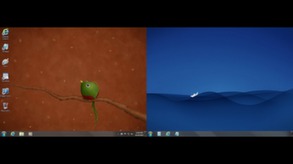
Multi-Monitor WallpaperCustomize your desktop with Multi-Monitor Wallpapers from WallpaperFusion, Flickr, InterfaceLIFT, Vladstudio and more. Tile, stretch, scale, crop, position and tint your images exactly how you want.
Multi-Monitor TaskbarsKeep your windows easily organized by adding a taskbar to each of your monitors. The taskbar on each monitor can be configured to show all windows, or only the windows that are located on that monitor. Use button grouping, auto-hide, window previews, shortcuts (pinned applications) and much more to help you work more easily with your application windows. Each taskbar can have its own custom set of shortcuts. Taskbar elements on the DisplayFusion Taskbars can also be customized to your liking, including the position of the Start button, Taskbar buttons, and clock/system tray.
Customizable Functions and TitleBar ButtonsDisplayFusion comes bundled with over 30 pre-configured Functions, or you can create your own powerful custom Functions. Create Functions to load Wallpaper or Monitor Profiles, move windows around, change window opacity, toggle DisplayFusion features and much more. Any Function, including custom Functions that you've created, can be assigned to a TitleBar Button for easier access with the mouse, or to a keyboard shortcut for keyboard power users. Functions can also be assigned to the Jump List menus on the DisplayFusion Multi-Monitor Taskbars, allowing them to be run even on applications that are minimized.
Monitor FadingFocus on the task at hand, by automatically dimming unused monitors and application windows.
Scripted FunctionsNeed more options? Use DisplayFusion's Scripted Functions (Macros) to script anything you can imagine. Use C# or inside DisplayFusion to create your own custom scripts. From simple window movement scripts to anything more complex.
TriggersThe Triggers feature allows you to listen for events, like window creation, window focus, desktop unlock, system idle and more. Then you can run preset commands or custom scripts to manipulate that window, or anything else you can imagine.
Window Position ProfilesEasily save and load your window size and positions using DisplayFusion's Window Position Profile feature. Loading a previously saved Window Position Profile is an easy way to quickly organize your windows into preset arrangements.
Remote ControlRemotely control DisplayFusion from your phone or tablet! Change your wallpaper, move windows around, enable/disable monitors and hundreds of other abilities, all from your phone or tablet. Includes support for scripted functions, new in DisplayFusion 7. You can script a complete set of actions, save it as a scripted function and run it from your phone or tablet with one-click. It’s easy to setup and even easier to use!
Other Key Features
- Windows 10 and Windows 11 Tweaks
- Window Snapping
- Window Management
- Change your Windows Logon Background
- Multi-Monitor Screen Savers
- Alt+Tab Replacement
- Save and restore your desktop icon layout
- Supports as many monitors as you can hookup to your computer
- Available in over 40 languages
- See All Features: