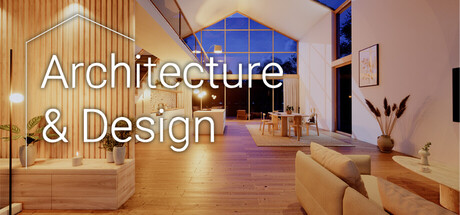
Design your dream home with the precision of professional architecture software without the complexity. Create a parametric floor plan and watch walls, roofs, and stairs adapt automatically in 3D. Furnish and model, customize materials, explore and share your designs. Total freedom, zero pressure.
Modeled estimate, not a reported figure. How we estimate →
About
Have you ever opened a professional CAD program, spent an hour trying to understand the interface, and closed it again before drawing your first wall? Architecture & Design is the opposite. It gives you the power of a real architectural workflow with an intuitive interface that anyone can learn. Build with a true parametric system where walls, roofs, stairs, and rooms understand how they work together with direct visual Feedback in realistic real-time lighting. Just choose your plot of land, open your toolbox, and start designing at your own pace.
Create floor plans the way architects do and watch your building adapt as you design. Move a wall and dimensions, room areas, and connected elements update automatically. Close a space and it instantly becomes a room. Your 3D building grows alongside your plan, and both always stay connected. Change your mind whenever you want. Adjust a wall, raise a ceiling, or modify the layout, and everything updates automatically. No rebuilding. No fixing broken parts. Just design.
Add doors and windows with precise placement. Create gable roofs, hip roofs, flat roofs, or open terraces. Adjust the roof pitch, overhangs, and orientation exactly the way you want. Add roof windows, create multiple floors, and design open stairwells through your ceilings. Stairs are fully parametric too. Create straight or turning staircases, choose different styles, and let the system calculate the steps based on the height you provide. Railings automatically follow the shape of your stairs.
Furnish your creations with high-quality furniture (much more coming soon!), including kitchens, bathrooms, sofas, beds, lighting, storage, plants, artwork, and decorations. Want to use your own models? Import OBJ or GLB files and place them just like any other object. Customize every surface with your own materials. Apply different finishes inside and outside, adjust colours, brightness, and texture scale until everything matches your vision. Found a material you like? Use the "Alt" key to instantly take the Material you touch and apply it somewhere else, along with all material customizations.
Start your project on a peaceful green plot, a beach overlooking the ocean, or a space where only your imagination sets the limit. Control the sun and watch your design transform throughout the day, from soft morning light to warm golden hour.
Walk through your own buildings in first person (VR mode coming soon). Stand inside the rooms you designed, look through the windows you placed, and experience your architecture from the perspective of someone living there. When everything comes together, capture the perfect moment with photo mode.
Publish your finished buildings directly to the Steam Workshop. Explore designs from other players, subscribe to creations you like, and open them inside your own game. Walk through them, study the designs, get inspired by what others have created, and give them a rating if you want.
Genres
Stats
All-time low is the lowest price we've recorded for this game since we started tracking it.
Engagement
Reviews
Decent start and I won't refund, since it's a genuinely useful tool. But I can't recommend it yet because there are a few things that make it feel clunky. Furniture needs to follow IRL standard sizing. Beds, especially, because it's sometimes difficult to plan interiors otherwise. It would also be easier to edit interiors if furniture could be added in 2D view. That would be a huge QoL improvement.
[b]本质是更适合宝宝体质的SKETCH UP + ENSCAPE [/b],二者的基本操作与交互逻辑是相同的。也就是说,如果你本身就是相关行业的设计从业者,那我并不推荐你购买这款游戏。因为《Architecture & Design》能做到的Su+Enscape它都能做到...而且Enscape也支持VR不是吗? 当然,如果你想购买我也不拦着。毕竟谁不想急头白脸上一天班然后打开《Architecture & Design》继续做设计呢... 另一方面,目前除了房门可供开启以及灯具照度、色温可调节,其余建筑构件、家居软装缺乏最基本的交互功能。例如柜门无法做推拉,百叶窗无法开关等等...虽然并不是什么大问题,但若是能够完善这些小细节我觉得会更好一些。 总的来说,如果你单纯对室内装修抱有兴趣,或是未来购置房屋,想要提前推敲自家的空间布局尺寸,这款作品值得一试。 以上是我作为曾经的主案设计师一点简单的看法,如今我早已是逃兵。
Media

Related
Related
Price dynamics, follower growth, revenue and sales trajectories with interactive tooltips
This and every other Pro feature is free until October 20, 2026. A free account is all it takes.
Languages: English**languages with full audio support
Hours played at review time, across 32 reviews with recorded playtime.
[h1]Experienced on the Meta Quest 3[/h1] You can view my VR gameplay here: https://youtu.be/BX28APruMSo So this is one of those apps that is VR supported and the VR experience is quite different than the pancake mode. At least currently, the pancake mode is a lot more robust. You can design the house of your dreams there. You have 2D and 3D mode there. In the VR mode, you're limited to viewing and changing colors / textures of some objects. You can also open doors and turn lights on or off. However, you cannot design the home of your dreams in VR. Moreover, it's kind of clunky how you can view new places in VR. So by default, there's only one place to view in VR. If you want to view more than one place, you need to go to the pancake mode and from there either create the place or download the place from the community (steam workshop). Then save. Now, you can load up the new maps. You can make some cosmetic changes and save them in VR. You cannot change layouts though or add in new furniture or anything like that. You can pretty much only view & change some objects textures / colors. App is running on the Unreal Engine 5. On my RTX 5090, I was getting anywhere from 40-70 fps. I didn't see any options in VR. The options do exist in pancake mode. You have full locomotion and smooth turning available. I hope you like them because that's all that's available. Besides poor optimization in VR, I was also experiences various other bugs. I would get these weird, sudden visual glitches. This took a lot of the enjoyment away from this app. The houses look nice, but with the visual glitches not so much. I also fell through one of the maps. Some of the stairs were impossible to climb. Just too many bugs. As such, as much as I wanted to recommend this, I can't although it's cheap and seems like it has a ton of potential. However, currently, it feels like a buggy demo ... at least in VR. [b]Rate 4.5/10. Buy only to support development. I won't refund, but I'm hoping the VR experience is improved substantially. It really isn't worth it currently IMO if you're only interested in VR.[/b] [quote]I bought this game! If you enjoyed my review, please consider joining my Steam Curator group [url=https://steamcommunity.com/groups/Oculus_WMR]Oculus Rift Reviews.[/url][/quote]
This is something I have been looking for a long time. Good job. I am no architect, but architecture and design always thrilled me and I had to teach myself and do some 3D visualizations for buildings I have built for selling. I was using the ArchiCAD files from the architect and imported them in UE 5 using live link to the plans in case there are changes (ArchiCAD Data Smith plugin). Then I did all the materials and furnishing and in the end optimized for VR, so I can present them to the potential buyers. Your game makes all the last part so much easier. I haven't tried the VR yet, but I hope it works well. It is still in EA, but I would suggest some critical features, which would make the software thousand times more useful: 1. Currently, I can't see a way to set exact dimensions of walls. They seem to just move by snapping to the grid. A feature to set exact dimensions of the different wall segments would be great! For example, the option to double click on a measurement and set an exact value. 2. Being able to draw radiuses between two points, so there is the option to create curved walls or other elements, dependand on radiuses 3. Add the option to add furniture (with standard sizes, but with the option to resize if needed) in 2D view. Overall great start. Please keep up the progress, there is a huge potential here.
So I've played this game 20+ hours so far. So addicting in a good way! I've been searching for a game exactly like this for a long time. I was an architecture major back in 1988 but being just out of high school, I didn't have patience. It was all hand drawn at the time including type which made it tedious, so I gave up. I ended up in design [as a graphic designer (which is my current career)] years later, but always had an itch to design buildings for fun. I can finally scratch that itch. Kudos to the developer for making my dream game. Oh and those giving negative reviews. Give the guy a break. He's a solo dev and the game literally came out days ago. Give him positive feedback so he can improve the game.
It is early access- but its easy to create your own house. Wether a lux residence or a tiny house,Then experience it in 3D or in VR,where you can get a first person feel for how it would be actually living in that home. You can adjust colours textures of walls and placement of furniture. Even resize windows etc. Being early access its not without some quirks but the Dev is responsive and committed . While VR has some issues there is no other game where you can go into your dream home and walk around or chill even watch youtube in your dream home its like my childhood dream of being an architect all over again. Heaps better than lego!
Launch day review: 8/21/26 Overall Opinion: Recommended as a simple to grasp CAD-like "game" for designing a layout and decorating it. Very much looking forward to seeing where the developer takes the Early Access. Pros: - Click and place makes it easy to quickly set down walls, doors, etc. - No real tutorial is needed. - Clean, simple "game" with no bloat attached to it. It doesn't attempt to be something it is not. - Developer appears to be very hands on and active, which is good. - Allows for import/export. - Allows for Workshop content in future. Cons: - At least Imperial measurements appear to have some glitches where it will sometimes add/remove an inch or two from a wall you place, and also where walls that should maintain 90 degree angles will be offset when fixing the miscalculation. - No ability to leave gaps in walls that will keep a measurement (for instance, 3' wall -> 3' gap -> 4' wall -> 3' gap -> 3' wall). For this example, you would have 2 unlabeled gaps, and there is not yet a system for even marking that gap with a measurement that I have seen. - No garage door, barn door, and/or slider door options that I have seen. - Materials do not have a tooltip to tell you what they are. Instead you just have to keep clicking and testing to find out.
1. Critical Bugs a. Box selection does not respond as expected. b. Walls disconnect or break apart when viewed in 2D layout mode. c. The Esc key fails to exit active commands. 2. Feature Request a. There is currently no support for holding down the Shift key to select multiple walls at once. This is a standard functionality in major design tools such as Rhino and SketchUp, and its absence significantly hinders workflow efficiency.
Architecture & Design (A&D) has the potential to be the software/game one has always dreamt of for people like me! People that are just interested in building and/or decorating realistic houses (and gardens) - or love seeing óther people create those - and in being able to walk around in them like you are really living there! It makes comprehensive house design easy within an immersive, realistic setting. Like stated on the store page: "total freedom, zero pressure."! No (in my opinion awful) jobs, 100% sandbox! Right now it is in early access and it will be for a while. And yes, it's noticeable that it is still a work in progress. But it does already have some amazing features and the very friendly developer is very active and very community-minded when it comes to adding and improving things! It already has Workshop for sharing your creations and for downloading creations made by others. You can also make creations others made "your own" if you want. A&D has awesome photorealistic graphics without the need to render first. You can design in 2D and 3D and you can also walk around in first person. There is even a VR mode. You can also import your own models and floorplans. Furthermore, A&D is parametric based, so if you change something, other things will automatically adapt accordingly! All in all some amazing stuff is already there and the program shows HUGE potential, so yes, I definitely recommend it! It is surely not finished (and the developer is also planning on adding more immersion), but by stepping in (early), you can bring your own wishes and ideas to the development table! :)
Excellent tool, runs perfectly in Linux, though the file interaction isn't great through WINE. Very excited to see where this goes. Many improvements are needed. BUGS: - Right-click doesn't finish creating a railing, so there's no way to actually create a railing. - If you bind z to any action, ctrl-z no longer works. - Opening the menu doesn't stop the mouse and keys interacting with the design simultaneously, causing unwanted changes. MISSING FEATURES: - Shortcut keys. E.g "G X 6" for grab, x-axis, 6m, like in Blender. R and S for rotate and scale. Duplicate. - Layers menu - to group and hide objects quickly, so you can you switch between different room designs non-destructively when trying interior decoration ideas. Every art/design/3D app in existence needs layers and groups. - Cannot create curved walls. Look at Paralives to learn how this should work. - You can create custom objects in game. Excellent. But this needs lots of work: If you merge two objects you can never unmerge them, nor save them as a custom object. Alterations to a custom object do not update other instances of the custom object. You cannot name the custom object. You can use only cubes and cylinders as primitives, not a wedge, cone, pyramid, torus, or sphere. You can't save a single primitive as a custom object, even with a specific size and texture. You cannot export your custom objects to a backup folder. - Ultimately, it would be wonderful to upload custom objects to Steam Workshop with tags, and be able to search/browse other people's custom objects in-game. This would also save the developer from having to add all the furniture manually themselves. The amount of furniture currently in the game is lacking: garage items, bookcase/shelves, instruments, office furniture, people and pets, mouldings. - There is no setting to reverse the pan and orbit direction (it's opposite to Blender currently and very confusing to muscle memory) - There are no cables or pipes available - Main menu text should be white outlined in black. White doesn't have enough contrast to read against the bright background. - Where are designs saved to? How do I back them up? How do I export them as .blend or .gltf files to use in other apps? - You can't set different movement keys for first-person view and 3D view, so you end up just using 3D view with half-baked first-person shortcuts. - You can import a floorplan, essential. But the tool needs some background imagery - countryside, suburban, moutain, forest, jungle, city, and maybe some terrain: grass, rock, stream, heightmaps. Look at MakeRoom for a very basic implementation of this. A blank grey box is ugly and has no sense of scale to work with. The screenshots on Steam with background seem misleading. - It would be great to set the latitude, longitude, and date to see the exact sun angle at different times of day, like in SweetHome3D. - And a final longshot feature request - the ability to change the width of walls at different heights, and add bevel - allowing us to create flowing, organic, adobe-style structures. Allowing hobbit houses, earthships, and fancy art museum style buildings.
Selling now
See how fast this game is selling right now — estimated copies and revenue per day from recent review growth.
Players by region
Where this game's players are, estimated from review languages.
Related
| Game | Estimated lifetime revenue | Reviews | Review score | Price |
|---|---|---|---|---|
| $13.5K | 27 | 70% | $12.99 | |
| $5.3K | 27 | 81% | $4.99 | |
| $2.5K | 9 | 56% | $9.99 | |
| $0 | 30 | 80% | Free | |
| — | 0 | — | — | |
| — | 0 | — | — |
Related
| Game | Estimated lifetime revenue | Reviews | Review score | Price |
|---|---|---|---|---|
| $18.5K | 151 | 26% | $4.19 | |
| $18.5K | 289 | 85% | $4.49 | |
| $18.5K | 160 | 74% | $6.49 | |
| $18.5K | 61 | 70% | $14.99 | |
| $18.5K | 165 | 98% | $6.99 | |
| $18.5K | 127 | 74% | $7.99 |