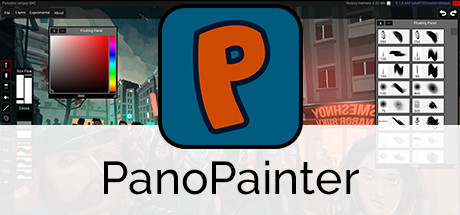
PanoPainter is the first software ever made to enable an immersive experience for artists that want to sketch, paint, and animate on a full 360° panoramic canvas.
Modeled estimate, not a reported figure. How we estimate →
Media
About
Genres
Stats
All-time low is the lowest price we've recorded for this game since we started tracking it.
Languages: English
Engagement
Reviews
I really wanted to love this, but there is just so much missing. Maybe I'm just missing something, but layers do not seem to work at all! Whenever I make another layer, it acts like I didn't make one at all. The motions make me want to puke. It's far too sensitive, I could hardly imagine what it would be like to play in VR! The brushes compare to MS Paint tools, and the bucket tool does not fill in all the way. This is hardly worth a 50% off price of 9.99, let alone the full 20 dollar price! This game still has potential, however, and I hope the developers make this into something truly special!
No soy muy buena en esto del dibujo en 360° (a decir verdad, me lo imaginaba de otra forma xd), pero me divertí mucho con este software. Es muy sencillo de usar, no pide que lo revises mucho. Por default tiene un solo pincel que es redondo, pero puedes añadir nuevos y modificarlos. Puedes crear entornos 3D usando heightmaps, lo cual ayuda bastante si es que sabes usarlos. Cuando exporten el dibujo, recuerden que es un 360°, no esperen mucha calidad la primera vez porque seguro algo hicieron mal.
Related
Related
Trends
Modeled estimate over time, reconstructed from Steam's monthly review histogram.
Hours played at review time, across 39 reviews with recorded playtime.
I haven't seen a software that does what panopainter does, so that alone makes it worth a try if you're an illustrator, into 360 photos or videos. Facebook now has (since a while ago) the possibility to share those, so, it's an exploitable field for artists now. It would be unfair to compare it's controls and interface with photoshop or it's alternatives, but many of us have that as a standard and this is still a bit behind those as far as tools and settings go. But considering this software is doing something different with the 360, and the fact that it has a VR mode, is enough to overlook that. Besides, the developer seems to be constantly improving it. Only issue i had (in VR mode) was a minor displacement between the raycasted preview of where im gonna paint, and where the paint actually gets painted when painting near the horizon line. It painted a little above that. I wasn't making any masterpiece so i didn't really care but that could be annoying. Maybe the size of the brush also mattered, it was around 20% in size. On the rest of the canvas it seemed mostly accurate. The overlay with the settings is kinda awkward to use in VR mode, i hope the dev eventually comes up with a better alternative. But it gets the job done, it's not buggy by any means, just awkward. TLDR; if you're an illustrator it's worth the buy, it's also very cheap and only (incredibly) around 5mb in size!
360도 캔버스가 쓰일데가 있는가? 보통 VR을 하면 자유롭게 돌아다니면서 페인팅을 하거나 2D 작업을 하더라도 가상의 붓으로 그리길 원하지 육면체의 방안에서 작업을 하고싶진 않을겁니다. 3D 페인팅은 물론 3D 스컬핑까지 되는 요즘 이게 다 무슨 의미인가 싶습니다. UI도 단순화된게 편리보다는 무성의하게 느껴집니다.
I remember using this in the early stages of its production, and finally supported PanoPainter when it was released (and on sale) on Steam. This program has potentiality for having the accessibility to paint on a 360-degree canvas, and I will definitely use more in the future. Though I have a hunch that I will not use it as often as I want since it does not "feel like home". I came from other painting programs such as Krita and Photoshop, and the aspects that I really like in those programs just felt missing in PanoPainter. If any digital-painter came from any similar digital-programs as I did and want to transition to PanoPainter with those experiences, here are my first impressions as I try to familiarize myself... Though I feel they are small nit-picks to others, these are just the fundamental basics of painting navigation that I am used to for a long time: > Some keyboard shortcuts are fixed and cannot be customize into another key that I wished for. Holding "space-bar" button then click-and-drag/(or right-click and drag) will pan the canvas, though I want it to change it into another input. For me, I prefer using the middle click to move things around. [strike]> I can't rename layers.[/strike] Finally learned how, thanks dev! Even though I prefer to double click the actual layer name on the spot, as long as I can rename it somehow will help organize my stuff! What I haven't cover is: > VR, I don't have that. > Brushes. I heard you can import Photoshop brushes, I'll experiment that later on if I have the time. > Workflow. I haven't gone that far into the program since the critique I stated above is the "most basic yet missing" part and it infuriates me to do a work-around that I do not prefer. I'll update further since I'm new to this 360 stuff and excited to create something around that concept, but so far it isn't that welcoming as I hoped for 10 minutes in. Therefore I'll just have to adapt to it, which is a pain. If I am wrong in some parts or something I am not aware of, let me know. Because keep in mind that this review is very biased on my experiences based on other art programs and the 10 minutes time I spent in Panopainter. Take it a grain of salt.
bad 0/10
Wow. This is good. Anyone who dabbles in immersive previs will find this extremely useful. Normally I would keep a tool like this close to my chest. I'm making an exception in this case because its new and I believe this products success will contribute to my own.
Before, it used to be able to launch, and was fairly decent. Now, I can't even get it to launch without it killing itself.
programa muito bom e muito criativo, desenhar em 3D usei a mesa digitalizadora OnebyWacom versão 2 para desenhar e me agradou bastante desenhar com ela nesse programa, recomendo bastante
This is a really good 360 apps for painting, compare to drawing 360 in Photoshop, this apps really smooth. It'd be perfect if the developer upgrade some feature, like zooming, brush smoothing, more layer blending mode, renaming layers and maybe export to PSD so I could continue to paint the texture in Photoshop. But overall, this app is perfect for now. :)
Momentum
Pace estimated from the game's recent review growth (our daily snapshots) at its own sales-per-review ratio — a momentum signal, not booked sales.
Audience
Estimated from the language of this game's reviews — a proxy for where players are, not official Steam demographics.
Related
| Eternal Hope | $12.6K | 444 | 83% | $2.39 |
| Alien Shooter 2 - New Era | $12.6K | 289 | 52% | $2.49 |
| Lichgate: Tower Survivor | $12.6K | 60 | 82% | $6.99 |
| Cold House | $12.6K | 135 | 56% | $4.99 |
| Cyclo Chambers | $12.6K | 135 | 84% | $4.99 |
| Starshifter | $12.6K | 54 | 78% | $14.99 |