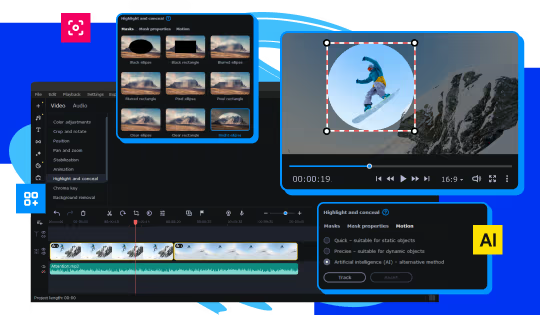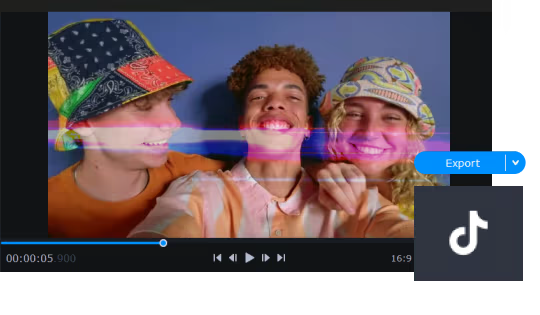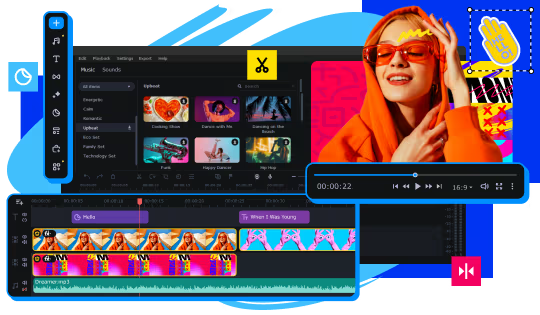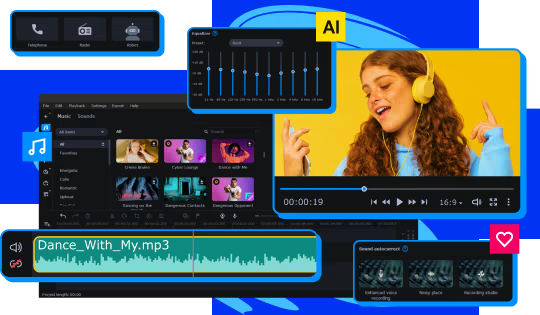
Skyrocket your creativity with the new and improved AI-powered Movavi Video Editor! Create top-notch gameplay videos automatically or tweak the settings to perfection by hand – you’ll get the best result in a breeze. Make your Let's Plays, walkthroughs, and gaming reviews go viral.
Modeled estimate, not a reported figure. How we estimate →
Media

About


Genres
Stats
All-time low is the lowest price we've recorded for this game since we started tracking it.
Languages: English, French, Italian, German, Spanish - Spain, Dutch, Japanese, Korean, Polish, Portuguese - Brazil, Russian, Simplified Chinese +2 more
Engagement
Hours played at review time, across 41 reviews with recorded playtime.
Reviews
Themes across 41 recent reviews and how positive each mention is. A keyword signal, not full sentiment analysis.
positive critical· bar length = how often the theme comes up
Reviews
Eu uso para os meu vídeo, é muito bom para quem está saindo do capcut(ou mudando de um app mais "simples" para um mais profissional). A interface é fácil de entender e logo no sendo dia de uso eu já estava ficando acostumado! nota 9/10(apenas por causa de algumas funcionalidades que faltam e o preço, que alias, recomendo pegar na promoção, ele não vale o preço cheio)
całkiem prosty do ogarnięcia
จากการที่ได้ใช้ทำงานถึงว่าเป็นโปรแกรมที่ดีโปรแกรมหนึ่ง
Łatwy w obsłudze, robi robotę polecam
Bilgisayara format attıktan sonra hata vermeye başladı. "Steam activation error title - Can't perform steam activation. Try again." diye bir hata alıyorum. Google'dan araştırmalarım üzere ne yaptıysam malesef başaramadım. 3-4 farklı PC de denedim hep aynı sorun. Orjinal oyun diye steam'dan aldığımız oyun/program böyle hata vermesi çok ilginç. Bence sorun movavi tarafında gibi. Movavi'nin destek kısmı bu tarz sorunlara çok bakmıyor gibi. Sitelerine girince de sadece program satmak gibi bir dertleri var. Benim haricimde bir çok kullanıcı da activation hatası veya program açıkken kapanma sorunları yaşıyor. Bence firma(movavi) "sadece sat, çalışıyor mu diye bakma" tarzı bir politika izliyor gibi geldi. Bu firmanın ürünlerine çok bulaşmayın derim. Paranıza yazık.
There are newer versions of this software and this, despite working perfectly has flaws, the extras are not worth. It is too hard to control/position multiple elements in a scene.
Easy to use
Movavi Video Editor 23 is a streamlined, beginner-friendly editing suite developed and published by Movavi that focuses on accessibility and ease of use rather than overwhelming users with professional-grade complexity. From the moment you open the program, the interface makes its intentions clear: it presents a clean workspace with an intuitive timeline, straightforward media browser, and a preview window that keeps everything visible without clutter. It is designed for users who want to start editing immediately—whether they're crafting YouTube videos, polishing family footage, or assembling simple marketing content—without needing to spend hours learning advanced workflows. The editing tools provided in Movavi Video Editor 23 cover a wide range of essential functions. Cutting, trimming, and splitting clips are effortless thanks to its drag-and-drop timeline, and even those with no editing experience will find the controls uncomplicated. The software includes a variety of preset transitions, filters, titles, and stickers that can quickly add polish to a project, and the built-in audio tools allow you to clean up sound, adjust volume levels, or mix background music with minimal trouble. For users seeking slightly more advanced options, features like stabilization, color adjustment, chroma key background removal, and automatic enhancement provide a taste of more sophisticated editing without demanding a steep learning curve. One of the strongest aspects of Movavi Video Editor 23 is how smoothly it handles day-to-day editing tasks. For standard 1080p projects, the software generally runs fast, allowing for real-time previews and quick exports. Simpler effects render with minimal delay, and the interface feels responsive even on mid-range hardware. This performance profile is part of what makes Movavi appealing to new editors—it gets out of the way and lets users focus on arranging their clips and building their stories. However, the limitations become more noticeable when working with heavy 4K footage, complex filter stacks, or large multi-track projects. In those scenarios, playback may stutter and the program’s consumer-level engine shows its boundaries. Movavi Video Editor 23 also benefits from its gentle learning curve. Tutorials and tips are integrated into the experience, and most tools behave predictably, helping beginners feel in control almost immediately. This makes the software well-suited for hobbyists, students, and casual creators who want appealing results without delving into advanced keyframe manipulation or intricate color grading systems. Compared to professional tools like DaVinci Resolve or Adobe Premiere Pro, Movavi offers far less depth, but far greater immediacy. It simplifies choices, prioritizing clarity over power, and the result is a tool that users can master in hours rather than weeks. The program does come with some drawbacks—many tied to its approachable nature. Experienced editors will quickly notice the absence of certain advanced features: multi-cam editing, detailed color correction, extensive audio mixing capabilities, and complex motion tracking are either simplified or unavailable. While the software does support a range of codecs, compatibility issues can arise, and some components may require additional packages or updates. Another common criticism involves Movavi’s licensing structure: while Movavi Video Editor 23 provides a solid base package, additional effects, templates, and content packs are often locked behind separate purchases or subscription models, which may disappoint users expecting a fully all-in-one solution. Despite these limitations, Movavi Video Editor 23 offers clear value for its intended audience. It strikes a balance between simplicity and functionality that makes editing approachable without sacrificing too much creative potential. For content creators who want fast results with minimal learning effort, or families compiling personal videos, the software delivers exactly what it promises: an easy-to-use editing environment with enough tools to make attractive, polished content. For aspiring professionals or users seeking advanced controls, it serves better as a stepping-stone before moving on to more powerful editing platforms. In the end, Movavi Video Editor 23 succeeds by knowing its niche and fulfilling it well. It doesn’t attempt to rival professional editing giants, nor does it burden new users with unnecessary complexity. Instead, it provides a friendly, efficient, and enjoyable workspace where beginners can learn the fundamentals of video editing and produce quality results quickly. For those who value simplicity, speed, and a low barrier to entry, Movavi Video Editor 23 remains a reliable and inviting choice. Rating: 7/10
Easy to learn , and has great features
сойдет
Related
Related
Trends
Modeled estimate over time, reconstructed from Steam's monthly review histogram.
Momentum
Pace estimated from the game's recent review growth (our daily snapshots) at its own sales-per-review ratio — a momentum signal, not booked sales.
Audience
Estimated from the language of this game's reviews — a proxy for where players are, not official Steam demographics.
Related
| Trolley Problem, Inc. | $503.2K | 1.6K | 67% | $10.99 |
| Rana Card | $502.9K | 1.4K | 90% | $12.99 |
| FINAL FANTASY VII | $502.9K | 1.5K | 71% | $11.99 |
| My Card Is Better Than Your Card! | $503.3K | 1.2K | 94% | $14.99 |
| Pro Cycling Manager 2020 | $502.8K | 953 | 87% | $19.99 |
| Monster Loves You! | $502.8K | 1.2K | 78% | $9.99 |