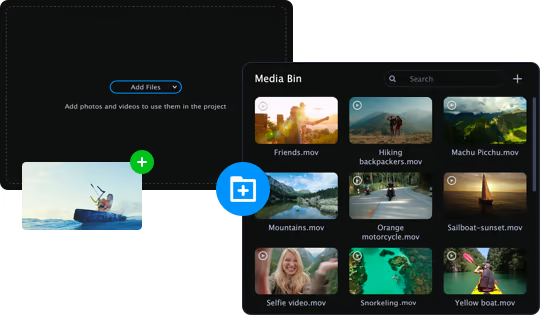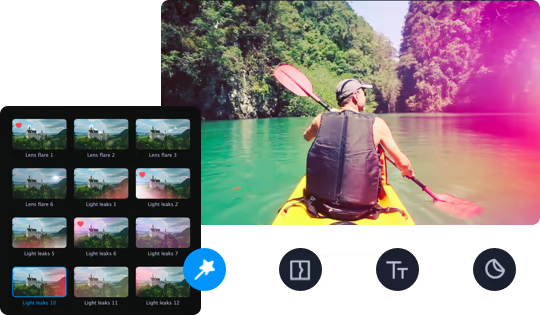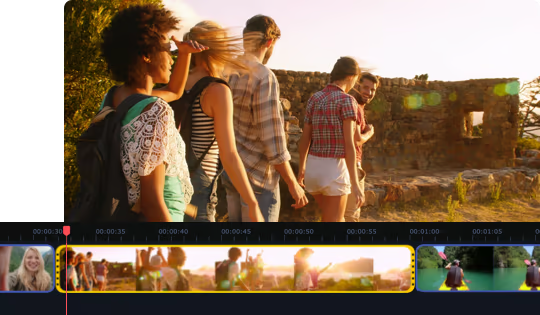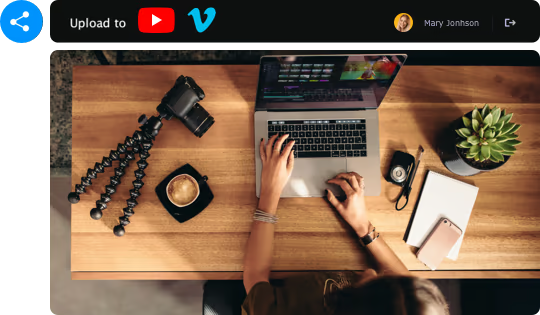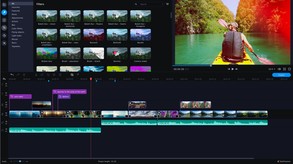
Give free rein to your creativity with Movavi Video Editor Plus 2020! Its intuitive controls help you start editing right away: cut and join clips, add special effects and titles, then upload the results to YouTube right from the program. Video editing with Movavi is fast, simple, and fun.
Modeled estimate, not a reported figure. How we estimate →
Media

About


Genres
Stats
Languages: English, French, Italian, German, Spanish - Spain, Dutch, Japanese, Korean, Polish, Portuguese - Brazil, Simplified Chinese, Traditional Chinese +2 more
Engagement
Hours played at review time, across 40 reviews with recorded playtime.
Reviews
Themes across 40 recent reviews and how positive each mention is. A keyword signal, not full sentiment analysis.
positive critical· bar length = how often the theme comes up
Reviews
Movavi Video Editor Plus 2020 positions itself firmly as an accessible, beginner-friendly video editing suite, and in that regard it succeeds with confidence. Instead of overwhelming users with dense menus or professional-grade complexity, it presents a polished and inviting interface that encourages experimentation. From the first launch, the layout feels intentional: timelines are clearly arranged, key tools are easy to find, and commonly used functions such as trimming, splitting, transitions, and audio adjustment are all within immediate reach. This software is designed to help users start editing quickly, which makes it particularly appealing to casual creators, students, and anyone producing videos for social media or personal use. Its strength lies in the balance between simplicity and versatility. Movavi Video Editor Plus 2020 includes a surprisingly broad array of features for an editor that emphasizes accessibility. You can work with multiple tracks, incorporate motion graphics, apply filters and color correction, use chroma keying for green screen effects, add slow motion or speed-ups, and animate objects using built-in keyframe tools. None of these tools are buried behind confusing terminology, and most can be mastered with a few minutes of experimentation. The software’s drag-and-drop workflow allows you to assemble projects intuitively, which makes the editing process feel fluid rather than technical. Performance is also one of the program’s strong areas. Movavi loads quickly, exports efficiently, and generally handles everyday editing tasks without stuttering, provided you’re not pushing extremely high-demand footage or very large timeline projects. This reliability is especially helpful for users running mainstream, non-specialized hardware. For creators who primarily cut vlogs, game clips, product showcases, or school projects, the program’s speed and stability remove a lot of the frustration that often comes with learning new editing software. The built-in library of transitions, titles, and effects also adds flavor to projects without requiring third-party plugins or lengthy customization work. That said, Movavi Video Editor Plus 2020 does come with inherent limitations based on its target audience. While it offers many features typically found in mid-range editors, it is not designed for professional workflows. Editors who require advanced multi-camera support, intricate color grading tools, high-end effects pipelines, or scripting-based customization will quickly feel boxed in. The software also lacks some of the precision controls that professionals rely on; its lighter framework means intricate edits may require workarounds rather than direct solutions. Additionally, Movavi’s marketplace of optional effect packs can feel like an upsell system—useful for beginners who want more visual variety, but potentially frustrating for users who expect a fully stocked asset library out of the box. Despite these limitations, the software remains a compelling choice for its intended audience. Movavi Video Editor Plus 2020 is approachable in a way many editors are not. It allows complete newcomers to produce polished videos without tutorials that span hours or terminology that assumes prior experience. It is a tool that invites creativity rather than overcomplication. For many users—particularly those who want a reliable editor for YouTube, TikTok, personal archiving, or casual filmmaking—this program offers an ideal balance of ease, speed, and capability. In the end, Movavi Video Editor Plus 2020 excels as a lightweight, intuitive video editing solution that empowers users to get results quickly. It won’t replace professional software for advanced film production, but it excels at what it sets out to do: make video editing approachable and enjoyable. For beginners seeking an editor that won’t intimidate them, or casual creators who want a fast and friendly tool for regularly producing content, Movavi hits the right mark. Rating: 7/10
Literally can't use Hardware Acceleration, the option was removed (!?!?!) and you now have to go through customer service in order to get a version that can use it. Edit: Customer service no longer grants a version that can use hardware acceleration, making this video editor completely useless. Their official "fix" was for me to buy the latest version (Movavi Video Editor 2025), no discount, nothing. Please stay away from Movavi.
Basit ve güzel edit programı.
♥
Безумно удобная и простая программа для монтажа видео. Начинающим рекомендую! Плюсы: +быстрый рендеринг +интуитивно понятно +быстро работает Минусы: -мало возможностей -иногда подлагивает -мало хороших переходов
i like men tbh
Usei ele por anos, e fazer múltiplos projetos! em resumo> Ótimo para projetos simples, e com pouca ambição! Ruim para grandes projetos de alta qualidade, e com grande extensão de tempo de duração!
It's a very simple yet flexible editor. If you're starting out, it's a great way to get the hang of editing. It's got enough pro features to make powerful videos.
Easy to use
so happy i got this before it was taken off the store page, easily one of the best video editors out there, its a shame you can't buy it anymore
Related
Related
Trends
Modeled estimate over time.
Momentum
Pace estimated from the game's recent review growth (our daily snapshots) at its own sales-per-review ratio — a momentum signal, not booked sales.
Audience
Estimated from the language of this game's reviews — a proxy for where players are, not official Steam demographics.
Related
| Movavi Video Suite 17 - Video Making Software - Video Editor, Video Converter, Screen Capture, and more | — | 3K | 79% | — |
| CAT SUDOKU🐱 | $75.3 | 6 | 83% | $0.99 |
| GameGuru Classic | $1.5M | 2.1K | 72% | $19.99 |
| MovieMator Video Editor Pro - Movie Maker, Video Editing Software | $220K | 834 | 56% | $7.49 |
| VeeR VR:VR Video and Movie Platform | $0 | 171 | 74% | Free |
| Supermedium - Virtual Reality Browser | — | 0 | 67% | — |