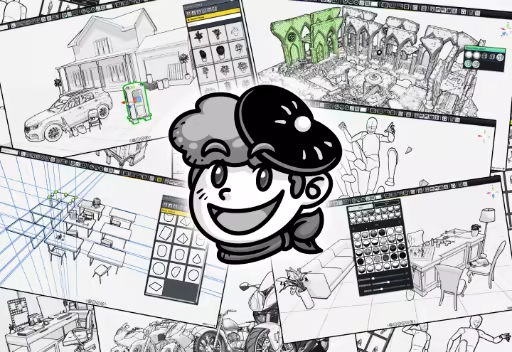
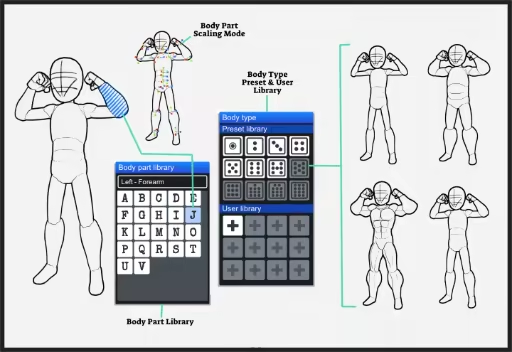
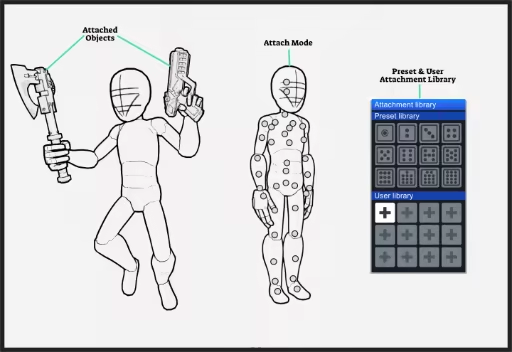
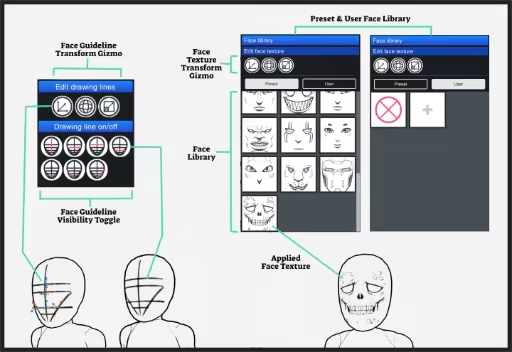
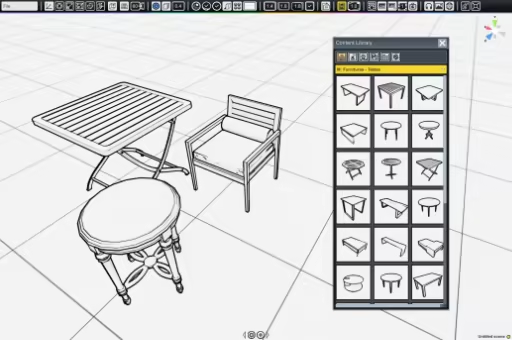
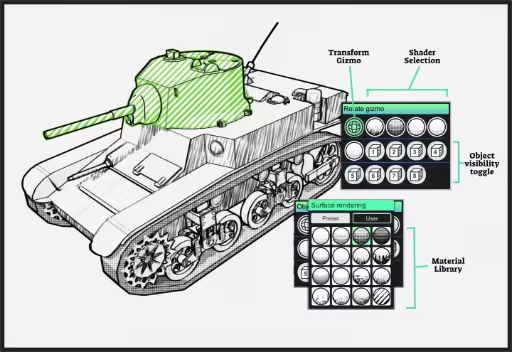
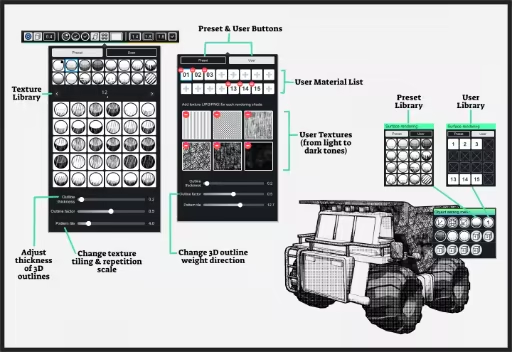
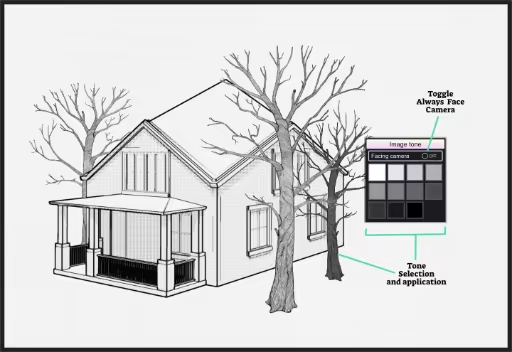
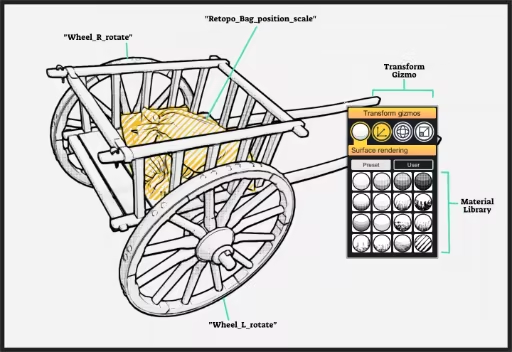
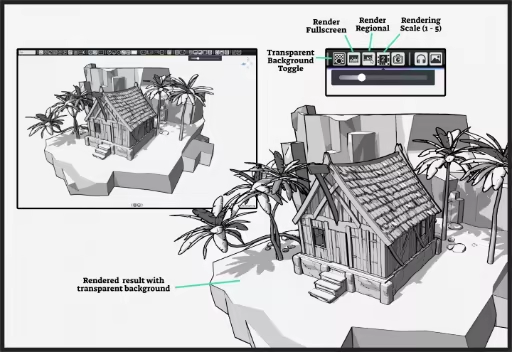
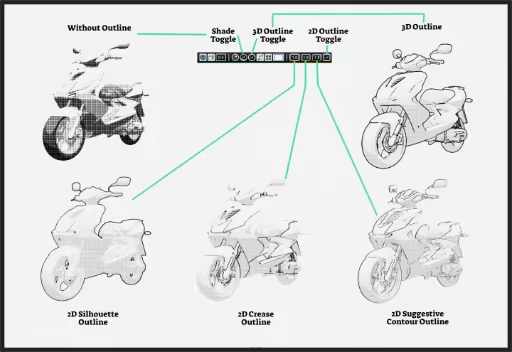
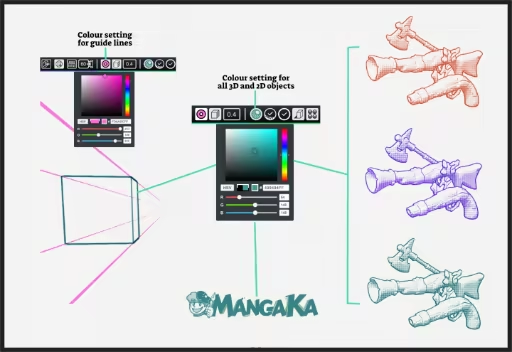
MangaKa is a tool that helps artists who uses line art in their work, be it as a reference, guidelines, or even as final renders, to help them save time in production and speed up workflow!
Modeled estimate, not a reported figure. How we estimate →
Media

About


Genres
Stats
All-time low is the lowest price we've recorded for this game since we started tracking it.
Languages: English, French, Italian, German, Spanish - Spain, Arabic, Japanese, Korean, Russian, Traditional Chinese, Bulgarian, Czech +15 more
Engagement
Reviews
Themes across 40 recent reviews and how positive each mention is. A keyword signal, not full sentiment analysis.
Reviews
i changed my review of this to thumbs up...its actually very useful for creating reference..
This is an application that runs smoothly and is exactly as advertised. There are issues aa with any software so lets get into why I recommend this stuff. First it has a one time purchase and buy Forever UPGRADE mechanic which I love , you will not need to renew this yearly which is far better yet some people will find features out of the box lacking ,, but once purchased you own the upgraded features permently which means you choose how much content your installing and how bloated the application becomes. Similar to some far more terrifyingly expensive editors this editor comes with the upgrade to add 3d objects and act as a 3d package with far less complexity , sadly this means that some features are locked unless you purchase the add on .. which is worth it. Materials wise it has a great selection but it seems to be difficult to get multiple materials in the same scene .. which means you cannot consider this editor a standalone package like others.. frankly it has quirks that take time to learn .. and few tutorials published to figure it all out. There are some tutorials but they do need to be found which is difficult due to an ai tool sharing the exact same name always bumping away any tutorials for this application .. frankly you are on your own learning this and if your not skilled with other 3d packages you may find yourself lost when things just dont do what you'd expect. I would suggest this app for anyone looking to dabble in 3d without wanting a super expensive editor. Highly compatible with mixamo website and metas 2d animation toolset.
Related
Related
Trends
Modeled estimate over time, reconstructed from Steam's monthly review histogram.
Hours played at review time, across 40 reviews with recorded playtime.
positive critical· bar length = how often the theme comes up
bastante util para trabajar 3d para mangas/comics, es bantante facil de usar
[b] Finger weg [/b] Ich habe die Demo getestet. Und hatte dort ein Fehler mit der Figur. Welcher Angeblich mit meiner Grafikkarte zusammen hängen würde. - Fazit. Tut es nicht. Auch nachdem ich gewechselt habe ist der Fehler ist immer noch da. Also denke ich mir okay.. Demo kaputt. Ich kaufe es, da es im Sale ist. (Von Dem Schlechtem DLC Management mal abgesehen) 2,50 Klang gut. Die Software läuft Massiv schlecht. Sie ist grausam! In 10 Minuten mehrfach abgestürzt. Und klicks reagieren aktiv verzögert. Die UI Glitcht. Für die Kameraführung benötigt man einen Drohnenführerschein. Absolut nicht zu empfehlen. Normal nicht meine Art. Aber das Geld hohl ich mir wieder. Schade... ich war bereit das Pack zu kaufen wenn die Software funktioniert. Da ich dringend etwas hübsches für den PC brauche. =/
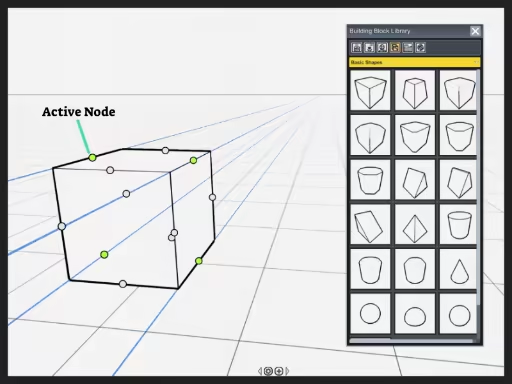
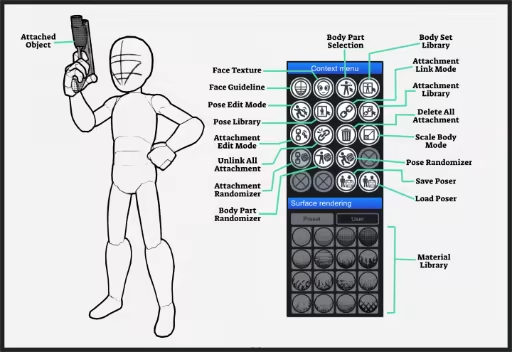
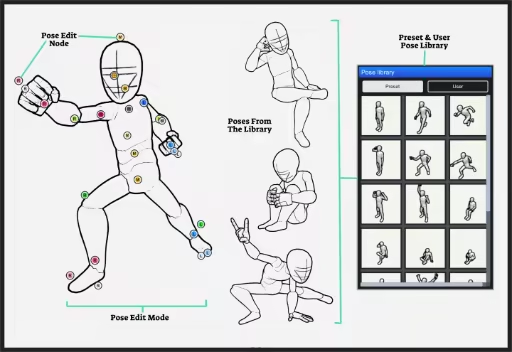
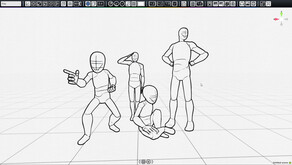
MangaKa is a niche creative application developed and published by Pek Harn that caters specifically to manga artists, comic creators, illustrators, and storyboard designers seeking a faster and more efficient production workflow. Rather than replacing traditional drawing software, it functions as a companion tool that simplifies the creation of reference material through an intuitive 3D environment. By allowing users to assemble scenes, position characters, and establish accurate perspectives before drawing, the software reduces much of the repetitive groundwork involved in comic production. Its emphasis on speed and practicality makes it particularly attractive to creators working under tight deadlines or managing lengthy serialized projects. A major strength of MangaKa lies in its extensive collection of ready-to-use assets. Users can construct detailed indoor and outdoor environments using a wide variety of objects, including buildings, roads, furniture, vehicles, trees, rocks, doors, windows, household items, and architectural components. Human mannequins and simple geometric shapes further expand creative possibilities, enabling artists to block out scenes with ease before refining them into finished illustrations. Since these assets can be repositioned and reused across multiple pages, creators can maintain visual consistency while significantly reducing the time normally required to sketch complicated backgrounds from scratch. Perspective is one of the software's defining features, offering dedicated tools that help artists compose scenes with confidence. Camera controls, adjustable perspective guides, grids, and horizon lines make it easy to experiment with dynamic viewpoints and cinematic framing. Whether creating intimate conversations or large-scale action sequences, users can preview compositions from virtually any angle before committing them to the final artwork. This approach minimizes perspective errors while encouraging more ambitious panel layouts that would otherwise require extensive manual construction. Character posing also contributes greatly to the application's usefulness. Instead of relying entirely on reference photographs or anatomical guesswork, artists can manipulate digital mannequins into a wide range of poses that fit naturally within their environments. This helps maintain proportion, body language, and spatial relationships between characters while streamlining the planning process for complex scenes. The resulting line-art style renders serve as excellent references that can either be traced or redrawn according to each artist's personal style, making the workflow suitable for both beginners and experienced professionals. Another advantage is the software's focus on comic-friendly output rather than photorealistic rendering. The generated images emphasize clean outlines and simplified forms that translate naturally into manga and comic artwork. In addition, MangaKa supports commercial usage, allowing creators to incorporate its rendered references into professional publications without unnecessary licensing concerns. The availability of downloadable content further extends the software's lifespan by introducing specialized asset libraries and genre-specific environments, enabling artists to customize their workspace according to the themes of their projects. Although MangaKa succeeds in its intended purpose, it does have some limitations. Artists accustomed to comprehensive 3D modeling software may find its editing capabilities relatively modest, as the application prioritizes accessibility over advanced customization. Certain workflow improvements, such as more flexible asset management and additional environmental variety, could further enhance its long-term appeal. However, these shortcomings do little to diminish its overall value, especially for users whose primary objective is producing comics rather than building intricate 3D models. Ultimately, MangaKa fills a specialized but meaningful role in the creative process. It bridges the gap between traditional illustration and digital scene planning, offering practical tools that save time without demanding extensive technical expertise. Its combination of perspective assistance, reusable assets, pose creation, and commercial-friendly rendering makes it a worthwhile investment for manga artists, comic creators, and storyboard professionals looking to improve productivity while preserving creative freedom. Rating: 7/10
用了两年了,但是每次用都会让我觉得为什么我不打开blender我真蠢啊。 文件视角不能保存,文件的2d图片大小不能保存,选中之后打开或者关闭图层会取消选中,场景物体多了之后卡的无法选中物体 每一点用起来都让我觉得10上加10。500r全款入的感觉真恶心啊,什么时候改了再改评价 ———————————————————————————————— 二编: 差评当天就直接版本大更新,一觉醒来,除了2d图片的展示大小不能保存全都改好了。 这个速度还是很宠粉的啊。 ———————————————————————————————— 三编: 我居然不能在版本讨论区讨论,那我只能每次有版本问题就改成差评了 再次打开文件的时候,默认关闭图层会打开。 将图层内的文件用选中和delete删除后,图层上仍然显示有物体。
各种功能都蛮好玩的!素材希望后续还能再更新!顺便那个放大和缩小只有滚轮吗,感觉调视角有点麻烦QWQ,滚轮精细度上也有点难受(平时不太用3D,顺便官网指南在哪看中文啊
nice aplication for comic artist
Жахливий контроль поз, забагато багів.
Manque encore quelques options, mais très utile. C'est juste dommage que l'on ne puisse pas exporter ses modèles ensuite.
Momentum
Pace estimated from the game's recent review growth (our daily snapshots) at its own sales-per-review ratio — a momentum signal, not booked sales.
Audience
Estimated from the language of this game's reviews — a proxy for where players are, not official Steam demographics.
Related
| Crownbound - Fantasy Kingdom Sim | $33.4K | 78 | 50% | $11.99 |
| Forgotlings | $33.4K | 65 | 85% | $19.99 |
| Luxor 2 HD | $33.4K | 169 | 82% | $9.99 |
| R18Plus Monster Girl You-ki chan | $33.4K | 76 | 82% | $24.99 |
| Mythic Ocean | $33.4K | 169 | 92% | $14.99 |
| Wayhaven Chronicles: Book Three | $33.4K | 143 | 80% | $11.99 |