Learn, Build, and Play with an all-new update that makes game development easier than ever. Dive into our video tutorials and learn everything you need to bring your ideas to life. Create with ease using our intuitive visual editor and Lua script. Publish your projects with a royalty-free license.
Modeled estimate, not a reported figure. How we estimate →
Media

About
Leadwerks Game Engine 5 is an all-new version that makes game development easier than ever. Dive into our video tutorials and learn everything you need to bring your ideas to life. Create with ease using our intuitive visual editor and Lua script. When you're ready to publish, you keep 100% of your profits with our royalty-free license.
Our new multithreaded architecture prevents CPU bottlenecks, to provide order-of-magnitude faster performance under heavy rendering loads. Build with the confidence of having an optimized game engine that keeps up with your game as it grows.
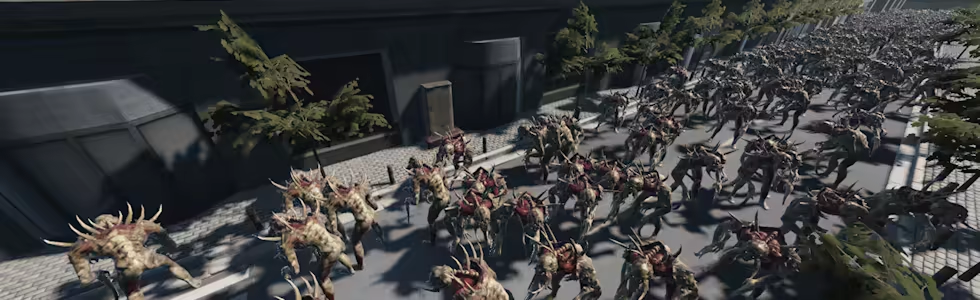
Achieve AAA-quality visuals with PBR materials, customizable post-processing effects, hardware tessellation, and a clustered forward+ renderer with support for up to 32x MSAA.

Built-in level design tools let you easily sketch out your game level right in the editor, with fine control over subdivision, bevels, and displacement. This makes it easy to build and playtest your game levels quickly, instead of switching back and forth between applications. It's got everything you need to build scenes, all in one place.
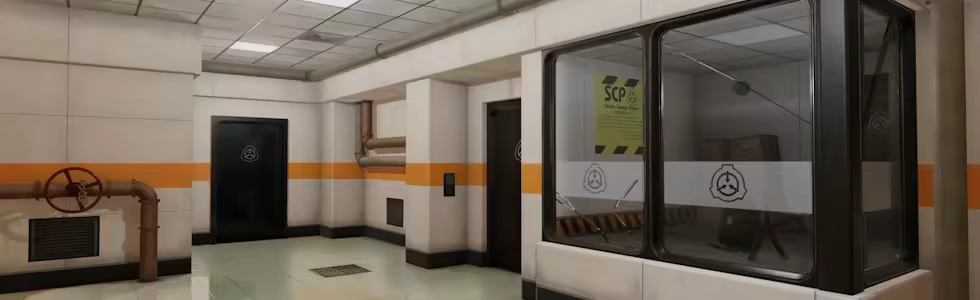
Add intricate details and visual interest by painting materials directly onto your level geometry. Seamless details applied across different surfaces tie the scene together and transform a collection of parts into a cohesive environment, allowing anyone to create beatiful game environments.

We've added a powerful new mesh reduction tool that decimates complex geometry, for easy model optimization or LOD creation.
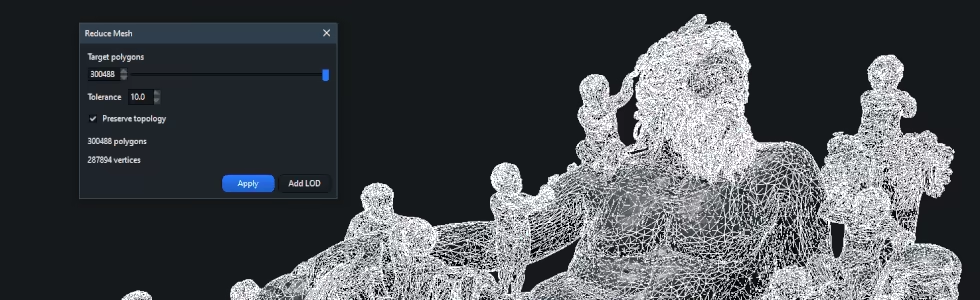
Populate your outdoor scenes with dense, realistic foliage using our innovative vegetation system. It dynamically calculates instances each frame, allowing massive, detailed forests with fast performance and minimal memory usage.

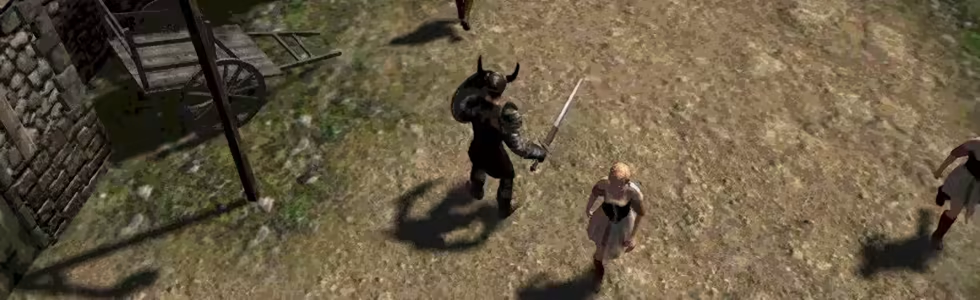
Our navigation system supports one or multiple navigation meshes that automatically rebuild when objects in the scene move. This allows navigation agents to dynamically adjust their routes in response to changes in the environment, for smarter enemies and more immersive gameplay possibilities.
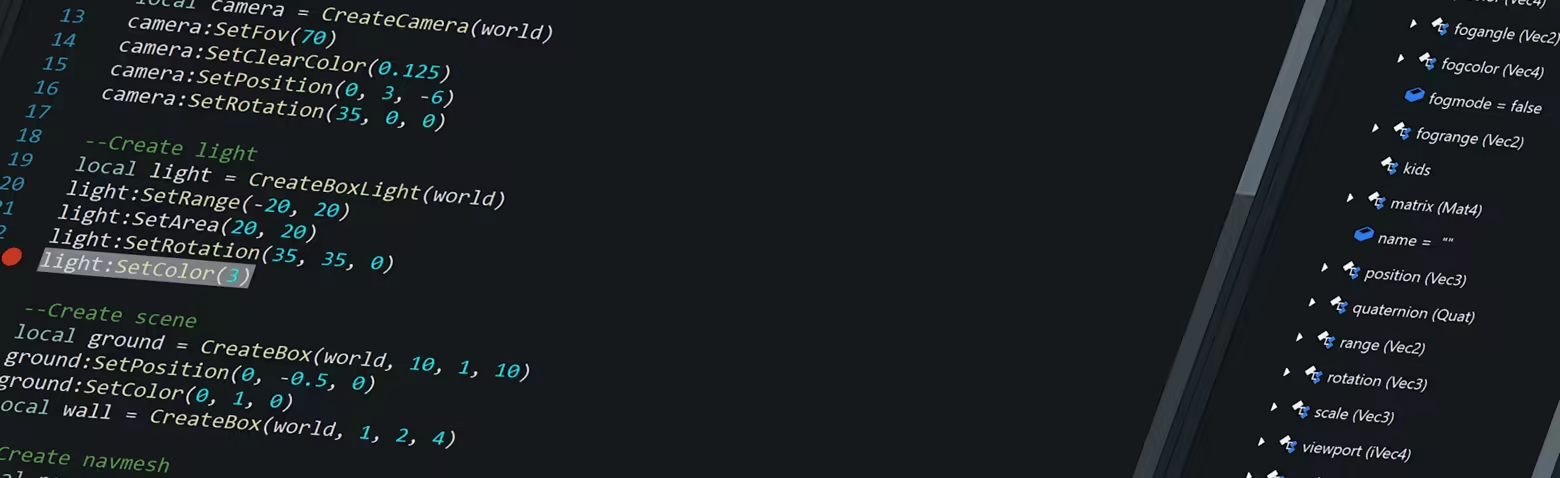
Lua script integration offers rapid prototyping with an easy-to-learn language and hundreds of code examples. The built-in debugger lets you pause your game, step through code, and inspect every variable in real-time. For advanced users, C++ programming is also available with the Leadwerks Pro DLC.
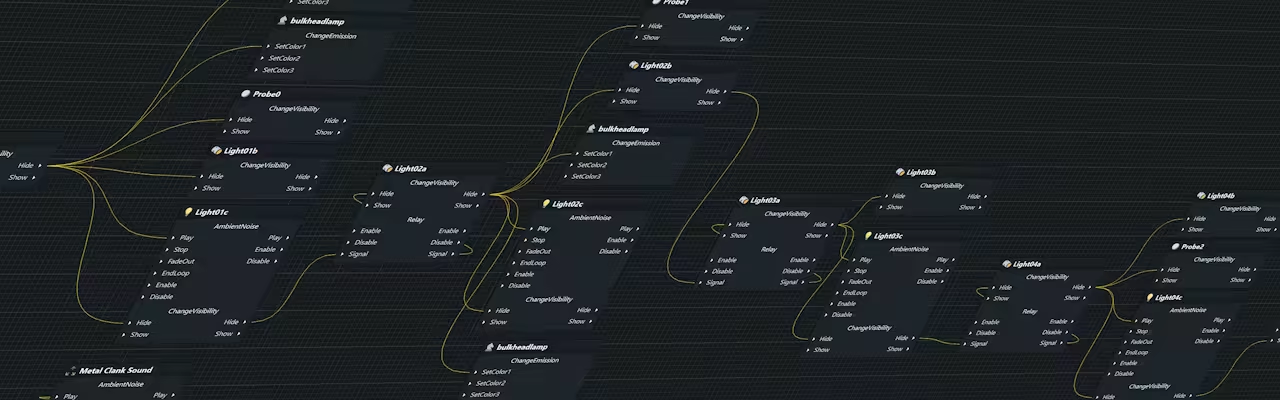
The flowgraph editor provides high-level control over sequences of events, and lets level designers easily set up in-game sequences of events, without writing code.
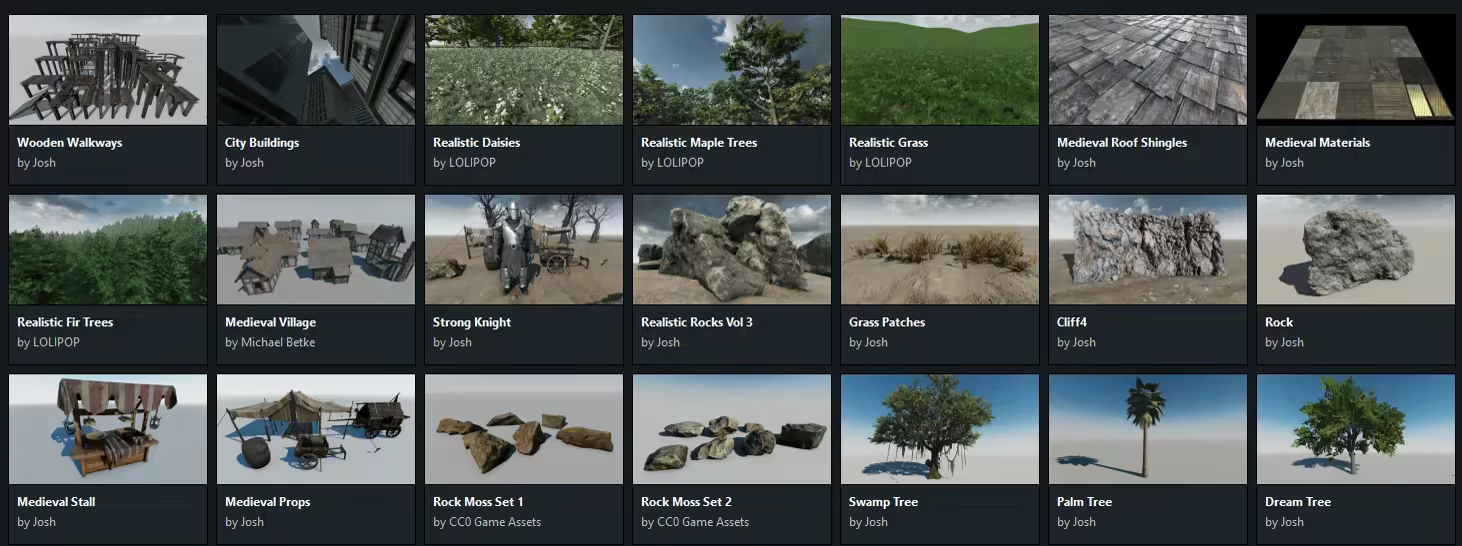
Download thousands of ready-to-use PBR materials, 3D models, skyboxes, and other assets directly within the editor. You can use our content in your game, or to just have fun kitbashing a new scene.
Are you stuck in "tutorial hell"? Our lessons are designed to provide the deep foundational knowledge you need to bring any type of game to life, with hours of video tutorials that guide you from total beginner to a capable game developer, one step at a time.
When you get Leadwerks, you can make any number of commercial games with our developer-friendly license. There's no royalties, no install fees, and no third-party licensing strings to worry about, so you get to keep 100% of your profits.
Multi-threaded rendering architecture
Clustered forward+ renderer with uniform lighting model and optional depth prepass
Multi-display support
PBR materials
Load 3D models from glTF, OBJ, MDL, and FBX (using glTF converter)
Image loading, saving, processing
Vertex, pixel, geometry, and tessellation shaders
Normal mapping with specular
Customizable post-processing effects stack
Crack-free hardware tessellation
Environment probes
Instanced rendering
Real-time mesh modification
Imposters
Build-in level design tools using constructive solid geometry
Edit level geometry in 2D and 3D viewports
Carve and hollow boolean operations
Build-in mesh reduction tools to optimize models or generate LODs
Integrated script editor
Easy-to-code Lua API with over 800 commands
Auto-completion
Hover mouse to show command syntax
Visual flowgraph connects script functions to set up sequences of events
Advanced programmers can use C++ (requires Leadwerks Pro DLC)
Dynamically sculpt and paint terrain
Cut holes in terrain
Up to 256 material layers
Terrain foliage system
Load and save Khronos glTF files
Load and save Wavefront OBJ files
Convert FBX files to glTF and load
Convert Collada files to glTF and load
Build-in mesh reduction tools for optimizing models or generating LODs
Animated skinned characters
Share skeletons across multiple characters
Attach objects to bones
Built-in animation transition and update system
Hardware skinning
Blend and transition animations
Fast and accurate asynchronous rigid body physics
Constraints including hinge, ball, kinematic, plane, and sliding joints
Motorized joints with limits
Generate physics shapes
Swept collision
Raycasting with lines or spheres
Navmesh pathfinding
Crowd avoidance and steering
Navigation areas visible in editor
Physics-based character controller
Automatic AI following
3D sound spatialization
Head-related transfer function (HRTF)
Audio filters including distortion, flanging, echo, and EAX reverb effects
Emit a sound from any entity
Automatic channel management
Skip to any time in sound
Resolution-independent for any DPI
Extensible widgets system
Load SVG vector images
Set widget and item image
Change mouse cursor
Custom color schemes stored in JSON files
Model files can be loaded from and saved to glTF and OBJ format, or converted from FBX format.
Textures can be loaded from DDS, PNG, JPG, BMP, TGA, PSD, and other image formats.
Audio can be loaded from WAV, MP3, and OGG formats.
ISPC Fast Texture Compression, including BC7 and BC6h pixel formats
Zip package loading and saving
Thread management, with mutexes and semaphores
File I/O
File system watcher
Memory allocation and management
String manipulation (split, search, conversion, etc.)
Message boxes and file / folder requester
SteamVR integration with support for a variety of headsets
Fast stereoscopic rendering
Controller input and display
Attach objects to hand controllers and headset
Translation and rotation view offset
Authenticate application ownership
Get user info
Leaderboards
Stats and achievements
Multiplayer lobbies
Peer-to-peer networking
Genres
Stats
All-time low is the lowest price we've recorded for this game since we started tracking it.
Languages: English
Engagement
Hours played at review time, across 44 reviews with recorded playtime.
Reviews
Themes across 44 recent reviews and how positive each mention is. A keyword signal, not full sentiment analysis.
positive critical· bar length = how often the theme comes up
Reviews
1 of my first game engines and I like it so far. I bought it because I wanted to make VR games, but didn't want to use slop like unity or godot. I'm excited for when 5.1 vr support comes. I support you.
It's a good engine for newcomers. It is easier to understand than the Unreal Engine. However, it can be difficult to create the correct CMake if you want to use the Clion IDE. It's much easier if you use VS.
более менее, под пивко пойдет
recently got back into game dev and this engine has been pretty damn good, no fancy pointless lighting effects that drag performance down.
[b]Short Version[/b] Another excellent release of Leadwerks, I love it! It has everything you need to get started, simplicity in the user experience space usually means a dumbed down feature set, or at least hobbled to fit in the nicely shaped presentation box. Not so with this engine, the features are there, but they aren't dumped onto you from the get-go. Instead the common functionality is exposed via a nice UI, then if you need to lift the lid and do something fancy you can. [b]Longer and More Scatter-brained Version (may include some rants)[/b] [spoiler] I've used various versions of the Leadwerks engine since the pre-release version 1 and it has always been a clean and very user friendly engine. This was back in the good old days of Blitz Research ruling the indie/hobbyist scene (R.I.P. Mark). I haven't had much time over the last few years so my hobby game dev has slipped a lot. but finally I have been able to tinker with Leadwerks 5 for long enough to form an opinion on it. As with all the previous versions that I have used, Leadwerks scripting/development is easy to get familiar with because unlike every single modern OOP (only) based developer he doesn't try and reinvent the wheel and expose the engine via the latest cool new pattern that adds another layer of abstraction. Instead he follows the familiar procedural baseline API, which you are then free to mangle in your flavour of abstraction over abstraction, or however you like. This is how all APIs/libraries/packages should be created, rather than forcing yet another AutoMapper configuration just to interface with it. As long as you have the artistic skills you can create really beautiful looking games with this engine, this has been true with every version of Leadwerks, thanks Josh. This latest version contains all of the core pieces of functionality that you need to get started, of course everything is open to extension. One thing I have always loved about Leadwerks is the built-in CSG brush modelling and automatic texture mapping feature. This makes blocking out a breeze, or if you are like me and your 3D modelling skills start and end at the features of the old modding tool, then you can use the fine grained control to actually create all of your static models. You get a mesh reduction tool to clean-up all the wasted vertices right out of the box, which is great! Much like the coding API, the tooling is intuitive. If you get the pro version which doesn't come with a subscription or royalties, you can use C++, LUA, or both - or the visual scripting tools that come with it. Personally I like to write the game code in C++, then script my dynamic world events with LUA. Looking at you UE devs who use blueprints for everything. The documentation is easy to follow and you get a load of tutorial videos to follow when you first open it. If you need more help there is a Discord group and Josh is actively engaged in the discussions. [/spoiler] [b]Summary[/b] Yeah I love it, top work.
After a few years of trying to find the perfect game engine for me, I finally settled on Leadwerks 5 Some things I absolutely love about this game engine 1. The new 5.1 update more than doubles the performance while making the lighting look better. 2. Making maps is extremely easy with all the tools you need inside the editor. 3. Texture painting is one of the most fun things to mess around with, I absolutely love it. 4. The games from it have a very nice look to them while still running well. 5. Josh, the developer of Leadwerks helps with every question asked and is extremely helpful. 6. Compared to other game engines, Leadwerks has an amazing fast workflow to it. 7. It has a built in free assets store, which anyone can upload to.
Leadwerks Game Engine 5 updating toward 5.1 as with everything being created there is always bumps in the road as the improvement goals are achieved. I went from leadwerks 4.6 latest before ultra engine release purchased pro both still have pro under leadwerks 5.1 when released. I been making my original game since the twentyteens early this 2000 decade. I am retired US ARMY and have plenty of time to develop my game i am at no rush. I know the creator of the engine is pure honest and wants users to release great projects that everyone can purchase and enjoy for many years. As far as engines concern everyone has their preference this is just another tool to use or let it stay in the store never purchased until you want that type of tool to update enhance or finish your game design before release. A purchase tool will always work better than a free one from example a forman to get by until they wise up and purcahse a tool that makes their creation a lot better. This engine stands ready as a tool and on purchase enough video tutorial and discord question to include yours to get your project moving toward completion.
Great engine that is consistently getting better and better. it's a lot like the old hammer editor or source but much more modern and refined. The developer, Josh, is an absolute machine with how much he has done with the engine. definitely recommend if you are looking for a indie alternative to Unity or Unreal.
my vega frontier edition doesnt work with it anymore after 5 update but could be user error ill try diffrent drivers
I have this in my library, but won't let me download. says missing files and missing permissions.
Related
Related
Trends
Modeled estimate over time, reconstructed from Steam's monthly review histogram.
Audience
Estimated from the language of this game's reviews — a proxy for where players are, not official Steam demographics.
Related
| GameGuru Classic | $1.5M | 2.1K | 72% | $19.99 |
| YoloMouse - Cursor Changer | $387.6K | 2.9K | 92% | $4.99 |
| GameGuru MAX | $338.5K | 379 | 69% | $49.99 |
| AppGameKit Studio | $152.8K | 123 | 76% | $99.99 |
| 001 Game Creator: 2025 Edition | $118.3K | 299 | 77% | $19.99 |
| S2ENGINE HD | $115.9K | 293 | 73% | $19.99 |
Related
| Super Time Force Ultra | $427.8K | 968 | 89% | $14.99 |
| I Expect You To Die 2: The Spy and the Liar | $427.8K | 1.3K | 96% | $24.99 |
| Hook | $427.4K | 8.9K | 97% | $2.99 |
| Progressbar95 | $427.3K | 3.6K | 96% | $4.99 |
| Redout 2 | $427.3K | 1.5K | 83% | $9.99 |
| Rift Wizard 2 | $428.4K | 770 | 92% | $9.99 |