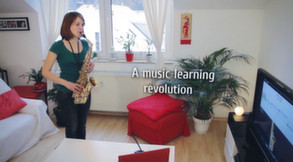
Songs2See is your personal companion to learn a musical instrument in a fun way. It rates your play in in realtime and helps you train sight reading and finger dexterity with its interactive sheet music display.
Modeled estimate, not a reported figure. How we estimate →
Media

About
Genres
Stats
All-time low is the lowest price we've recorded for this game since we started tracking it.
Languages: English, German, Spanish - Spain, Russian, Spanish - Latin America
Engagement
Reviews
Themes across 46 recent reviews and how positive each mention is. A keyword signal, not full sentiment analysis.
Reviews
Really disappointing, actually have nothing positive to say about it. Terrible recognition of notes from my acoustic guitar, no room for dynamics at all and no symbols for hammer ons or bends. Essentially, if you always dreamed of being able to attain that oh-so-good robotic midi sound then learn from this game, it'll to teach you how to rock out 'Frére Jacques' like a musical birthday card in no time at all. The most pathetic thing is that for several of the instruments, parts of the songs are too high or low and instead of modifying it to at least have the notes in a different octave, you're just given a cross as if to say 'sorry, couldn't be arsed to do that part' I could go on all day but I'll just say don't buy it and go play Rocksmith.
I got this program for vocal work and I'm very disappointed. There are no vocal arrangements for any of the songs and there are no lyrics. The only place vocal support is listed is in the scales. Looking at the piano options, I'm only seeing ways to practice with the right or left hand--no option to play together. This was a complete waste money. Edit: The makers have confirmed to me the program does not support lyrics at all and offered me a second copy of the editor to make up for it, which isn't particularly helpful. The piano options have no chords and can only do one hand at a time, so you just learn to pick out one note with each hand and have no option to put it together. The drills are only scales, no interval or diction work, which is limiting despite the important of scales. This may be useful for the other instruments, but not for piano or voice.
Related
Related
Trends
Modeled estimate over time.
Hours played at review time, across 46 reviews with recorded playtime.
positive critical· bar length = how often the theme comes up
I was very interested in the concept of this game. Having owned Rocksmith 2014 I noticed that this game supports the Rocksmith Real Tone cable. So once I had the game running, I noticed that it was not very good at picking up notes on my bass guitar. In conclusion, if you're a bass guitar or electric guitar player looking for a game that will help improve your skills then Rocksmith 2014 is your best option right now.
Very dissapointing. This is sold as a teaching aid. However there is no teaching structure. No scaffolding of skills. A very basic system that only half works as described. There is no fun element so it is not even a game. I really have nothing positive to say about Songs2see.
This is a great game for practicing new songs and after some fiddling around, I found an easy way to create new songs with the editor -> midi + audio is the key :) Still I have to say it could be bit more polished and editor isn't that easy to use until you figure out where everything is hidden. Anyway, I recommend it to everyone who's interested in music games
A misunderstood gem!! The quick version: Good if you have a musical basis, doesn't replace other software but is an outstanding addition, could use a comunity like iRealb (though that might get them in trouble? who knows), if the video description makes no sense to you, keep it in the back of your mind as there might be some ground to cover (but you'll love it when the time comes) Now the longer one: First of all this is by no means competition for Rocksmith, Yousician/Flowkey/Guitartricks/etc, or Synthesia for that matter. It should not be compared with them or games, not because it's lacking in any way, simply because it is really a different category of application. What it is, is a launching pad for learning repertoire and practicing scales (though you may need to use the editor as the list is short and has no copyrighted music). The program asumes you have at least a passing familiarity with sheet music reading, and know more or less what it takes to make a sound out of the instrument but are either having trouble remembering the specifics (for example you may not have memorized the fingering of a particular instrument) or have issues with intonation (singing, violin, upright bass, etc). The application that most resembles it (that I know of) is Canta, however this is much more fleshed out and quite honestly well worth the asking price provided you can orient yourself. I should add some important tidbits: * Guitar also supporst TAB, which is great * Keyboards work one hand a time. Enough to carry you over the early learning stages (as you are supposed to learn each hand independently, then combine them on your own). * Combining this with the Rocksmith cable is delightful, quite honestly I recomend this or a direct box. * Some instruments can't be plugged into a cable... But often a piezo transducer will do (which you can make or buy cheaply, just look around in YouTube); Other times a simple USB microphone might do the trick (you can use your laptops microphone just don't complain if it doesn't work it won't magically make it a high quality mic) * Havent used the editor, will update if Steam allows when used but the tutorial shows it is complicated, but far from impossible. Conclusion If you have some grounding on music theory and could use some fingering suggestions, or would like a backing track while reading the score, or someone who has intonation issues you may have found what you need . And yes if you make your own complete custom instrument with a radically unique pitch, it will still work (range will be up to you though) I would say that multi instrumentalists that haven't fully mastered perfect pitch or rythm or would like to have a backing track and are willing to put a little effort could not have found a better tool. About me I studied a little bit of classical and jazz guitar but am mostly a self taught guitarist that recently picked-up the bass, keyboards, ukulele, recorder, violin... So yeah for a person like me that wants to be able to make my own ensemble compositions and record them, this is one of my strongest tools. EDIT: This app has gotten even better, now it can recognize your music and help draft a score. It's frankly much more polished than it was and something I recommend if you like me enjoy improvising each day and want something to help transfer those improvisations into a score to later edit and polish. Pay no mind to the mixed reviews it has received, but like mentioned before, consider that you must know how to read sheet music to get started. I think this is a very fine piece of software and certainly a highlight in Steams catalog that deserves to be seen and treated as such. This is frankly, good music software and something I would recommend to the more formal amateurs and music students alike. Do yourself a favor and give it a try if this description appeals to you (no I don't know the developers, I'm not sponsored, just an amateur that has benefited from this gem for years and wishes to see more people benefit as well)
Songs2See Game (曲を確認し遊ぶ) 御薦め:★★☆☆☆☆☆☆☆☆ ジャンル:音ゲー ≪短時間プレイレビュー≫ ※遊ぶにはマイク又はロックスミスの「リアルトーンケーブル」が必要です。 音ゲーです。ピアノからギター、管楽器など様々な楽器を選択できます。 エレキギターを使用しましたのでリアルトーンケーブルを用いました。 速度は100%から50%まで調整可能で、繰り返すことも可能です。 速度を遅くすると音声の入っている曲だと間延びした感じになります。 内蔵されている練習曲に加えてエディタを用いた曲を加えることも可能です。 また習得モードだと、 正しい音をでるまで再生が停止します。 画面の表示で音譜(スコア)かTAB譜を選択できます。 上下2面の画面分けで上に譜、下に各楽器の手の位置が表示されます。 ロックスミスの様に出力音をアンプシュミレートして出すものではないので、 あくまでも手の位置や音が合っているか確認をするものです。 問題があるとすると一部の曲では外付けスピーカーでプレイすると、 ソフトがスピーカーから出力している音をマイクで拾ってしまい。 ゲームスコアが自動的に上がると言うことでしょうか。 ヘッドフォン必須なのかもしれません。 販売価格が高いのでセール時でも購入するべきかどうか(´・ω・`)? Songs2See Editor (曲を確認し編集) 御薦め:★★★☆☆☆☆☆☆☆☆ ジャンル:音ゲー編集用 ≪短時間使用レビュー≫ 『Songs2See Game』用の編集が主目的です。 MP3などの外部ファイルを変換することが可能です。 当然?ながら全角等ですと読み込み時点てエラーします。 また、名前等に全角を使用し保存はできますが表示が????になります。 変換曲を各楽器で音声無しで譜を再生する事もできるのですが、 期待した程の変換性能はないかもしれません。 使用可能にするには結局のところ編集するしか...。 音譜やTAB譜をプリントアウトする機能もあります。 TABの方は大抵問題ない様です。 しかし、音譜の方はエラーを発して印刷画面まで辿りつけません。 自分の環境では無声曲の短いものでやっと表示されました。 ロックスミスの代わりの練習用または、 好きな曲を編集して使用できるのかと期待したのですが、 浅はかだったようです。 セール…?定価程の価値は多分ないと思います。 購入される方は注意するべきと考えます。
Using this to learn to play violin. I'm finding it to be extremely helpful - there's a learning mode where until you play the correct pitch, it doesn't go on to the next note. So if you're trying to learn fingering on a guitar or violin or what not, it shows you what note you're playing next to what you are supposed to be playing. As an additional note, having the instrument visualized with dots for where your fingers should be is pretty helpful if you are new to the instrument, as well
- No support for MIDI device! - Crashes to me at start at 5 from 6 tries - Poor song choice - No support for importing .mid files
Before buing I was a little scared of mixed reviews of this game, boght it anyway because steam has no question asked return policy. But after playing several hours I am impressed. Now I can play Nonesuch after 1h of practice, nice job. I am playing ukulele, and have sort of DSP background, but this comment may be helpfull for anyone playing guitar instruments. I guess most of the issues here are with microphone and or/line input quality. The problem is that most common chinesse electret microphones are with very low quality, and with these this program won't work with guitars (it should be ok with flute and violin since these have higher base harmonic frequency), or may have issues with low/high pitch. The reason is because guitar instruments have A) huge number of higher harmonics B) Low base frequency (especially BASS guitar) that won't be picked by low quality mic C) following reveb frequencies comming from the resonance box and the last one D)high interference due to the lack of grounding the mass of your microphone and external charges/electic/electromagnetic fields. It's a lot of moving parts here. Usually cheap mics have band smth between 500 Hz and up, when the lowest note on Ukulele has 440 Hz.. So step 1: buy good mic, or use instrument with pickup. Step 2. - in case if you are using pickup: output impedance of your instrument may prevent this program from picking your notes, for example cable from Ubisoft game may not work with piezo pickups. The reason is that high impedance pickup and low impedance input of the sound card works as a high pass filter preventing low frequencies from happening. Solution - preamp built for high impedance inputs e.g. Tillman preamp build on J201 transistors JFET-N. or simmilar, Electric guitars are a better option since there is more power to loose and it's impedance is smth in the middle of the chart. Step 3. enjoy the game. PS.Editor can convert mp3 to fingerpicked notes:)
Momentum
Pace estimated from the game's recent review growth (our daily snapshots) at its own sales-per-review ratio — a momentum signal, not booked sales.
Audience
Estimated from the language of this game's reviews — a proxy for where players are, not official Steam demographics.