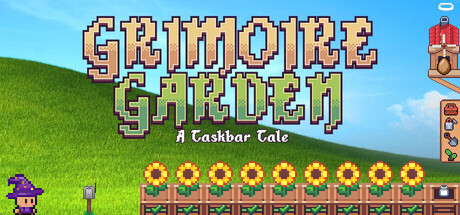
Grow a magical garden right above your taskbar! Join your apprentice Pip and sparrow Jack Jr. to plant enchanted crops, fight thieving goblins with your typing skills, and earn gold for powerful magic upgrades. Turn your desktop into a peaceful retreat while you work, study, or surf!
Revenue comes from in-game items and microtransactions, which our price-based model doesn't estimate. The player count below is how many people own it, not what they spent.
About
Grimoire Garden: A Taskbar Tale is a cozy, second-screen taskbar game that perfectly blends idle farming, satisfying progression, and fast-paced typing combat. Designed to live comfortably at the bottom of your screen, it turns your desktop into a living magical sanctuary. Whether you are working, studying, or watching a stream, your garden grows alongside you without ever interrupting your workflow.
Join your loyal magic apprentice, Pip, and your feathered friend, Sparrow Jack Junior, to cultivate enchanted crops, fend off greedy goblins, and build the ultimate magical treasury!
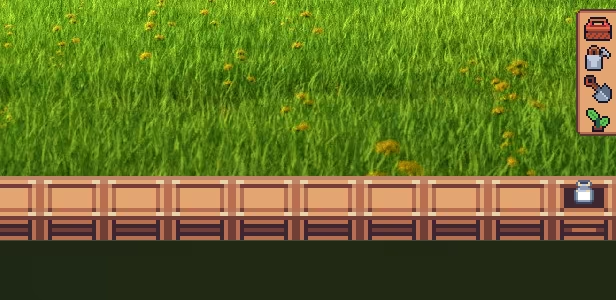
🌱 Farming on the Edge of Your Screen Start with a single taskbar planter and invest your hard-earned gold to expand your garden. Plant magical seeds, watch them progress through 4 growth stages, and harvest them for profit. The game is fully aware of your desktop environment. It scales dynamically, detects when your taskbar is set to auto-hide (smoothly sliding up and down with it), and lets you choose exactly which monitor your garden blooms on.
⏳ Meaningful Offline Progress & Upgrades Your garden respects your time. Invest gold and harvested crops into a deep skill tree to unlock permanent, powerful buffs. Contributed crops cannot be sold, but they grant massive improvements like the Market License (+25% Sell Value), Double Pack (25% chance for double harvests), or Turbo Roots (+80% Growth Speed). Need to close the game? Unlock the Scarecrow for offline growth, or reach the ultimate Dance Powder upgrade so your plants grow and water themselves entirely while your PC is turned off!
⚔️ Seamless "No-Spacebar" Typing Combat Goblins will try to steal your crops! Defeat them using our seamless Typing Combat. Just type the magical words above their heads to instantly cast spells (no spacebar needed!).
Find Grimoires: Unlock higher difficulty levels to face tougher goblins with significantly better loot drop chances.
The Skeleton Minigame: Trigger an epic boss fight! Deflect the Skeleton's magical bone projectile back and forth up to 20 times. Based on your skill, you will earn "Bone Meal" (Tier 1 to 20). This is a powerful Fever Mode item that massively accelerates your garden's growth.
📅 Daily Quests & The Bonus Stash Keep things fresh with 3 Daily Quests (you can reroll up to 3 times a day). Completing quests rewards you with temporary, powerful perks like Caffeine Rush (+150% growth speed for 2 hours) or Auto-Watering. These perks are stored in your 9-slot "Bonus Stash". Drag and drop them to activate them whenever you need a boost. Complete all 3 daily quests to earn a guaranteed max-level Tier 20 Bone Meal!
🐦 Jack Jr.: From Egg to Legendary Companion Before Sparrow Jack Junior becomes your loyal companion, you need to help him hatch! It all begins with a mysterious egg sitting on the edge of your screen. Every global keystroke and mouse click you make outside the game (while working or chatting) helps crack the shell. Once hatched, your continued activity levels him up. After every ascension, his XP resets, but his loot pool expands! Level him up to max level (11) so he can drop the rarest, most valuable seeds, including the legendary Sunflower.
🎡 Skill-Based Wheel of Fortune Feeling lucky? Use a free spin or earn Wheel Tokens from daily quests to spin the Wheel of Fortune. Time it perfectly with your own skill to reliably snag the exact rare seed you need for your next big upgrade!
📊 Stats, Achievements & Completionism
Love numbers? Grimoire Garden tracks everything: total global keystrokes, mouse clicks, gold earned, specific goblin types defeated, and exact crop yields.
59 Steam Achievements: Challenge yourself to unlock them all! From your very first sprout to the ultimate Platinum Achievement, there is a rewarding milestone for every stage of your journey. Flex your efficiency and watch your numbers go up while you work.
⌨️ Distraction-Free Workflow & Hotkeys Grimoire Garden is built to never get in your way. Hide the UI completely for ultimate Zen, or control the entire game without breaking your focus using global hotkeys:
Ctrl + Alt + I: The "Boss is coming!" panic button. Instantly hides the entire game + Taskbar Icon and pauses everything. Perfect for when your manager suddenly walks by your desk!
Ctrl + Alt + F: Toggle Focus (Bring the game to the front or send it back).
Alt + W: Quick-Watering! Hover your mouse over a plant and press this to instantly water it. (Fun Fact: Your watering can upgrades passively just by using it. Reach Level 4 to fully water a plant from 0 to 100% in a single click).
Alt + G: Cycle through Game Modes (Cozy, Combat, or Auto Mode).
Alt + B / P / Esc: Manage your Inventory, pause the game, or close panels instantly.
Grow your garden, sharpen your typing skills, and bring a little magic to your workday. Welcome to Grimoire Garden!
Genres
Stats
Languages: English
Reviews
I can just make my garden on here instead of real life because my dog would just rip them up on me :(
I consider myself an Idler queen, digital cats and farms in any screen space. Do I use my computer to render ultra realistic graphics? Nah just have 10+ games running at the same time is what I choose, After Bongo Cat released a battle pass... I thought why not check around and this cute little game popped up. At first it seems fine until you try ineracting with it and it crashes. Attempt #2: Animation and ui seems resposive but tutorial is a mess. Then you have to click off the app by clicking the icon on your task bar.... ok. Then it just doesn't even work, click anything and you will be interacting with the background. Maybe after some patches I can recommend but currently its broken. A lot of promise hope I come back to a finished gem of an idler
Media

Related
Related
Price dynamics, follower growth, revenue and sales trajectories with interactive tooltips
This and every other Pro feature is free until October 20, 2026. A free account is all it takes.
[h1]🌱 Grimoire Garden: A Taskbar Tale: A Magical Desktop Companion With A Hidden Focus Trick ★★★★☆ (7.5/10)[/h1] [i]A cozy, pixel-perfect alchemical farm that lives peacefully right along your Windows taskbar. Once you discover its clever focus toggle mechanic, it transforms from an apparently unresponsive app into one of the most charming background idle companions on Steam.[/i] [h3]🎮 Gameplay[/h3] The core design loop strikes a brilliant balance between passive idle relaxation and tactile active gameplay. Your garden occupies the lower strip of your monitor without demanding full-screen dedication. You sow mystical seeds (radishes, enchanted wheat, alchemical sunflowers), water them with a responsive drag-and-drop can, and watch them sprout in real time while handling daily PC tasks. What sets [i]Grimoire Garden[/i] apart from standard passive clickers is its rhythmic typing combat: periodically, cheeky goblins open portals on your taskbar, requiring you to type out arcane words across tiered rarities (Common to Legendary) to banish them. Coupled with an alchemical bird companion that hatches from an egg to forage rare seeds, the loop provides satisfying, low-stress micro-breaks throughout your workday. [h3]🖥️ User Experience[/h3] The interface is clean and thoughtfully laid out, but suffers from a major onboarding pitfall that initially fools newcomers into believing the game is broken: [list] [*] [b]The "Passive Click-Through" Trap:[/b] By default, the game runs in a transparent pass-through state ([i]WS_EX_TRANSPARENT[/i]) so clicks ignore the garden and pass straight to your work windows. To interact with menus, plots, or the options button, you must press [b]Ctrl + Alt + F[/b] (or click its taskbar icon). [*] [b]The Onboarding Blindspot:[/b] The initial tutorial fails to emphasize this toggle clearly. Early progression gates—such as the wizard pausing the egg timer with [i]"I need your focus to complete the hatching spell!"[/i]—often confuse players into thinking the client has frozen when it is simply awaiting the [b]Ctrl + Alt + F[/b] focus command. [*] [b]Productivity Friendliness:[/b] Once understood, this focus system is actually a stroke of genius: it lets the game sit quietly asleep until you actively summon it with a hotkey. [/list] [h3]🎨 Technical/Visual Design[/h3] The pixel art is easily the game's greatest triumph. The nostalgic 16-bit color palettes, warm lantern glows, sleeping wizard animations, and dynamic plant growth stages give the bottom of your monitor an enchanting fairytale warmth. Sound design matches this cozy vibe with delicate water splashes, cheerful birdsong, and crisp, tactile keystroke audio during typing battles. On the technical side, frame pacing is rock-solid and system resource consumption is negligible. However, there are minor rough edges: toggling resolution changes or rapidly switching menus can cause occasional hiccups, and the bitmap pixel font ([i]Alkhemikal[/i]) is strictly ASCII-based, requiring clean unaccented text for international localizations. [h3]🏆 Challenge & Achievements[/h3] The challenge is leisurely and welcoming. The Steam roster boasts 59 achievements tracking crop harvests, alchemy tiers, goblin typing milestones, and familiar growth. Milestone achievements unlock at a gratifying pace, though high-tier grinding goals (such as 5,000 watering actions and 5,000 goblin defeats) will require sustained companionship over many weeks of passive desk time. [h3]⏱️ Time Analysis (HLTB)[/h3] [list] [*] ⏳ [b]Main Story / Standard Playthrough:[/b] 6 Hours [*] 📖 [b]Story + Full Upgrades (Watering Can & House):[/b] 12–15 Hours [*] 💯 [b]Completionist (100% Achievements):[/b] 30+ Hours (passive background idle) [/list] [table] [tr] [th]🟢 The Best[/th] [th]🔴 Needs Improvement[/th] [/tr] [tr] [td]✔️ Gorgeous, cozy pixel art and atmospheric sound effects that elevate any desktop workspace.[/td] [td]❌ Critical lack of tutorial clarity regarding the [b]Ctrl + Alt + F[/b] focus mechanic.[/td] [/tr] [tr] [td]✔️ Tactile typing combat turns defensive mini-encounters into a fun, productive micro-break.[/td] [td]❌ Occasional menu lock-ups and UI quirks when rapidly toggling background applications.[/td] [/tr] [tr] [td]✔️ Ultra-lightweight performance with near-zero CPU and RAM overhead for long sessions.[/td] [td]❌ End-game achievement milestones require steep repetitive grinding (5,000+ actions).[/td] [/tr] [/table] [h3]⚖️ Final Verdict[/h3] [b]RECOMMENDED FOR COZY IDLER FANS[/b] [i]Grimoire Garden: A Taskbar Tale[/i] is an endearing, warm-hearted desktop pet that deserves a much better reputation than early misunderstood bug reports suggest. The apparent "unresponsive UI" is not broken code, but an intentional passive transparency mode waiting to be awakened with [b]Ctrl + Alt + F[/b]. Once you master this toggle, the game settles in as a delightfully unobtrusive, stress-free companion that brightens your daily routine with blooming magic and rhythmic typing spells. A wonderful addition to any multi-tasker's library.
Не плохо
Related
| Game | Estimated lifetime revenue | Reviews | Review score | Price |
|---|---|---|---|---|
| $2.3K | 10 | 100% | $5.99 | |
| $2.9K | 26 | 85% | $2.99 | |
| $182.3K | 520 | 86% | $9.99 | |
| $46.1K | 440 | 92% | $5.85 | |
| $3.8K | 30 | 100% | $3.99 | |
| $2.5K | 29 | 100% | $4.99 |