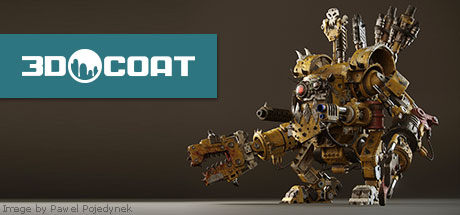
3D-Coat is the one application that has all the tools you need to take your 3D idea from a block of digital clay all the way to a production.
Modeled estimate, not a reported figure. How we estimate →
Media

About
Genres
Stats
All-time low is the lowest price we've recorded for this game since we started tracking it.
Languages: English, French, German, Japanese, Korean, Russian, Spanish - Spain, Traditional Chinese
Engagement
Reviews
Themes across 48 recent reviews and how positive each mention is. A keyword signal, not full sentiment analysis.
Reviews
I've bought the Professional version (379€) and while the software has great potential where other softwares can't even compete.. I cannot reccomend 3D Coat until they fix the serious bugs and freezes. I have to say that I use this software every day for my indie development. So here are the pros and cons and why I cannot reccomend it at this state. PROS: -Advanced 3d Sculpting tools with a lot of functionality -Awesomeand intuitive retopology. -Best and easiest also intuitive UV Unwrapping I've even seen (Please try it out, you won't use anything esle) -Painting PBR materials with layers which is awesome! -Advanced Baking features. -From 3D to Seamless textures with all the texture maps: Diffuse, Normal, Specular/Roughness, Metallic, glow etc... -Nice Render engine! -HDR Environments. -Exporting to a ton of softwares (including game engine such as Unreal Engine4, Unity. CONS: -Lacks customization on some important things like UNDO levels and memory usage. -Painting tools are not precise, they tend to only align with model polygon normal and distorts the paint brush, also does not provide Align to View painting. Instead you have to do it in photoshop which the software let's you do inside the app. -Text and Spline tool are horrible. They have the same issue on alignment. Sopmetimes they just don't align properly. -Mirror/Symmetry tool does not apply on all functions. Some times it just does not mirror what you're doing. THE WORST: -Freezes a lot even on a good computer with a low poly model. -undo stops working randomly and you have to use the eraser manualy. Good luck if you accidentally painted over a complex detail. Better save frequently. -Undo corrupts! This is the total annoyance. Some times you paint a text or something, then press UNDO and you'll see the text being undone partially. Like it forgets some squared parts of the text or paint brush. -Keeps crashing alot even when working on low poly models and 2K texture (The app supports up to 16K and I have 24GB of ram). -Some times you'll have to reset the whole layout because come windows/toolbars disappear randomly (No! I'm not pressing any hot key accidentally). So, the software is awesome but if you're not careful enough, you'll loose a lot of work and rage a lot. For a 379€ software I've expected more stability and quality of the functions. Hope the devs read this and fix those stuff. I'm here to assist them in order to dicover and fix the issues. I'm not saying "NOT RECCOMENDED" because I'm just a D**k.. but because It's been a couple of months using this software and I keep loosing my work...
Related
Related
Trends
Modeled estimate over time.
Hours played at review time, across 48 reviews with recorded playtime.
positive critical· bar length = how often the theme comes up
This is a Professional Software for Creating 3D Models and Content for the Workshop! If you want to become a video game Developer or just a guy who creates 3D models or something else ... then immediately think about education, which can cost 100k$ per year or more .. :( Then you can try to watch videos about training on 3DCoat Youtube https://www.youtube.com/user/PILGWAY3DCoat And read and ask questions on 3DCoat Forums https://3dcoat.com/forum/index.php And so, step by step, you can create your first virtual object, and then integrate it into the Workshop, and if your idea is brilliant, like a star in the sky, then the level of your professionalism will be higher than the mountains! Then you will get likes, and your item will be seen by the whole world of the community of players of a particular game, and you can receive your percentage of its online sales! Yes, it may be a little money, but it will give you the first capital to get a good education for $ 100k per year, and then feel like a certified video game developer! Follow your dream as your star! And it will definitely come true and will be in your hands! Money is not a dream and not the meaning of life, it is only a tool for achieving goals and dreams! Don't lose your dream and star from your heart and eyes !!!
If you're an amatuer, who knows nothing about 3D modeling, then this is the program for you. It's pretty intuitive after watching a few tutorial videos from their Youtube channel; and playing around with it your self. At first it may feel like learning a new language, but eventually you'll be able to create things straight from your dreams. Just think of it like playing with clay, but virtually.
Amazing piece of software, I mainly use it for 3d projection and texturing. Very intuitive, simple workflow that correlates well with any Photoshop package. I've put nearly 2000 hours into it and got way more than my moneys worth-It's one of those pieces of software I use daily while doing CSGO and Dota 2 workshop item production. Incredibly powerful! Expanding into the baking software and modeling as we speak and it's pretty amazing how deep this program goes.
3D coat is must have app for 3D modeling guys. now I can't UV unwrapping and retopologizing without this awesome tool. I saved a large amount of time on my workflow because of 3D coat.
Relatively powerful tool. The voxel painting it offers by far surpasses other programs of its type. It's a great tool and it's pretty fun to learn.
Brilliant modelling program. It is on par with Zbrush and the baking tools are incredible. Retopo tools are very much like Topogun, you can retopo your models quickly and efficiently. It is very easy to learn once you know the workflow which is pretty much standard. PBR viewport which also has the same shading model as Unreal Engine 4 so what you see in 3D - Coat will be what you get in Unreal Engine 4 which really solves the problem of having to export and import to check any changes you have made with your models. Great application, easy to learn, you can get amazing results with this and I highly recommend it!
I am a 22 year veteran professional 3D Artist working on a AAA best selling game. 3D Coat is my secret weapon. Yes some people may say this is a great program for 3D beginners. But let me clarify. The only thing that makes it beginner is that it's easy to learn. This software is so ridiculously legitimate it should cost 10x what it does. Don't be fooled by the price. I use coat in combination with 3DStudio MAX and because of it I'm one of the fastest on the team putting out some of the best work. It is a very powerful and friendly program that really suits the needs of next gen environment artists. I primarily use it for voxel sculpting organic and hard surface props. I use Coat 90% of the time when I need to sculpt. I use ZBrush about 10%. 3DCoat is where it's at baby. If you buy it and create work to sell please get the professional version. These developers deserve it. ZBrush is a grand and MAX is basically a monthly car payment now. For $99 you would be insane not to buy it if you are a 3D Artist.
ну не знаю, купил с маминой карты, меня побили, не покупайте(
Fantastic program at an accessible price for anyone looking to get in to modeling/sculpting or veterans looking to try something new. Even tho I've only used a hand full of features so far, this program has a lot of potential and an intuitive interface. Offers the possibility to do an entire project without the need of another software.
Momentum
Pace estimated from the game's recent review growth (our daily snapshots) at its own sales-per-review ratio — a momentum signal, not booked sales.
Audience
Estimated from the language of this game's reviews — a proxy for where players are, not official Steam demographics.